
Inkvoice
Invoicing with online payments and phone apps.
No server needed to start: Cloudgate can provide one. What happens when you click Deploy
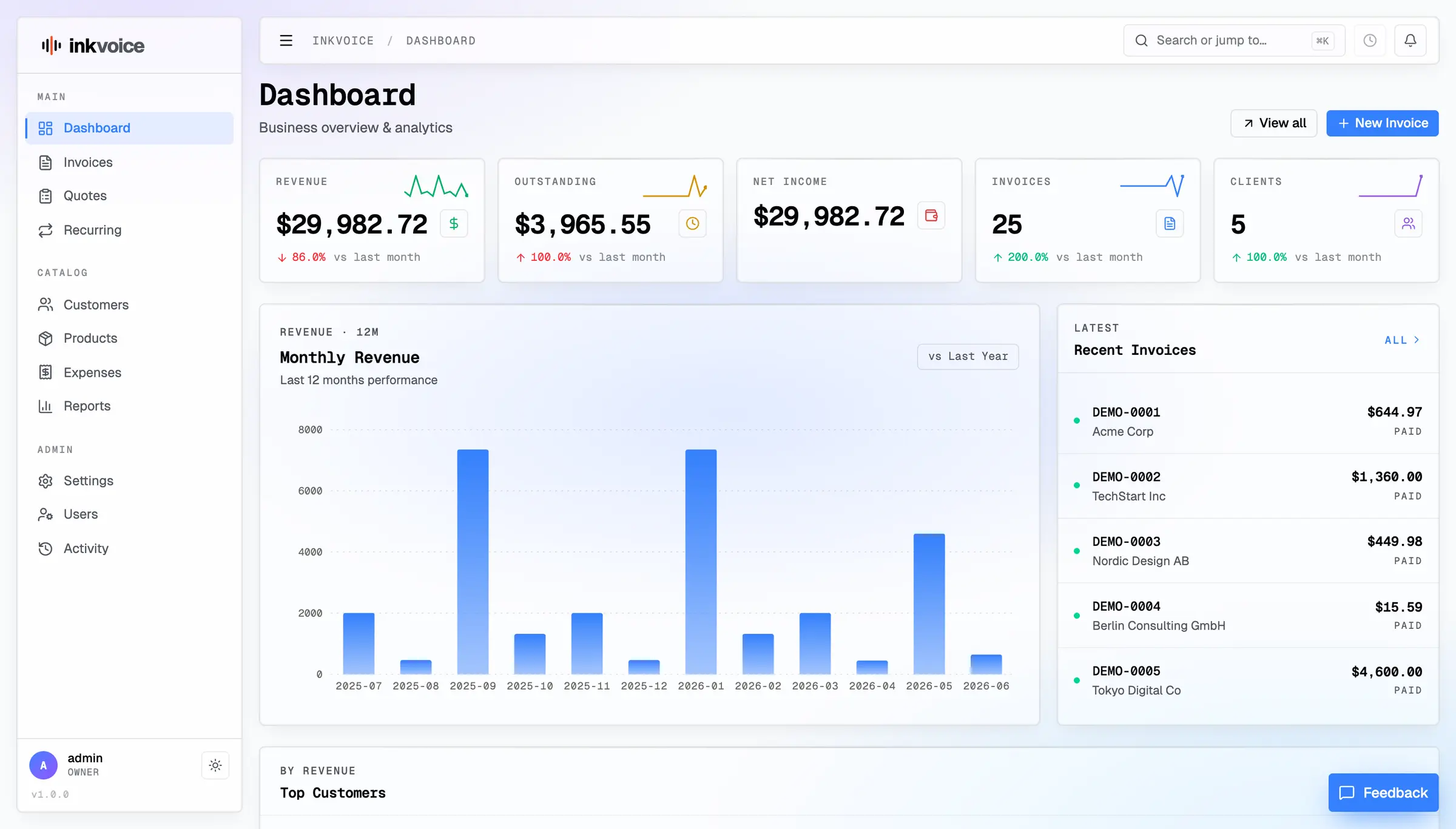

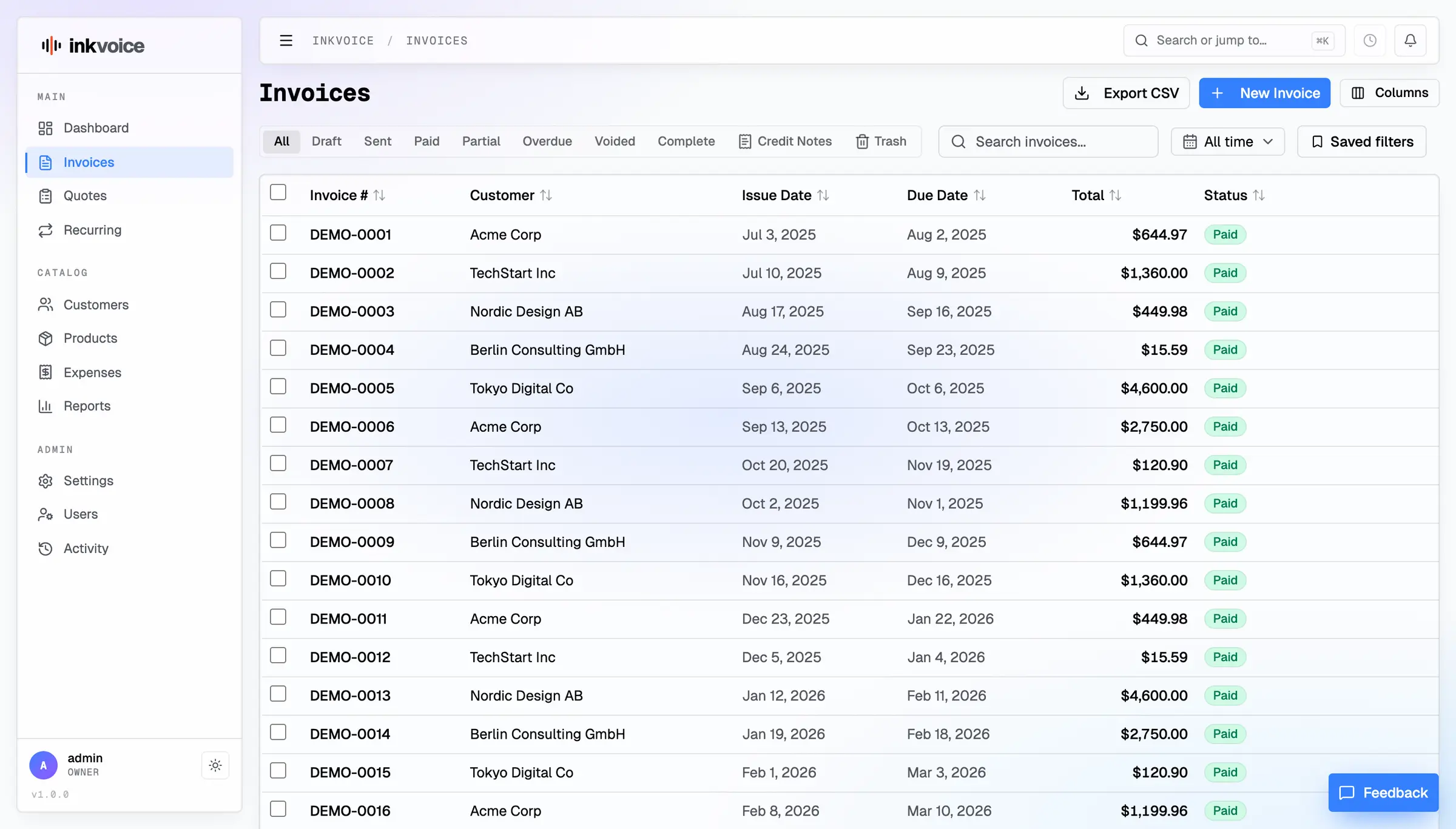

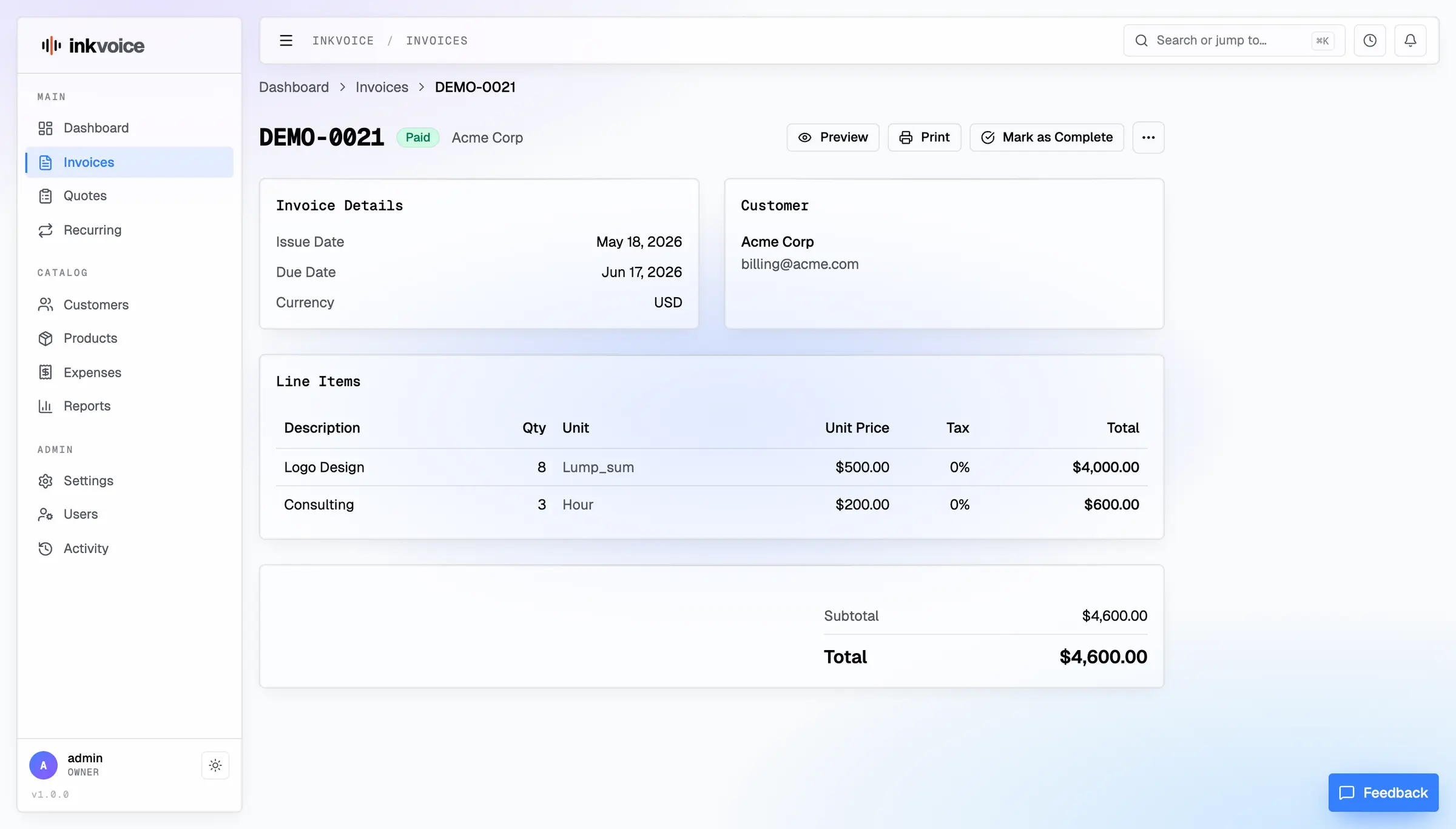

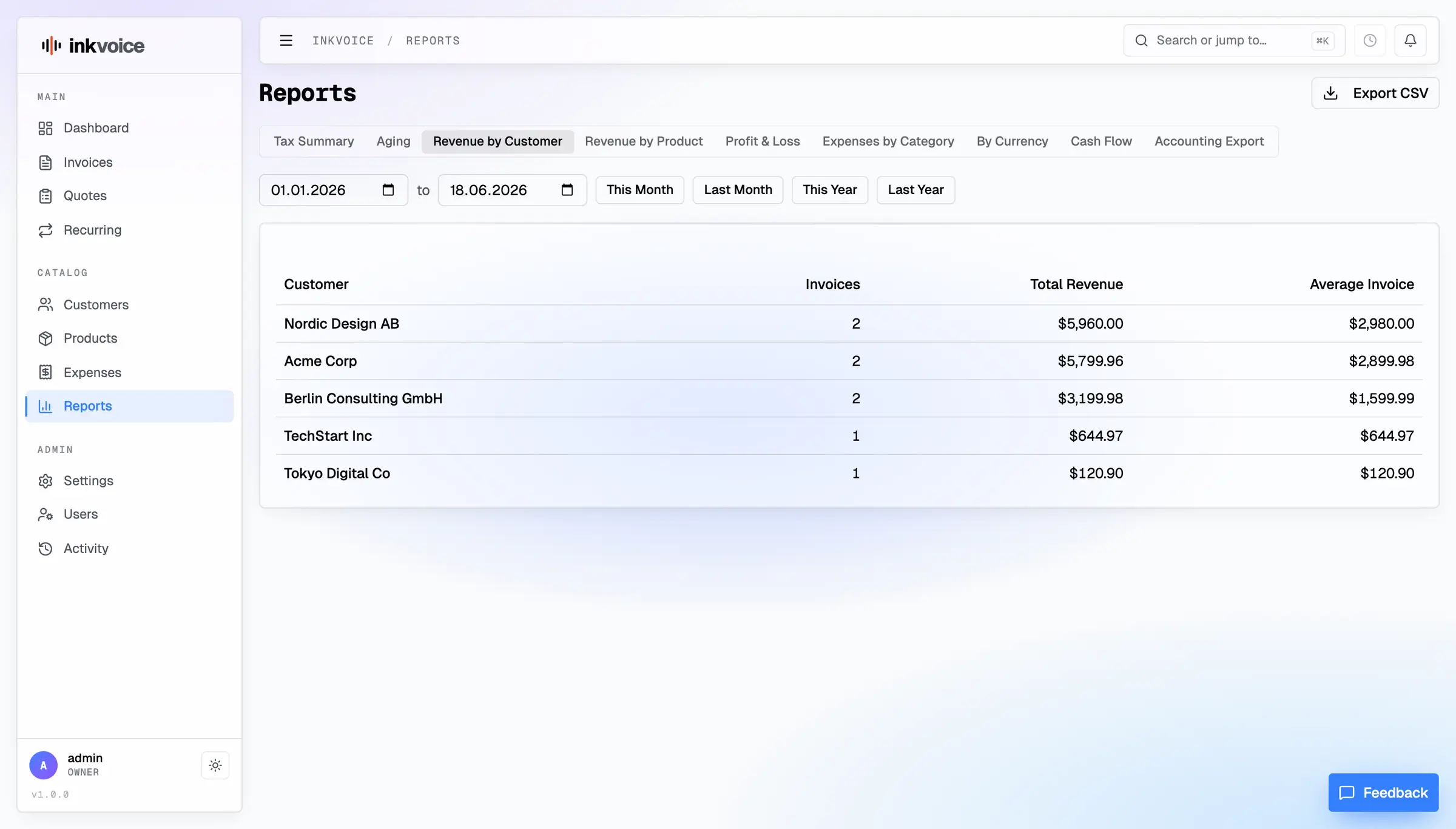

What is Inkvoice?
Inkvoice is self-hosted invoicing for freelancers and small teams: quotes, invoices, card payments, reminders and expenses, with phone apps.
Inkvoice is free, open-source, self-hosted invoicing software for freelancers and small teams, and an alternative to FreshBooks, Wave and Zoho Invoice. You send quotes and invoices, take card payments through your own Stripe or PayPal account, send reminders automatically and track expenses, with no monthly fee and no limit on invoices or users.
A two-person web studio, for example, could bill its retainer clients with a recurring invoice each month, see when each client opens the invoice, and let them pay by card from the link. Clients who pay late get a reminder email and, after a grace period, a late fee. At the end of the quarter the studio sends its accountant the profit and loss report as a CSV file, or an export ready for QuickBooks or Xero.
Inkvoice keeps to invoicing rather than full bookkeeping. It comes in English, German, French, Spanish and Turkish, works in several currencies, and has free iPhone and Android apps that connect to your own server. Businesses in Germany can turn on XRechnung and ZUGFeRD e-invoices.
Cloudgate installs Inkvoice on a server Cloudgate provides or one you connect, gives it a secure web address, and creates the admin sign-in for you.
What you can do with Inkvoice
- Send invoices and quotes Add line items, discounts and several tax rates, turn an accepted quote into an invoice in one click, and print a PDF from your own invoice design.
- See when a client opens an invoice Share each invoice by link, and Inkvoice shows you the moment your client opens it.
- Get paid online Clients pay by card through your own Stripe or PayPal account, Inkvoice adds no fee of its own, and you can record bank transfers and part payments too.
- Chase late payments for you Schedule reminder emails before and after the due date, add a late fee after a grace period, or offer a discount for paying early.
- Bill on a schedule Recurring invoices are created on the day, monthly, quarterly or yearly, and can be emailed or charged to a saved card.
- Track expenses and reports Log expenses with receipts, rebill them to clients, and see tax, unpaid-invoice, profit and loss and cash-flow reports, all exportable to CSV or to QuickBooks and Xero.
- German e-invoices when you need them An optional module creates XRechnung and ZUGFeRD / Factur-X e-invoices, checked with the official validator, and collects the e-invoices you receive.
- Invoice from your phone Free iPhone and Android apps connect to your own server to create invoices, record payments and photograph receipts.
Replaces FreshBooks, Wave and Zoho Invoice
Inkvoice does the same job as FreshBooks, Wave and Zoho Invoice. Here is what changes when you switch.
- No monthly fee and no limit on invoices, customers or users
- Card payments, recurring invoices and reminders included, with no fee added on top of Stripe or PayPal
- Your invoices and customers stay on your own server, in one file that is easy to back up
- Phone apps that work with your own server
- Invoicing only, with no bookkeeping or bank feeds; it exports CSV files for your accountant's QuickBooks or Xero
- Imports customers, products and expenses from CSV files, but not your old invoices
- Sending email and taking card payments need your own mail server and Stripe or PayPal account
- A young project, at version 0.3, from a small team
What happens when you click Deploy?
You do not need a server or any technical knowledge. Four steps, and Inkvoice is running at its own web address.
- Step 1 Click Deploy and create your account
Deploy takes you to Cloudgate. Create an account, or log in if you have one. Inkvoice itself is free.
- Step 2 Choose a server
No server? Get one from Cloudgate: pick a size and a country, and Cloudgate gets it ready. Already have one? Connect it instead.
- Step 3 Cloudgate sets up Inkvoice
It prepares the server, makes the passwords the app needs and starts it. There is nothing to install and nothing to write down.
- Step 4 Open your app and sign in
Your app gets a free web address to start, without https. Add your own domain, like app.yourshop.com, and Cloudgate secures it with https for you.
New to Cloudgate? See what Cloudgate is
Run Cloudgate yourself? Deploy from your own console
In your Cloudgate console, open Templates and choose Inkvoice.
Questions
Is Inkvoice free?
Yes, Inkvoice is free and open source under the MIT licence, and the self-hosted app has no limit on invoices, customers or users. Its maker also sells a hosted Inkvoice Cloud; the only parts kept for Cloud are delivering French e-invoices and a managed PEPPOL connection. You pay only for your server.
Is Inkvoice a good alternative to FreshBooks?
Yes, for invoicing and getting paid. Inkvoice covers quotes, invoices, recurring billing, card payments, reminders, expenses and time tracking with no monthly or per-person fee. It does no bookkeeping, so if you rely on FreshBooks' accounting you'd pass its CSV exports to your accountant instead.
How do I sign in to Inkvoice the first time?
Sign in to Inkvoice with the admin username you chose when installing and the password Cloudgate generates, shown on the app's variables page. Then add your company details, currency and tax rates in Settings, and add other people as users with their own roles.
Can clients pay Inkvoice invoices by card?
Yes, clients can pay online through your own Stripe or PayPal account, and the invoice is marked paid when the payment arrives. Inkvoice adds no transaction fee; Stripe or PayPal charge their usual fees.
Can I move my data from FreshBooks or Wave to Inkvoice?
Partly. Inkvoice imports customers, products and expenses from CSV files, letting you match each column, so you can bring over lists exported from FreshBooks or Wave. It doesn't import past invoices.
Is there an Inkvoice phone app?
Yes, there are free Inkvoice apps for iPhone and Android that connect to your own server. You can create and resend invoices, record payments and log expenses with a photo of the receipt.
Does Inkvoice create XRechnung or ZUGFeRD e-invoices?
Yes, an optional Inkvoice e-invoicing module, off until you turn it on, creates XRechnung and ZUGFeRD / Factur-X e-invoices and can attach them to invoice emails. Sending over the PEPPOL network from your own server needs a paid account with the peppol.sh service.
Do I need technical skills to run Inkvoice?
No. Click Deploy, create your Cloudgate account and choose a server, and Cloudgate sets up Inkvoice and gives it a web address. You use it in your browser like any other online tool.
Do I need my own server for Inkvoice?
No. When you deploy Inkvoice, hosted Cloudgate can provide a server. If you already rent one, you can connect it instead.
Related apps
Simple self-hosted invoicing, with Factur-X and PEPPOL e-invoices.

Quotes, invoices and online payments for small firms.

Invoices clients pay online, with automatic reminders.

Quotes, invoices and receipts, with quotes signed online.