
Invoicerr
Quotes, invoices and receipts, with quotes signed online.
No server needed to start: Cloudgate can provide one. What happens when you click Deploy
What is Invoicerr?
Self-hosted Invoicerr: quotes your clients sign online, plus invoices, receipts and e-invoices, for freelancers and small studios.
Invoicerr is free, open-source, self-hosted invoicing software for freelancers: quotes your clients sign online, invoices and receipts, as an alternative to FreshBooks or Zoho Invoice. It keeps your clients, documents and payments on your own server, with no monthly fee and no limit on clients or invoices.
A web designer, for example, could send a bakery a quote for a rebrand. The bakery opens the email, confirms a code and signs it, the designer turns the signed quote into an invoice in one click, and when the bank transfer arrives, records it and sends a PDF receipt. Invoices can also be downloaded as Factur-X, ZUGFeRD or XRechnung e-invoices.
Invoicerr does invoicing only: there are no card payments, time tracking, bookkeeping or phone apps, and it can't import from other tools. It is built mostly by one maker, who now works on it part-time and reviews other people's contributions, so new features arrive slowly. It works in any web browser, in 18 languages.
Cloudgate installs Invoicerr on a server Cloudgate provides or one you connect, with its database and a secure web address. Sign up straight away to create the first account, then add your company and your mail server.
What you can do with Invoicerr
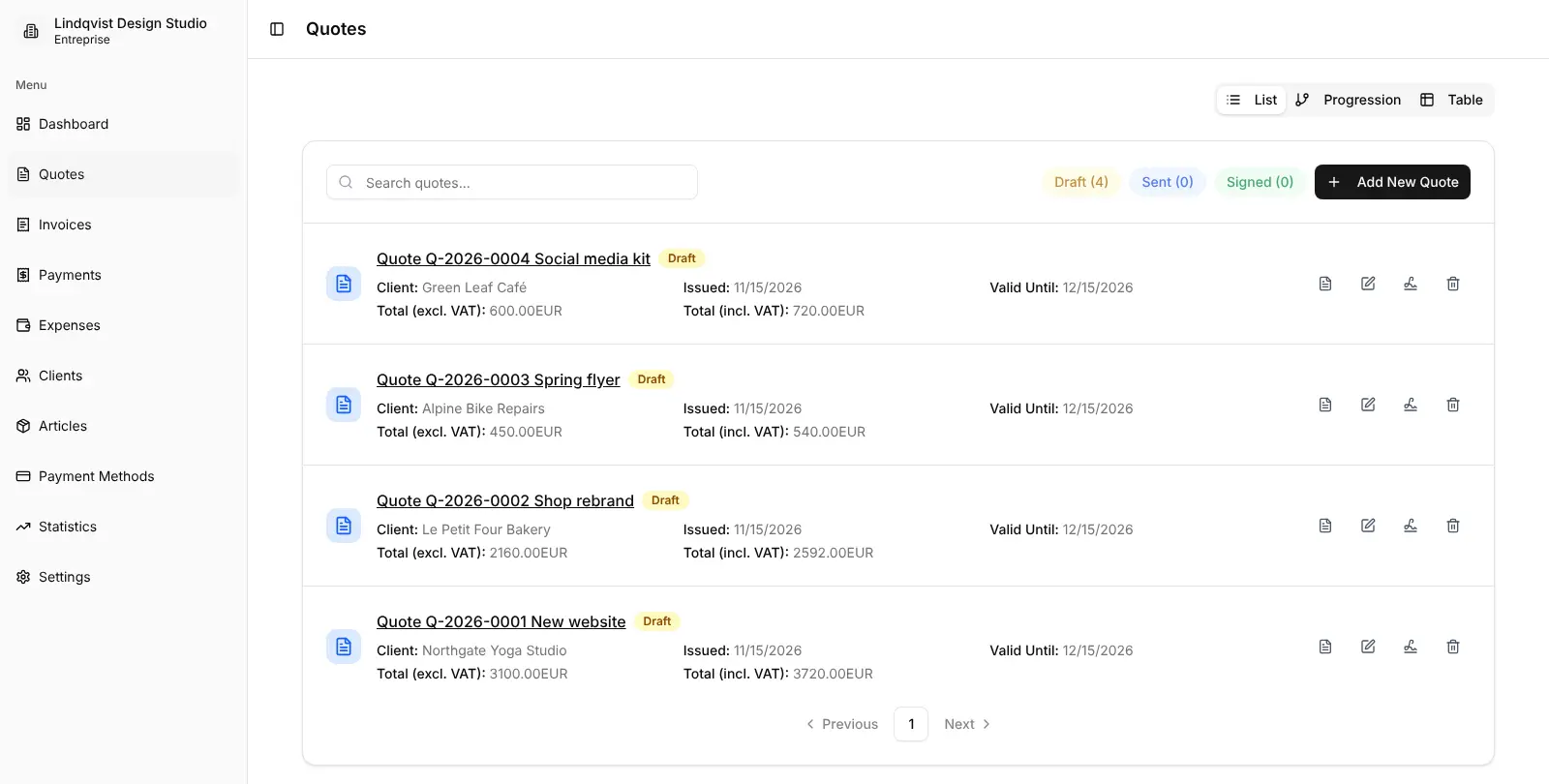
- Get quotes signed online Email a quote to a client, who opens the link, confirms a code sent by email and signs it, with no account needed.
- Turn quotes into invoices Once a quote is signed, create the invoice in one click with the client and line items already filled in.
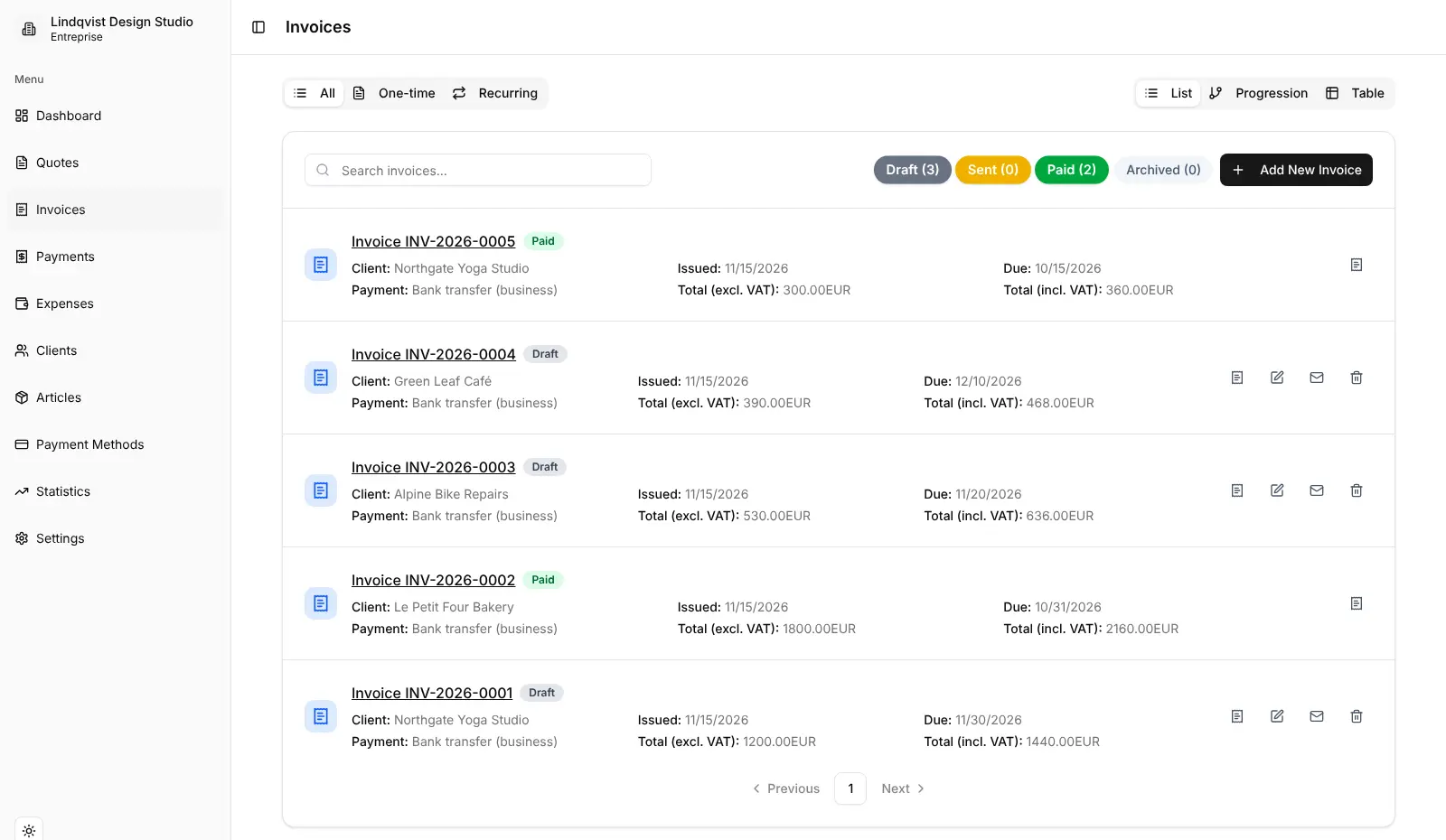
- Bill regular clients automatically Set an invoice to repeat at the frequency you choose, with an end date if you want one.
- Record payments and send receipts Log full or partial payments against an invoice and email the client a PDF receipt.
- Send e-invoices Download invoices as PDF or in the Factur-X, ZUGFeRD, XRechnung, UBL and CII e-invoice formats.
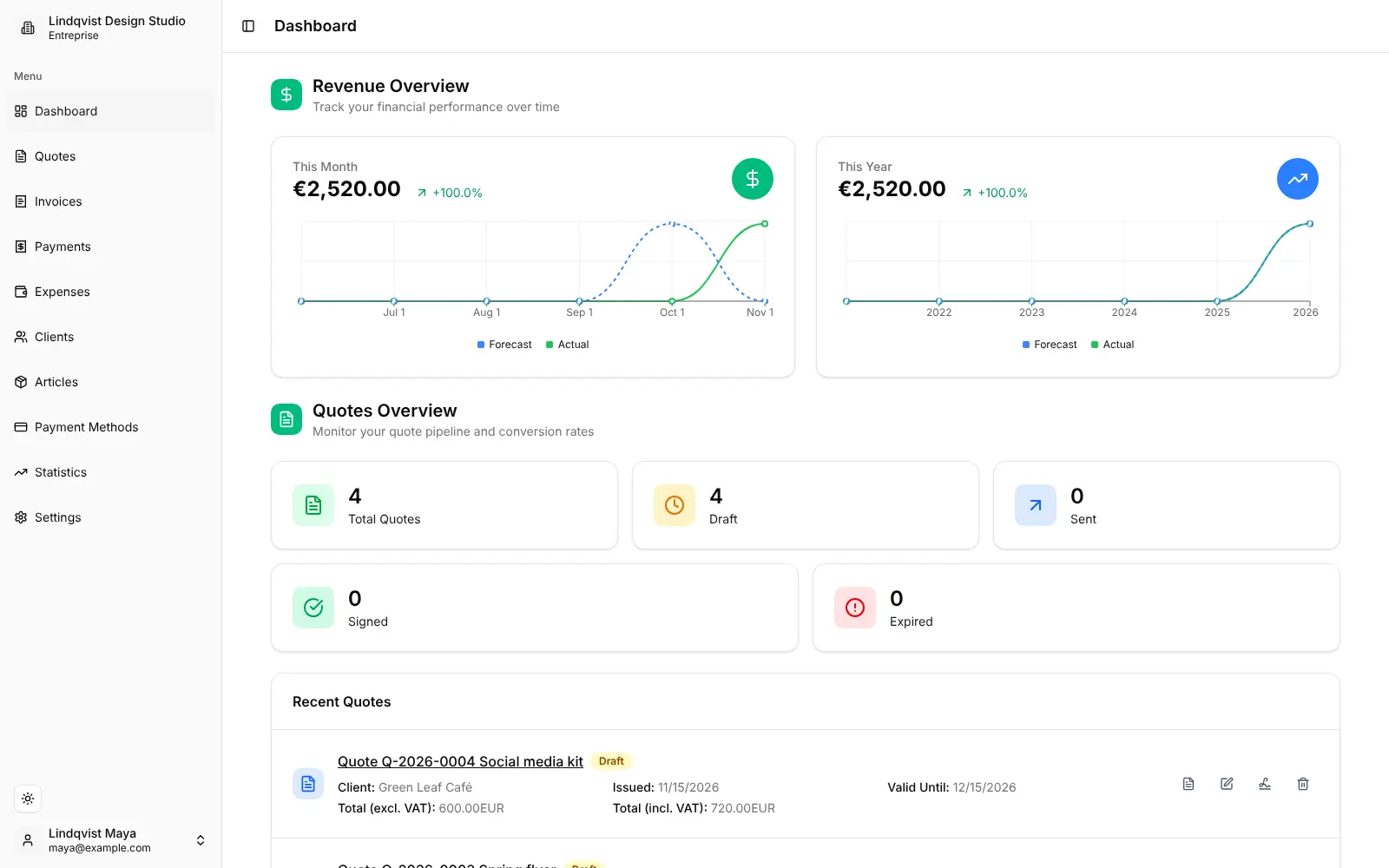
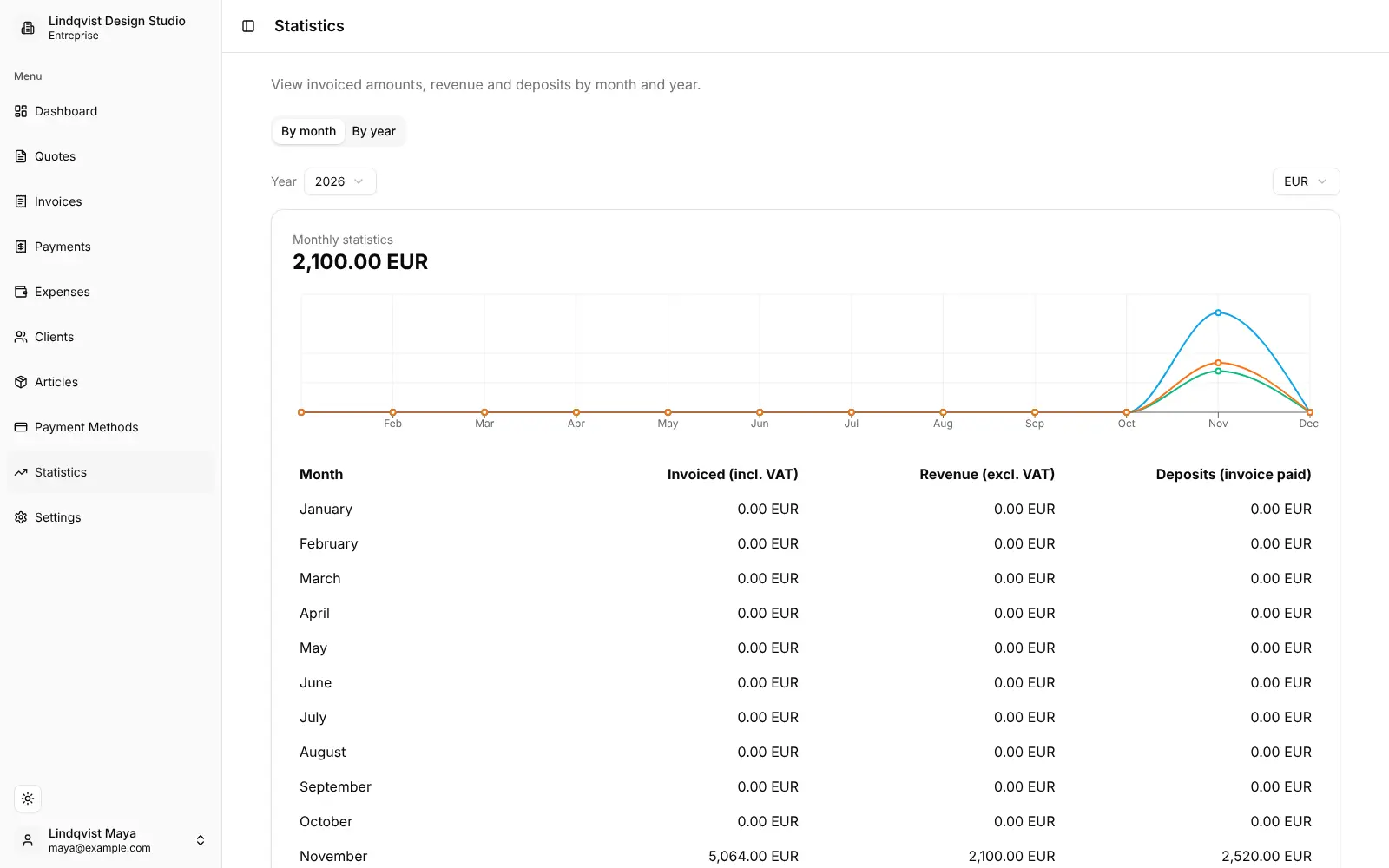
- See how the year is going The dashboard and statistics show revenue by month and year and where each quote stands.
- Make documents look like yours Add your logo, VAT and company number, numbering formats, colours and labels to every PDF.
- Work in your language Use the app in 18 languages, invite colleagues, and keep more than one company in one account.
Replaces FreshBooks and Zoho Invoice
Invoicerr does the same job as FreshBooks and Zoho Invoice. Here is what changes when you switch.
- No monthly fee, no charge per team member and no limit on clients or invoices
- Clients sign quotes online before you invoice them
- European e-invoice formats such as Factur-X and XRechnung
- Your clients and invoices stay on your own server
- No online card payments; invoices show your bank, PayPal or other payment details
- No time tracking, bookkeeping, bank feeds or customer portal
- No phone app, and no import from FreshBooks or Zoho Invoice
- Built mostly by one maker, who now has less time for it, so changes come more slowly
What happens when you click Deploy?
You do not need a server or any technical knowledge. Four steps, and Invoicerr is running at its own web address.
- Step 1 Click Deploy and create your account
Deploy takes you to Cloudgate. Create an account, or log in if you have one. Invoicerr itself is free.
- Step 2 Choose a server
No server? Get one from Cloudgate: pick a size and a country, and Cloudgate gets it ready. Already have one? Connect it instead.
- Step 3 Cloudgate sets up Invoicerr
It prepares the server, makes the passwords the app needs and starts it. There is nothing to install and nothing to write down.
- Step 4 Open your app and sign in
Your app gets a free web address to start, without https. Add your own domain, like app.yourshop.com, and Cloudgate secures it with https for you.
New to Cloudgate? See what Cloudgate is
Run Cloudgate yourself? Deploy from your own console
In your Cloudgate console, open Templates and choose Invoicerr.
Questions
Is Invoicerr free?
Yes, Invoicerr is free and open source under the AGPL-3.0 licence, with no paid edition, seat fee or invoice limit. You pay only for your server. Its maker also offers a separate commercial licence and asks businesses that sell or host Invoicerr as a service to contact him.
Is Invoicerr a good alternative to FreshBooks?
Yes, Invoicerr can replace FreshBooks if you mainly need quotes, invoices and receipts. Invoicerr covers quotes signed online, recurring invoices, payments and e-invoices without a monthly fee or client limit, but it has no time tracking, card payments, bookkeeping or phone app.
How does Invoicerr compare with Zoho Invoice?
Invoicerr has no user or invoice limits and adds no branding to your invoices, while Zoho Invoice, also free, is capped at two users and 500 invoices a year and adds "Powered by Zoho Invoice". Zoho Invoice has phone apps and online card payments that Invoicerr lacks; Invoicerr keeps your data on your own server.
How do clients sign a quote in Invoicerr?
Clients sign an Invoicerr quote in their web browser, with no account. You click Send for signature, the client gets an email with a link and an 8-digit code, enters the code and clicks Sign, and the quote shows as Signed and ready to invoice.
How do I sign in to Invoicerr the first time?
There is no default password. The first person to open your Invoicerr address and sign up with an email and password gets the first account, so do it straight after install. After that, new people can join only with an invitation from an existing user.
Can Invoicerr create e-invoices such as Factur-X or XRechnung?
Yes, Invoicerr can download any invoice as Factur-X, ZUGFeRD, XRechnung, UBL or CII, as well as a plain PDF, and you can pick the default format in the company settings.
Do I need an email account for Invoicerr?
Yes, to send anything. Invoicerr emails quotes, invoices, receipts and signing codes through a mail server you add during setup; without one you can still create documents and download the PDFs.
Do I need technical skills to run Invoicerr?
No. Click Deploy, create your Cloudgate account and choose a server, and Cloudgate sets up Invoicerr and gives it a web address. You use it in your browser like any other online tool.
Do I need my own server for Invoicerr?
No. When you deploy Invoicerr, hosted Cloudgate can provide a server. If you already rent one, you can connect it instead.
Can I move my data from FreshBooks to Invoicerr?
Most people export from FreshBooks and import into Invoicerr. The official guides at docs.invoicerr.app walk through it.
Related apps

Invoicing with online payments and phone apps.

Quotes, invoices and online payments for small firms.
Simple self-hosted invoicing, with Factur-X and PEPPOL e-invoices.

Invoicing for freelancers, with estimates and payments.