
Indico
Conference and meeting management, made at CERN.
No server needed to start: Cloudgate can provide one. What happens when you click Deploy
What is Indico?
Self-hosted Indico runs conferences and meetings: call for abstracts, registration with payments, timetables, badges and room booking. Made at CERN.
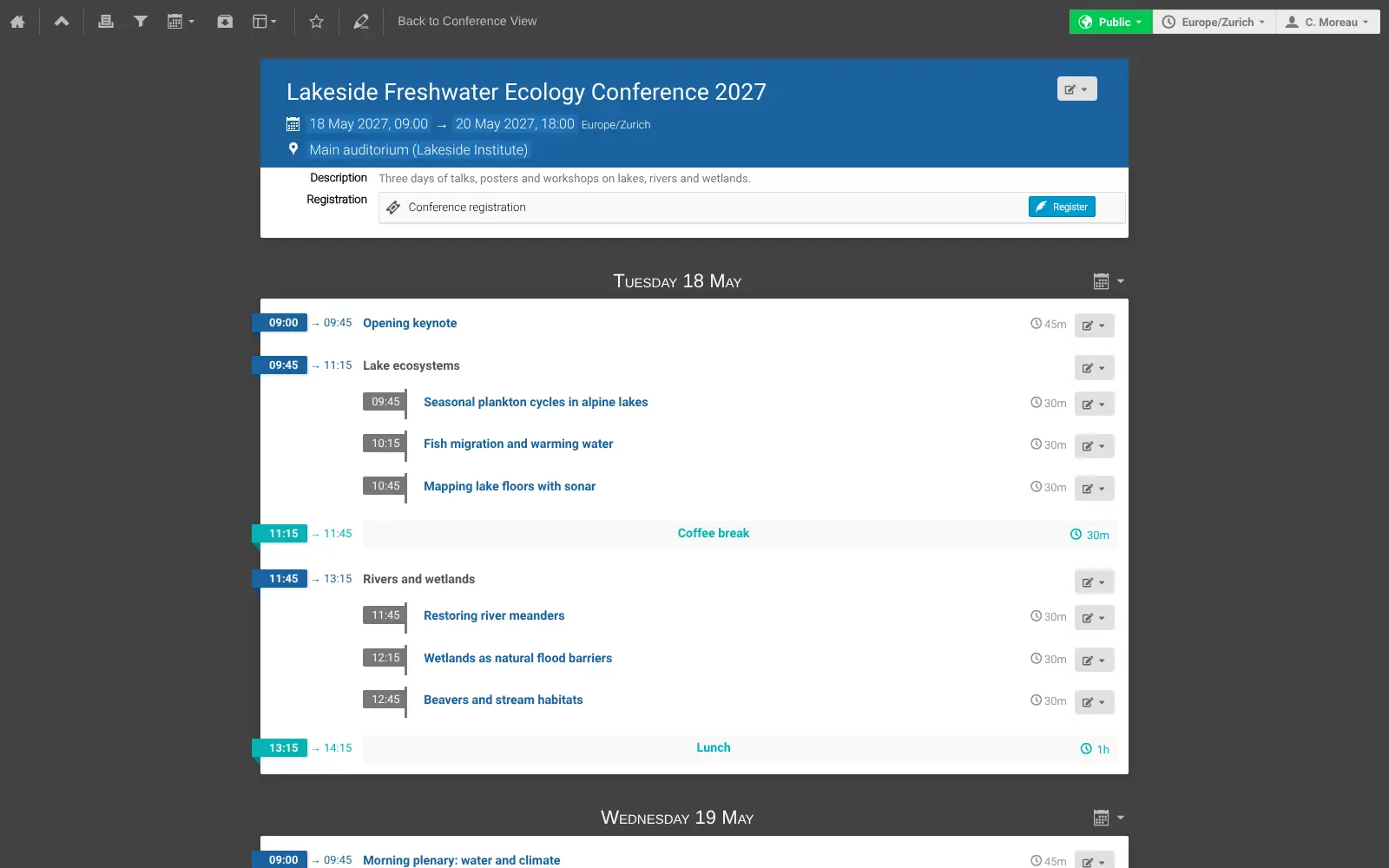
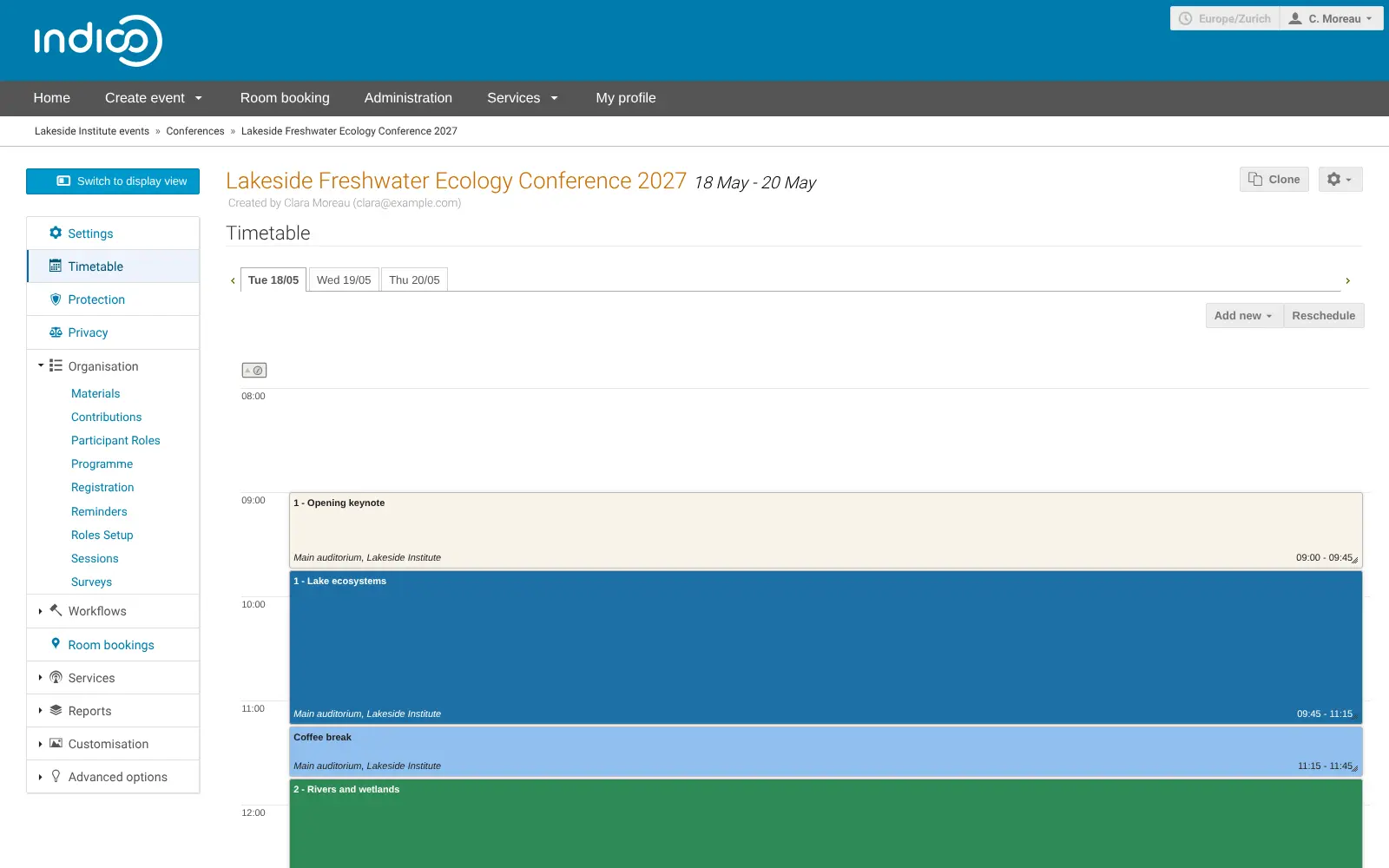
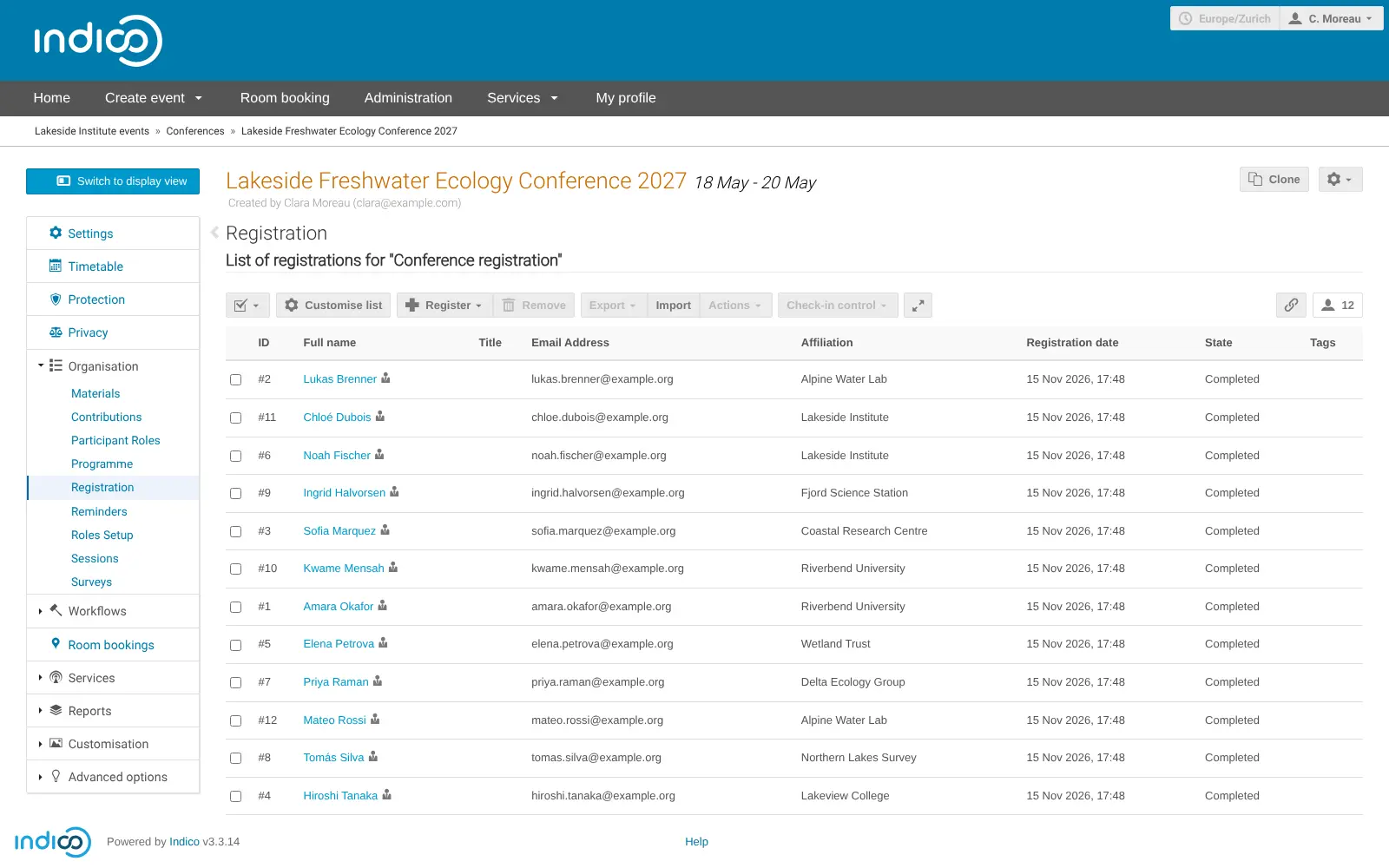
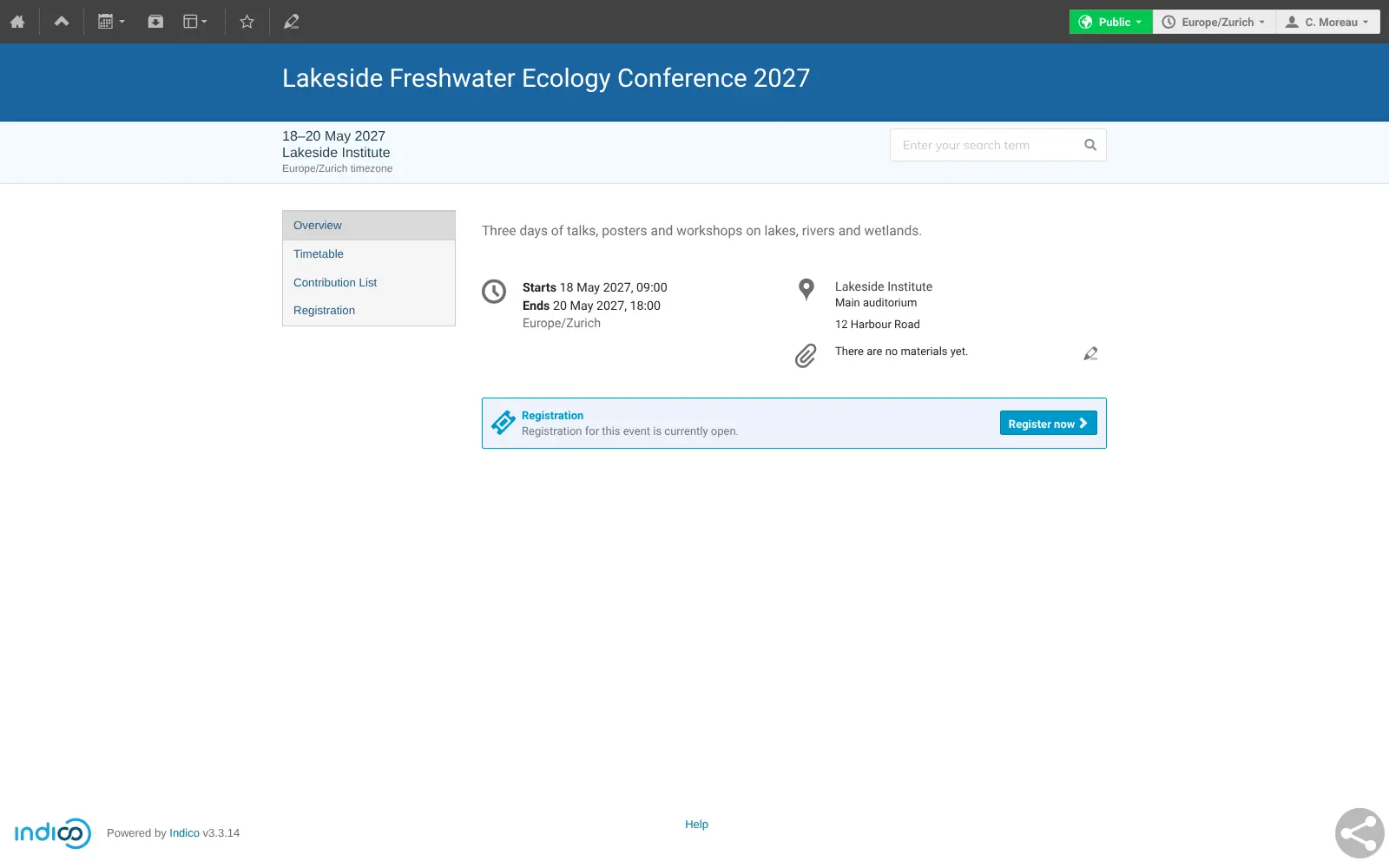
Indico is self-hosted event management software for conferences, workshops, seminars and meetings, a free, open-source alternative to Cvent, Oxford Abstracts and ConfTool. It was built at CERN, which still develops it, and covers the whole life of a conference: the call for abstracts, reviewing, registration with payments, the timetable, badges and the archive of slides and papers.
It also suits everyday meetings. Each seminar or team meeting gets a page with its agenda, minutes and slides, grouped in categories with their own access rules, and staff can book meeting rooms in the same place. A university department, for example, could run its weekly seminar series and its yearly summer conference from one Indico: collect 150 abstracts, have a committee review them, take registration fees by Stripe, and print name badges for the day.
Indico works in any modern browser, on computers and phones, and organisers can scan attendees in with its free check-in web app. It connects to Zoom for video meetings and to PayPal, Stripe or bank transfer for payments.
Cloudgate installs Indico on a server Cloudgate provides or one you connect and gives it a secure web address. The first person to open that address creates the admin account; add your email server's details during setup or later so Indico can send confirmations.
What you can do with Indico
- Run a full conference Call for abstracts, abstract and paper reviewing, registration, a timetable and badges, all for one event in one place.
- Build the timetable Drag talks, sessions and breaks into place, then publish a programme attendees can read on any device.
- Take registrations and payments Design your own registration form and take payments by bank transfer, PayPal or Stripe into your own account.
- Print badges and check people in Design badges and tickets, print them, and scan attendees in at the door with Indico's free check-in web app.
- Keep every meeting's material Agendas, minutes, slides and papers stay attached to each event as a permanent, searchable archive.
- Book meeting rooms Let staff book rooms and equipment, with room managers who approve requests.
- Join video calls in one click Connect your Zoom account so a meeting gets a Zoom link participants open from the event page.
- Control who sees what Group events in categories and choose who can view or manage each category, event or session.
Replaces Oxford Abstracts, Cvent and ConfTool
Indico does the same job as Oxford Abstracts, Cvent and ConfTool. Here is what changes when you switch.
- No fee per event or per participant; Indico is free and open source
- Abstracts, reviewing, registration and the timetable in one app instead of several
- Every event's slides and papers stay in your own archive for good
- Room booking and recurring meetings are handled in the same place
- There is no attendee phone app, only a mobile-friendly website and a check-in web app
- It is built for institutions, so the categories and settings take time to learn
- There is no import from Cvent, Oxford Abstracts or ConfTool
- It is not a ticket marketplace, so people will not discover your event through it
What happens when you click Deploy?
You do not need a server or any technical knowledge. Four steps, and Indico is running at its own web address.
- Step 1 Click Deploy and create your account
Deploy takes you to Cloudgate. Create an account, or log in if you have one. Indico itself is free.
- Step 2 Choose a server
No server? Get one from Cloudgate: pick a size and a country, and Cloudgate gets it ready. Already have one? Connect it instead.
- Step 3 Cloudgate sets up Indico
It prepares the server, makes the passwords the app needs and starts it. There is nothing to install and nothing to write down.
- Step 4 Open your app and sign in
Your app gets a free web address to start, without https. Add your own domain, like app.yourshop.com, and Cloudgate secures it with https for you.
New to Cloudgate? See what Cloudgate is
Run Cloudgate yourself? Deploy from your own console
In your Cloudgate console, open Templates and choose Indico.
Questions
Is Indico free?
Yes, Indico is free and open source under the MIT licence, with no paid edition or locked features. You pay only for your server, and payment providers such as PayPal or Stripe charge their usual fees.
Is Indico a good alternative to Cvent or Oxford Abstracts?
Yes, for academic and professional conferences. Indico covers the call for abstracts, reviewing, registration with payments, the timetable and badges in one self-hosted app with no fee per event. It has no attendee phone app or event marketing tools, which Cvent offers.
How do I sign in to Indico the first time?
There is no default password. The first person to open Indico's web address sees a setup page and creates the admin account with their own name, email and password, so do this right after setup.
Can Indico take payments for registrations?
Yes, Indico can take registration fees by bank transfer, PayPal or Stripe. You connect your own PayPal or Stripe account in Indico's settings, so the money goes straight to you.
Does Indico have a phone app?
No, Indico has no app for attendees, but its event pages and timetables work in a phone's browser. Organisers can use Indico's free check-in web app on a phone to scan attendees' tickets at the door.
Can I move my events from Cvent, Oxford Abstracts or ConfTool to Indico?
No, Indico has no importer for those tools. You set up new events in Indico, and you can bring in a list of registrants or keep past programmes in your old tool for reference.
What server size do I need for Indico?
Cloudgate asks for a medium server with 2 GB of memory for Indico and the database it needs. You can move to a bigger server later if your events grow.
Do I need technical skills to run Indico?
No. Click Deploy, create your Cloudgate account and choose a server, and Cloudgate sets up Indico and gives it a web address. You use it in your browser like any other online tool.
Do I need my own server for Indico?
No. When you deploy Indico, hosted Cloudgate can provide a server. If you already rent one, you can connect it instead.
Related apps

Run your conference's call for papers, reviews and schedule.

Sell event tickets, register attendees and check them in, fee-free.

A self-hosted community calendar anyone can add events to and follow.

Simple event pages and RSVPs, with no account for hosts or guests.