
Huginn
Agents that watch websites and feeds and send you alerts or digests.
No server needed to start: Cloudgate can provide one. What happens when you click Deploy
What is Huginn?
Self-hosted Huginn runs agents that watch websites, feeds and inboxes and send you alerts or daily digests, much like IFTTT or Zapier.
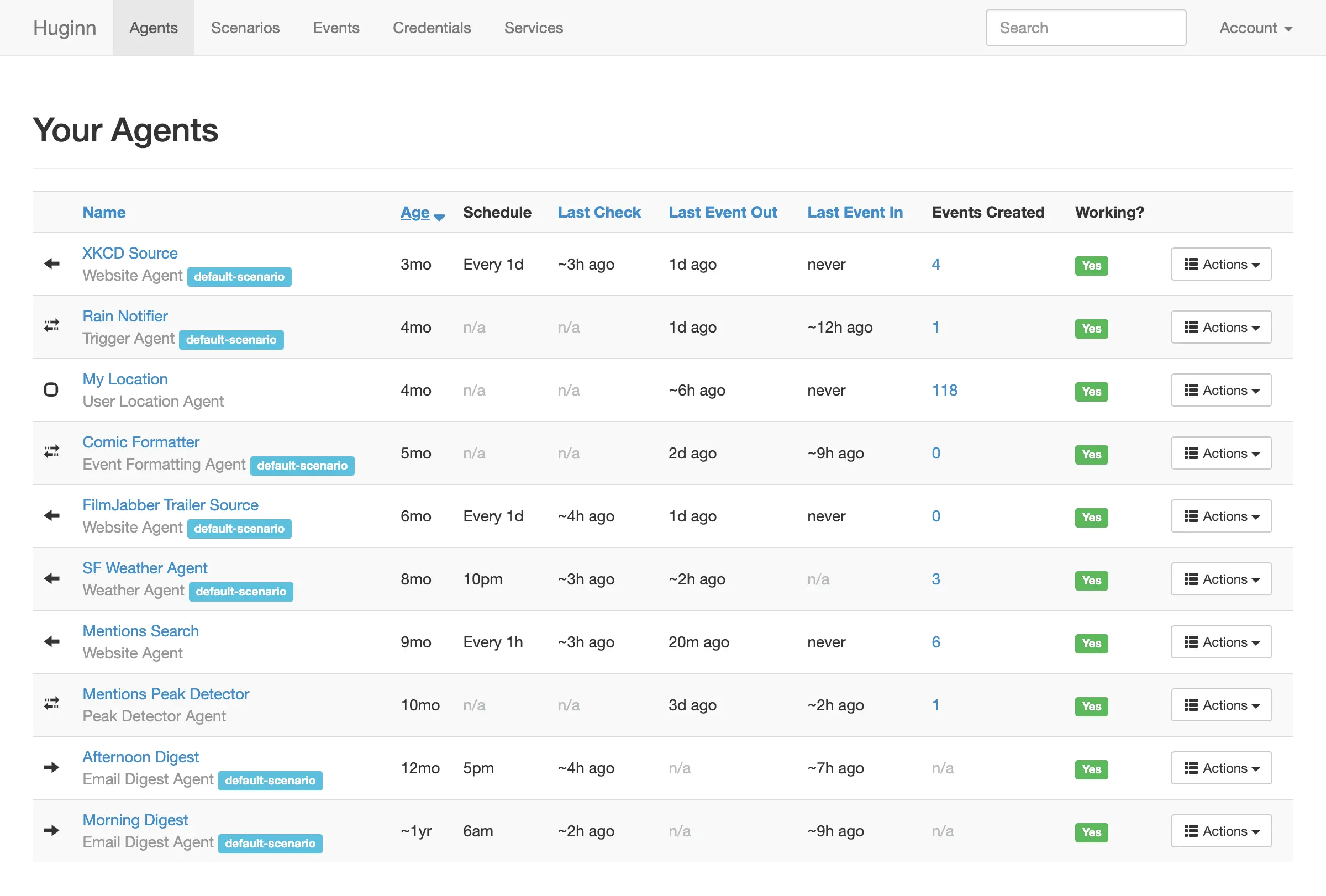
Huginn is a free, open-source, self-hosted tool for building agents that watch the web for you and act on what they find, in the way you might use IFTTT or Zapier. An agent can check a web page, a news feed or an inbox on a schedule, notice what changed, and pass it on as an email, a chat message or a daily digest.
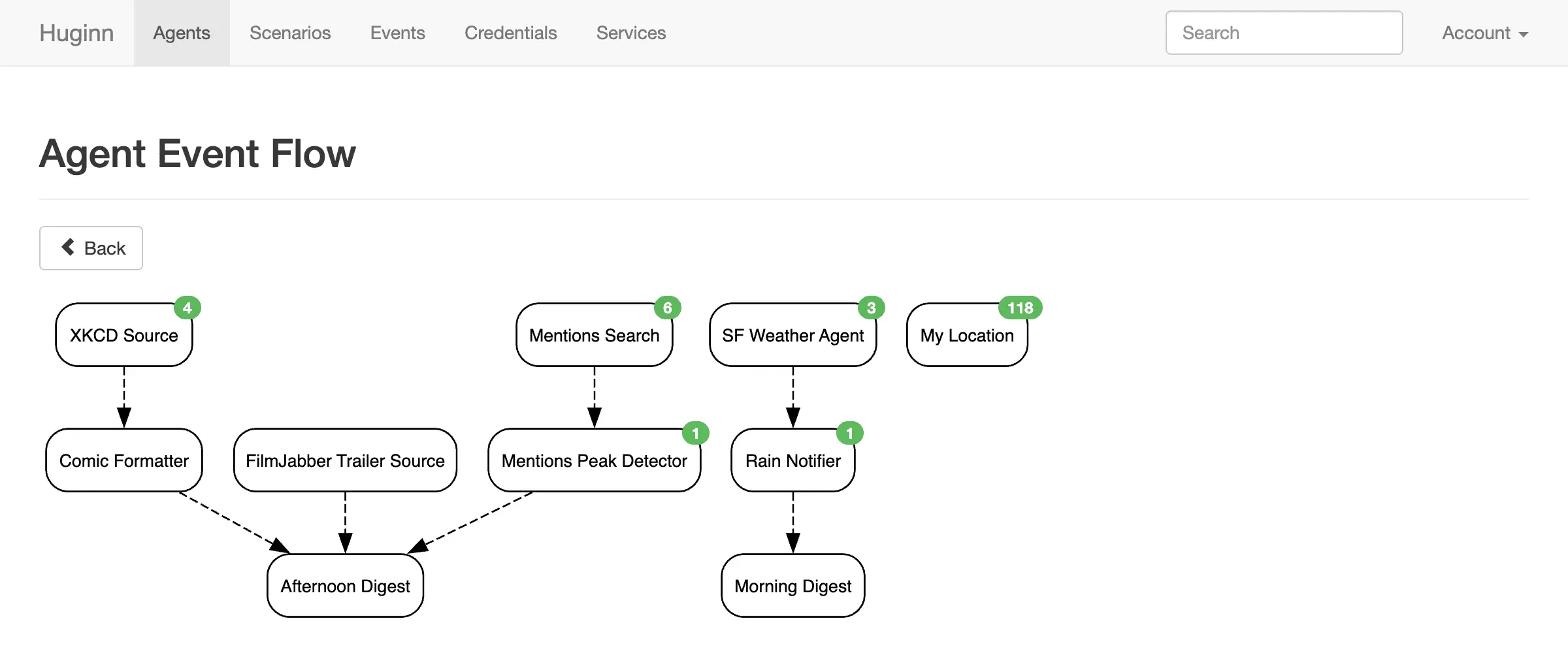
Agents link together, so one agent's findings feed the next. A shop owner could have one agent check a supplier's price page every morning, another filter for products below a set price, and a third email a short summary at 8 am.
Huginn is less about connecting business apps than n8n or Activepieces: it has fewer ready-made app connections, and its agents are set up in a form with a block of settings text rather than a drag-and-drop editor. It sends alerts to email, Slack, Telegram, Pushover and Twilio, works with webhooks, and can publish its own RSS feeds.
Cloudgate installs Huginn on a server Cloudgate provides or one you connect, with the database it needs and a secure web address. Sign in with the admin password it creates for you, look through the example agents Huginn starts with, then create your own.
What you can do with Huginn
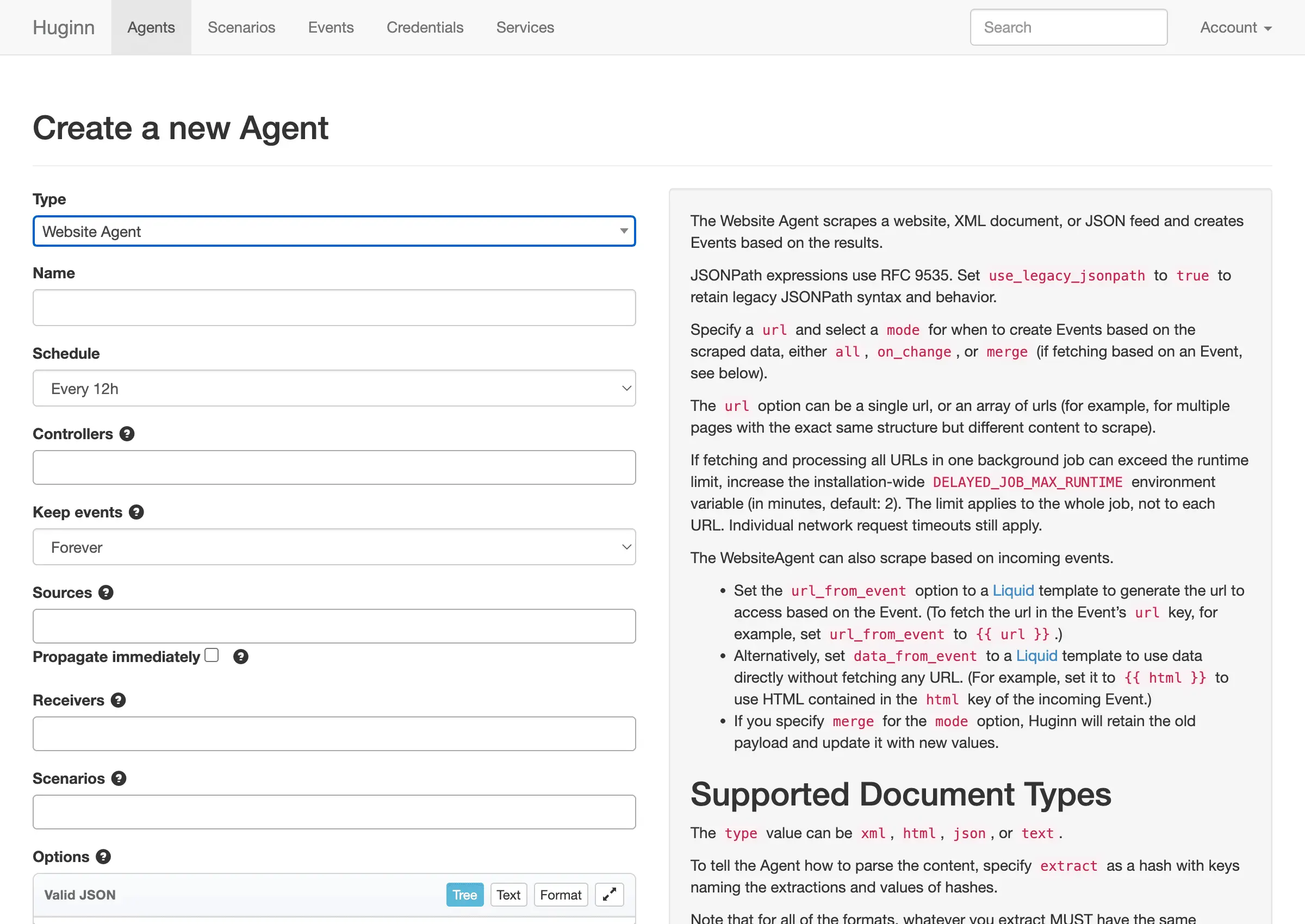
- Get told when a web page changes A website agent checks a page, feed or file on a schedule and only passes on what is new.
- Watch feeds and inboxes Follow RSS feeds, email inboxes and incoming webhooks, and act on each new item that arrives.
- Send daily digests Collect what your agents find during the day and email it to you as one summary at the time you choose.
- Alerts where you read them Send messages to Slack, Telegram, Pushover or Pushbullet, by email, or as a text or phone call through Twilio.
- Spot unusual spikes A peak detector watches a stream of numbers, such as mentions of your brand, and warns you when it jumps.
- Chain agents together One agent's results feed the next, and a diagram shows how all your agents connect.
- Make your own feeds Turn what your agents collect into an RSS feed or a JSON address that other tools can read.
- Share whole setups Group agents into a scenario, export it as a file and import it on another Huginn.
Replaces IFTTT and Zapier
Huginn does the same job as IFTTT and Zapier. Here is what changes when you switch.
- No limit on agents or how often they run, beyond what your server can handle
- Pages and feeds are checked from your own server, and what they find stays there
- Web page watching, digests and spike alerts are built in
- Free and open source under the MIT licence
- Far fewer ready-made connections to business apps than Zapier
- No drag-and-drop editor; each agent's options are written as settings text
- A plain, older-looking interface with no phone app
- Email alerts and digests need an email sending account added first
What happens when you click Deploy?
You do not need a server or any technical knowledge. Four steps, and Huginn is running at its own web address.
- Step 1 Click Deploy and create your account
Deploy takes you to Cloudgate. Create an account, or log in if you have one. Huginn itself is free.
- Step 2 Choose a server
No server? Get one from Cloudgate: pick a size and a country, and Cloudgate gets it ready. Already have one? Connect it instead.
- Step 3 Cloudgate sets up Huginn
It prepares the server, makes the passwords the app needs and starts it. There is nothing to install and nothing to write down.
- Step 4 Open your app and sign in
Your app gets a free web address to start, without https. Add your own domain, like app.yourshop.com, and Cloudgate secures it with https for you.
New to Cloudgate? See what Cloudgate is
Run Cloudgate yourself? Deploy from your own console
In your Cloudgate console, open Templates and choose Huginn.
Questions
Is Huginn free?
Yes, Huginn is free and open source under the MIT licence, with no paid edition or locked features. You pay only for the server it runs on.
Is Huginn a good alternative to IFTTT or Zapier?
Yes, Huginn can replace IFTTT or Zapier for watching websites, feeds and inboxes and sending yourself alerts or digests. For connecting many business apps with a point-and-click editor, Zapier, n8n or Activepieces fit better, because Huginn has fewer app connections and its agents are set up with settings text.
What is the difference between Huginn and n8n?
Huginn is built around agents that watch the web on a schedule and pass on only what changed, while n8n is built for multi-step workflows between business apps on a drag-and-drop canvas. Huginn is MIT open source; n8n uses a fair-code licence.
Do I need to know how to code to use Huginn?
No, but using Huginn is easier if you are comfortable with a little technical text. Each agent is a form, and its options, such as which part of a page to watch, are written in a short block of settings with examples shown next to it.
How do I sign in to Huginn the first time?
Cloudgate creates the admin account when Huginn first starts, with the username you chose (admin by default) and a strong password shown on the app's variables page. To add colleagues, share the invitation code from the same page so they can sign up.
Can I import my IFTTT applets or Zaps into Huginn?
No, Huginn cannot import IFTTT applets or Zaps, so each one is rebuilt as one or more agents. You can import Huginn scenarios that other people have exported.
What server size do I need for Huginn?
The Huginn project recommends 2 GB of memory, and 1 GB works for a light setup. Cloudgate installs Huginn together with the database it needs.
Do I need my own server for Huginn?
No. When you deploy Huginn, hosted Cloudgate can provide a server. If you already rent one, you can connect it instead.
Related apps

Zapier-style automations between your apps, on your own server.

Simple if-this-then-that flows between your business apps.

Automate work between your apps, with no limit on runs.

Flow editor that wires devices, APIs and apps together.