FOSSBilling
Billing, client area and support for hosting businesses.
No server needed to start: Cloudgate can provide one. What happens when you click Deploy
What is FOSSBilling?
FOSSBilling is self-hosted billing for web hosts: recurring invoices, a client area, payments, hosting account setup and support tickets, without a WHMCS fee.
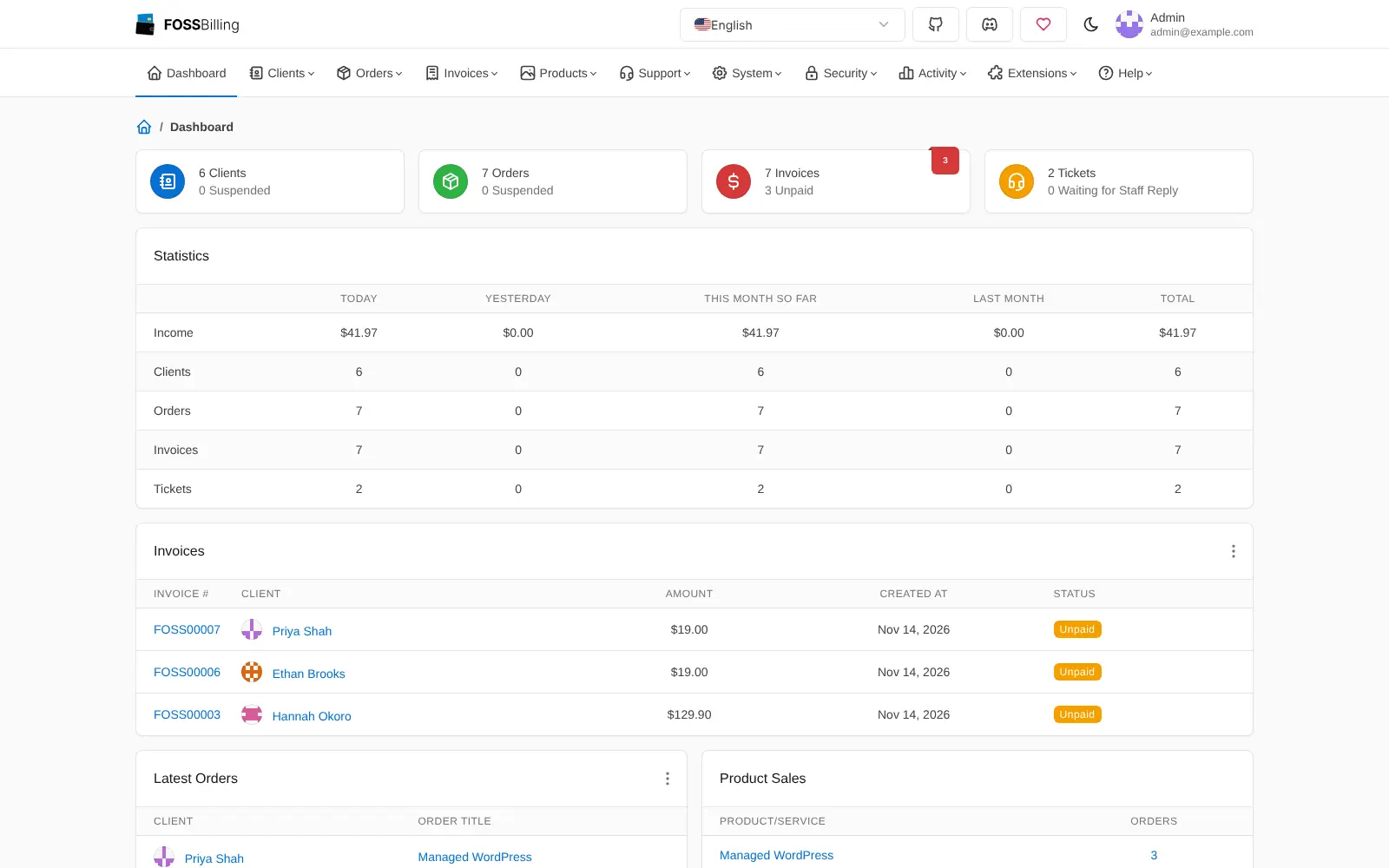
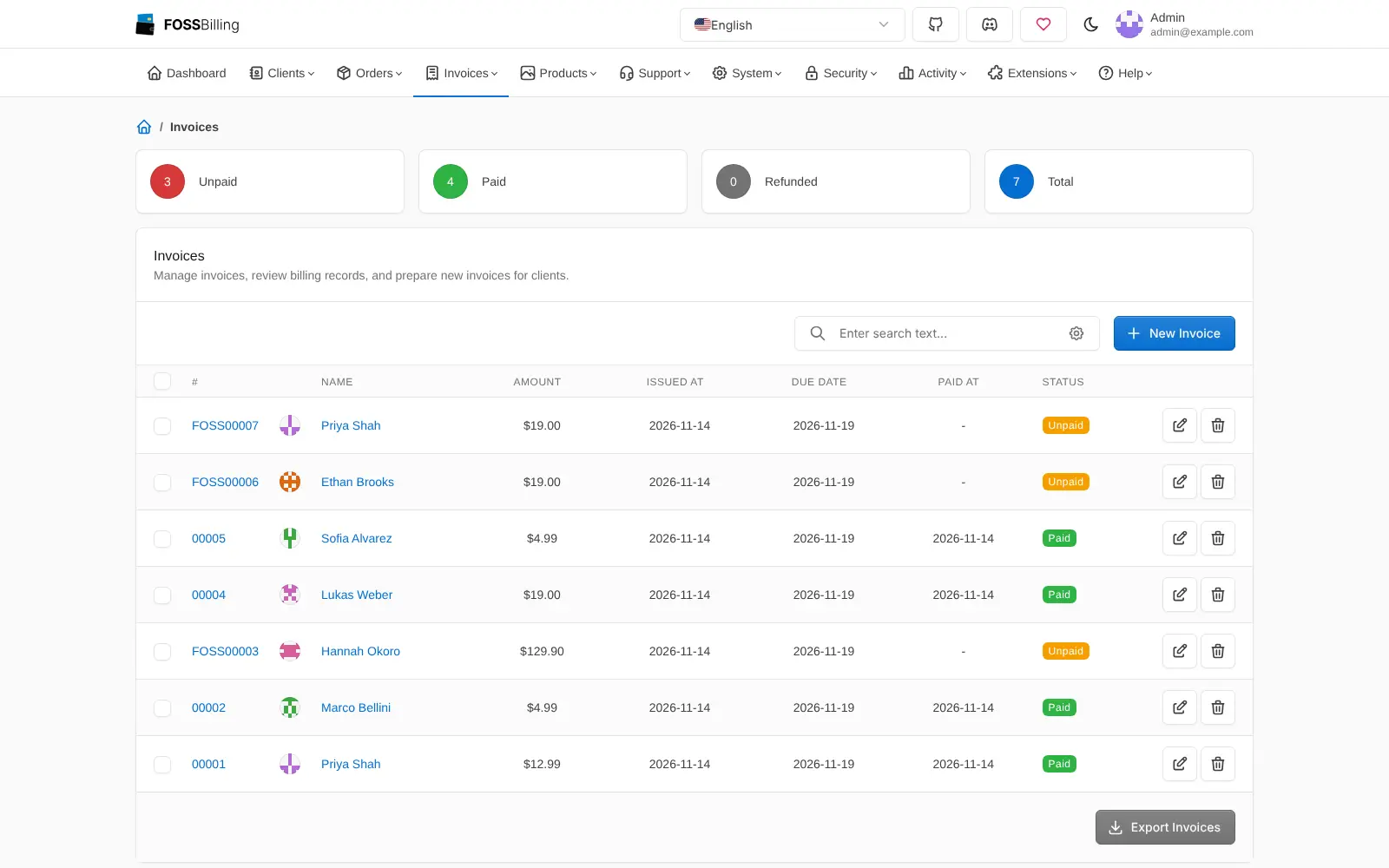
FOSSBilling is a free, open-source billing and client management system you can self-host, used by web hosts and online service businesses in place of WHMCS or Blesta. It sends recurring invoices and payment reminders, takes payments through Stripe or PayPal, sets up and suspends hosting accounts on cPanel, Plesk or DirectAdmin, and runs a help desk for your customers.
Customers get their own client area where they order products, pay invoices and open support tickets, while you manage everything from one admin panel. A local IT support company that hosts websites and email for its clients, for example, could bill each client every month, suspend a site automatically when an invoice goes unpaid and answer questions in the same place.
Be aware that FOSSBilling, a community fork of the older BoxBilling, still calls itself beta, so keep backups and read the release notes before updating with its built-in updater. It has fewer integrations than WHMCS, no WHMCS importer, and it is not accounting software.
Cloudgate installs FOSSBilling on a server Cloudgate provides or one you connect, with the database it needs, and gives it a secure web address. Invoices and reminders run on their own. Sign in at /admin, add your email settings and a payment method, and decide whether customers may sign up themselves.
What you can do with FOSSBilling
- Bill customers automatically Send recurring invoices from weekly to every three years, with payment reminders, PDF invoices, refunds and several currencies.
- Give customers their own client area Customers browse your products, place orders, pay invoices, manage their services and see their history.
- Take payments online Accept card payments through Stripe, PayPal, account credit or a manual method, with more gateways available as extensions.
- Set up hosting accounts on their own Create and suspend accounts on cPanel/WHM, Plesk, DirectAdmin, HestiaCP and CWP when an order is paid or an invoice goes unpaid.
- Sell and renew domains Handle domain registrations, transfers and renewals through registrars such as ResellerClub, Namecheap and Internet.bs.
- Sell more than hosting Offer software licences, downloads, API keys and custom services alongside hosting plans and domains.
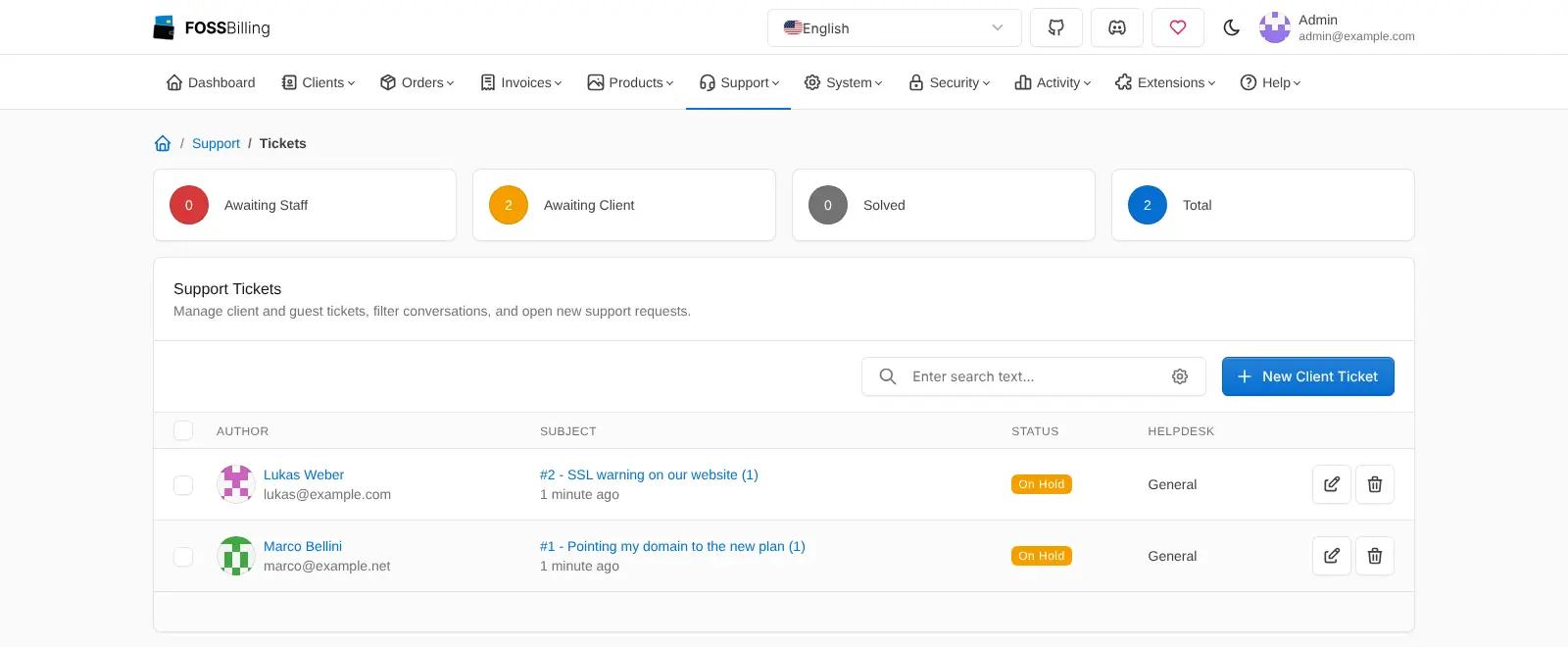
- Answer support tickets Run a help desk for clients and visitors, with email alerts, a knowledge base and announcements.
Replaces WHMCS and Blesta
FOSSBilling does the same job as WHMCS and Blesta. Here is what changes when you switch.
- No licence fee, now or later
- The core of hosting billing in one place, with client area, recurring invoices, account setup, domains and support tickets
- Your client and payment records stay on your own server
- Open source, with themes and extensions you can add or change
- FOSSBilling calls itself beta, so expect rough edges and read the release notes before each update
- Fewer payment gateways, hosting panels and add-ons than WHMCS, and some come only as community extensions
- There is no importer for WHMCS data, so clients, products and invoices are set up again
- Only English ships with it; other languages depend on community translations
What happens when you click Deploy?
You do not need a server or any technical knowledge. Four steps, and FOSSBilling is running at its own web address.
- Step 1 Click Deploy and create your account
Deploy takes you to Cloudgate. Create an account, or log in if you have one. FOSSBilling itself is free.
- Step 2 Choose a server
No server? Get one from Cloudgate: pick a size and a country, and Cloudgate gets it ready. Already have one? Connect it instead.
- Step 3 Cloudgate sets up FOSSBilling
It prepares the server, makes the passwords the app needs and starts it. There is nothing to install and nothing to write down.
- Step 4 Open your app and sign in
Your app gets a free web address to start, without https. Add your own domain, like app.yourshop.com, and Cloudgate secures it with https for you.
New to Cloudgate? See what Cloudgate is
Run Cloudgate yourself? Deploy from your own console
In your Cloudgate console, open Templates and choose FOSSBilling.
Questions
Is FOSSBilling free?
Yes, FOSSBilling is free and open source under the Apache 2.0 licence, with no paid edition or hosted plan; the project is funded by donations. You pay only for your server, though some third-party extensions may have their own terms.
Is FOSSBilling a good alternative to WHMCS?
Yes, if you need the core of WHMCS without a licence fee. FOSSBilling has a client area, recurring invoices, payment reminders, cPanel, Plesk and DirectAdmin account setup, domain registration and support tickets. WHMCS has many more integrations and add-ons and is more mature, while FOSSBilling is still in beta.
Is FOSSBilling ready for production?
FOSSBilling describes itself as beta. Its own README says it is "under active development and currently considered beta. Expect rough edges and limited support." It is usable, but keep backups and read the release notes before each update.
How do I sign in to FOSSBilling the first time?
Go to your FOSSBilling address followed by /admin and sign in with the admin email you entered when setting it up in Cloudgate and the password Cloudgate created, shown on the app's variables page. Customers use the main address, where they can register themselves until you turn sign-ups off in the admin settings.
Can I import my WHMCS data into FOSSBilling?
No, FOSSBilling has no built-in WHMCS importer. You add your products, clients and open invoices again yourself.
Does FOSSBilling send invoices by email?
Yes, FOSSBilling emails invoices once you add your email account's SMTP details in the admin settings. Until then no invoice, reminder or password emails go out, so set this up before inviting customers.
Is FOSSBilling accounting software?
No, FOSSBilling handles billing, payments and client accounts, but it does not do bookkeeping, tax returns or bank feeds. You can export your invoice list to pass to your accountant.
Do I need technical skills to run FOSSBilling?
No. Click Deploy, create your Cloudgate account and choose a server, and Cloudgate sets up FOSSBilling and gives it a web address. You use it in your browser like any other online tool.
Do I need my own server for FOSSBilling?
No. When you deploy FOSSBilling, hosted Cloudgate can provide a server. If you already rent one, you can connect it instead.
Related apps

Billing and client portal for hosting businesses.

Invoicing with online payments and phone apps.

Quotes, invoices and online payments for small firms.

Invoicing for freelancers, with estimates and payments.