
FitTrackee
A self-hosted workout tracker for your runs, rides and hikes.
No server needed to start: Cloudgate can provide one. What happens when you click Deploy
What is FitTrackee?
Self-hosted FitTrackee logs runs, rides and hikes from GPX or FIT files, with route maps, statistics and records, in place of Strava.
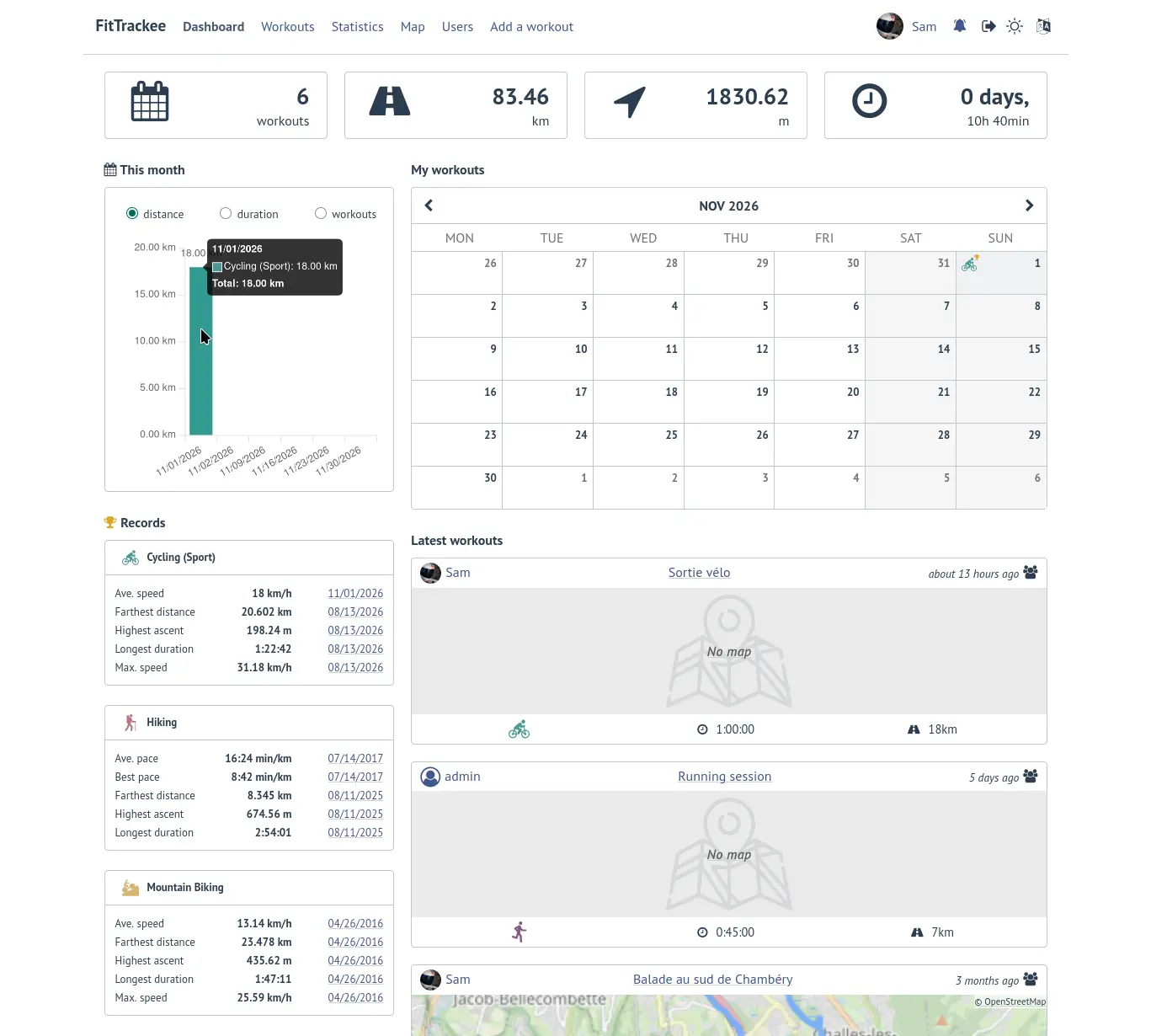
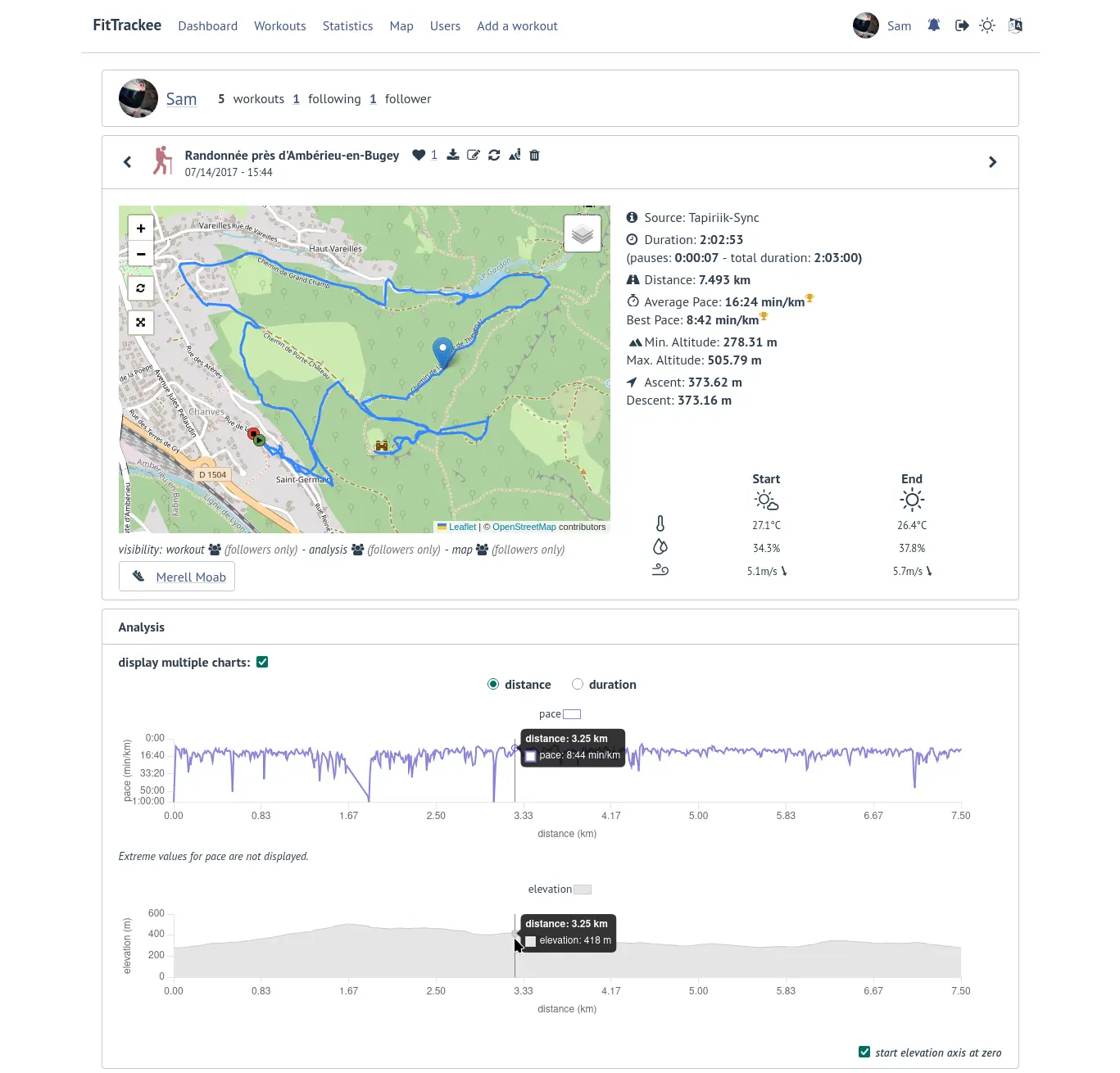
FitTrackee is a free, open-source, self-hosted workout tracker for outdoor sports: an alternative to Strava and Garmin Connect that keeps your routes and training history on your own server. You upload the GPX or FIT files your phone app or watch records, and FitTrackee shows each run, ride or hike on a map with its distance, pace, elevation and charts, then adds it to your calendar, records and statistics.
One FitTrackee serves as many people as you like. Friends, a family or a small club can each have their own account, follow each other, like and comment on workouts, and decide for every workout who can see it, its map and its photos. A cycling club, for example, could give each member an account to log weekend rides, keep track of their bikes and share photos from the route, without anyone paying for a subscription or handing their home address to an app company.
It covers 27 sports, from cycling and trail running to kayaking and skiing, works in any browser including on a phone, and accepts files from free apps such as OpenTracks and OsmAnd. Cloudgate installs FitTrackee on a server Cloudgate provides or one you connect and gives it a secure web address.
What you can do with FitTrackee
- Upload workouts from any app or watch Add GPX, FIT, TCX or KML files exported from a phone app or watch, several at once in a zip file, or type in a workout with no file.
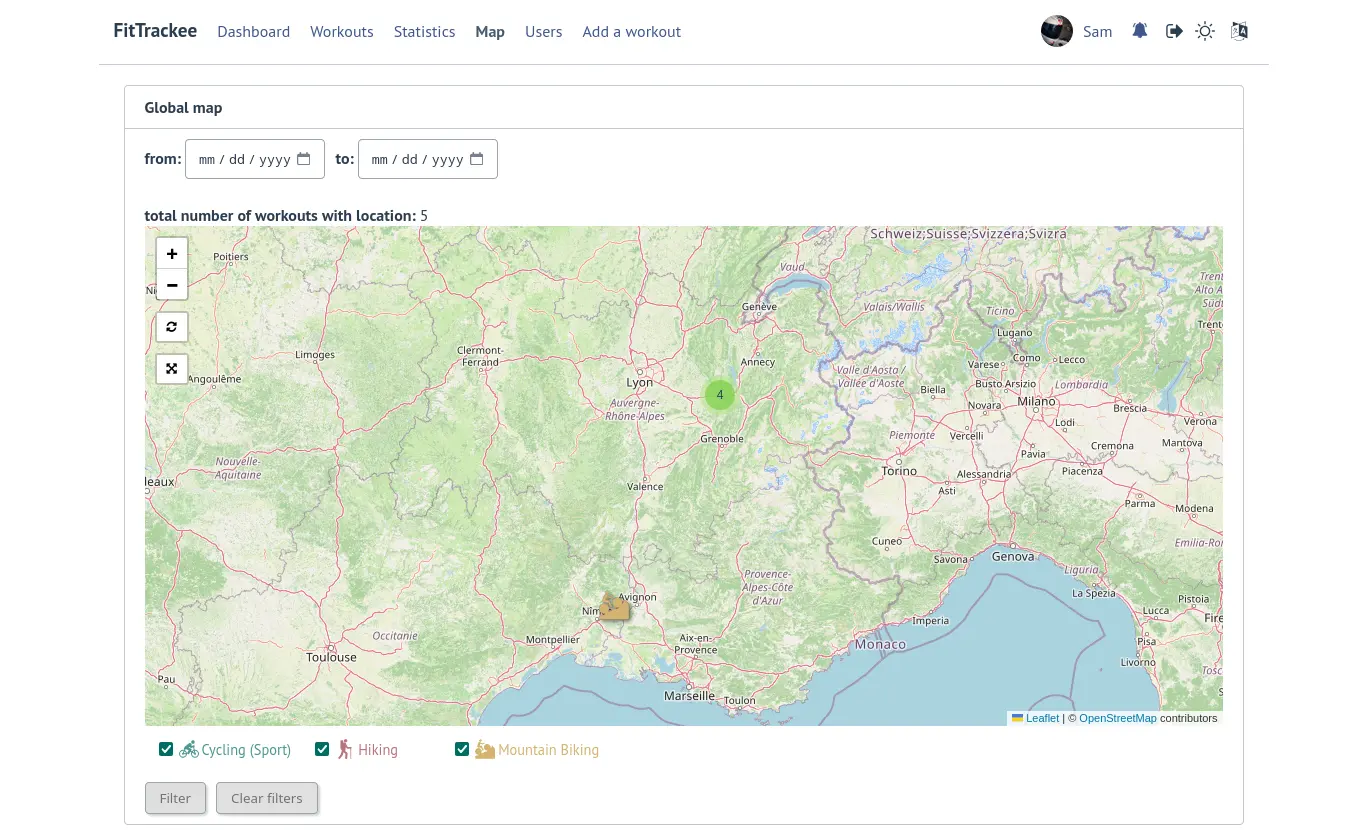
- See every route on a map Each workout shows its route on an OpenStreetMap map with distance, duration, pace or speed, altitude, ascent and descent, plus charts along the way.
- Track 27 outdoor sports Cycling, mountain biking, running, trail, hiking, walking, kayaking, canoeing, rowing, skiing and more, each with its own colour and records.
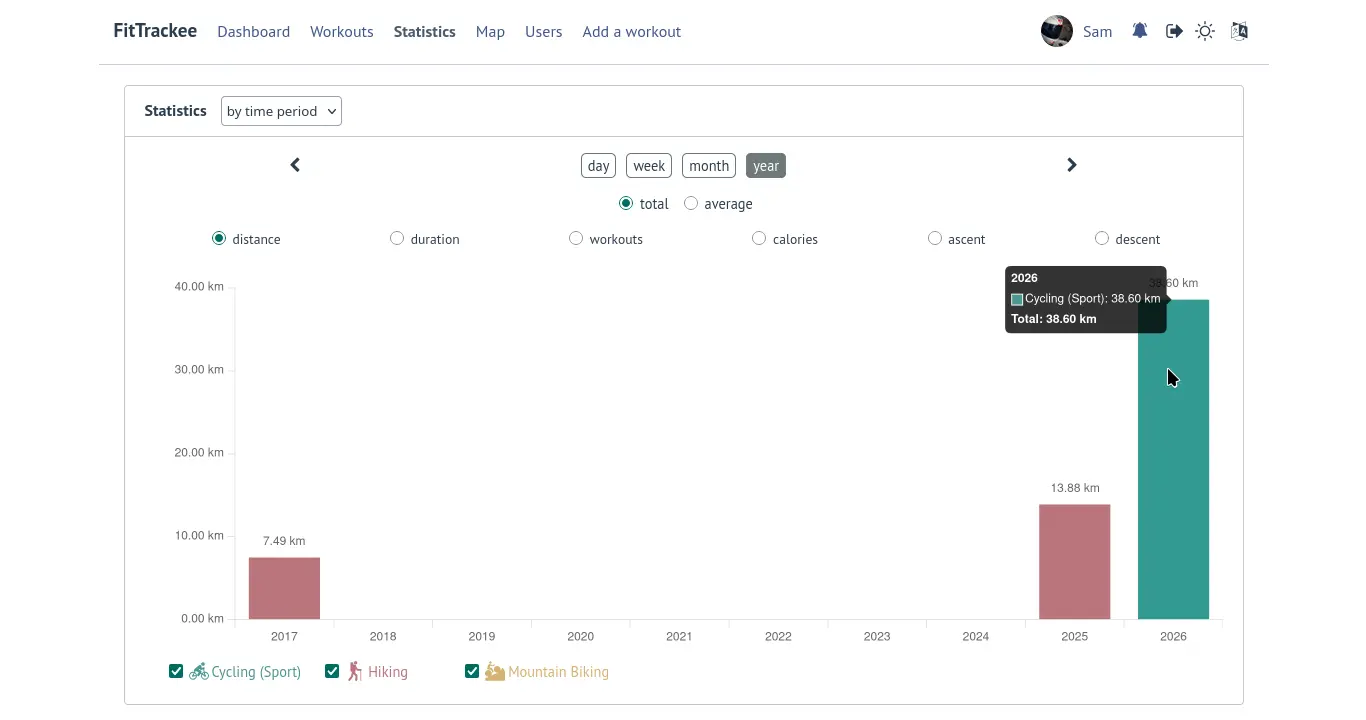
- Follow your progress A dashboard with a calendar, monthly totals and personal records, and statistics by day, week, month, year or sport.
- Keep track of your gear Add bikes, shoes and other equipment, link them to workouts and see how far each one has gone.
- Add photos and notes Attach up to 20 photos to a workout, write a description and keep private notes only you can see.
- Share with friends or keep it private Follow other people on your server, like and comment on workouts, and choose who sees each workout, its map and its photos.
Replaces Strava
FitTrackee does the same job as Strava. Here is what changes when you switch.
- Free, with no subscription and no locked features
- Your routes and home location stay on your own server
- One server for your family, friends or club
- You choose who sees each workout, map and photo
- No automatic sync from your watch; you upload files or use a community tool
- No segments, leaderboards or route planner
- The social side is limited to people on your own server
- No phone app; you use it in a web browser, which works on a phone
What happens when you click Deploy?
You do not need a server or any technical knowledge. Four steps, and FitTrackee is running at its own web address.
- Step 1 Click Deploy and create your account
Deploy takes you to Cloudgate. Create an account, or log in if you have one. FitTrackee itself is free.
- Step 2 Choose a server
No server? Get one from Cloudgate: pick a size and a country, and Cloudgate gets it ready. Already have one? Connect it instead.
- Step 3 Cloudgate sets up FitTrackee
It prepares the server, makes the passwords the app needs and starts it. There is nothing to install and nothing to write down.
- Step 4 Open your app and sign in
Your app gets a free web address to start, without https. Add your own domain, like app.yourshop.com, and Cloudgate secures it with https for you.
New to Cloudgate? See what Cloudgate is
Run Cloudgate yourself? Deploy from your own console
In your Cloudgate console, open Templates and choose FitTrackee.
Questions
Is FitTrackee free?
Yes, FitTrackee is free and open source under the AGPL-3.0 licence, with no paid tier or locked features. You pay only for the server you run it on.
Is FitTrackee a good alternative to Strava?
Yes, FitTrackee suits you if you want a private log of your runs, rides and hikes with maps, statistics and personal records, without a subscription. It has no segments, leaderboards, route planner or automatic watch sync, so it suits people who care more about keeping their own data than about competing with others.
Can I import my workouts from Strava or Garmin Connect?
Partly. FitTrackee has no built-in importer, but you can upload the GPX and FIT files you download from Strava or Garmin Connect, several at a time in a zip file. Community tools such as strava-to-fittrackee and garmin-to-fittrackee can copy your workouts across for you.
How do I sign in to FitTrackee the first time?
Sign in with the owner email you entered at setup and the password Cloudgate created, shown on the app's variables page; FitTrackee signs in by email, not username. Cloudgate creates this owner account for you, so no confirmation email is needed. Sign-up stays open, but because no email server is set up, people who sign up get an inactive account until you activate it in Admin > Users; you can close sign-up in Admin > Application.
How do I get workouts from my phone or watch into FitTrackee?
Export a GPX or FIT file from your tracking app or watch and upload it in FitTrackee. Free Android apps such as OpenTracks, FitoTrack, OsmAnd and RunnerUp export these files, and the Amazfish smartwatch app can send workouts straight to FitTrackee.
Does FitTrackee have a phone app?
No, there is no official FitTrackee phone app. The website works in your phone's browser, and you record workouts with any app or watch that exports GPX or FIT files.
Who can see my workouts in FitTrackee?
Only the people you choose. For each FitTrackee workout you decide whether it is private, visible to your followers or public, and you can set the map, photos and analysis separately. Your files stay on your own server.
Do I need technical skills to run FitTrackee?
No. Click Deploy, create your Cloudgate account and choose a server, and Cloudgate sets up FitTrackee and gives it a web address. You use it in your browser like any other online tool.
Do I need my own server for FitTrackee?
No. When you deploy FitTrackee, hosted Cloudgate can provide a server. If you already rent one, you can connect it instead.
Related apps

A self-hosted Strava alternative for your runs, rides and swims.

A self-hosted workout tracker, food diary and body log in one app.

A self-hosted travel tracker, trip planner and world map in one.

A self-hosted flight tracker for every flight you take, on one map.