FileGator
A self-hosted web file manager with a home folder for each person.
No server needed to start: Cloudgate can provide one. What happens when you click Deploy
What is FileGator?
FileGator is a self-hosted web file manager: your team uploads, zips and downloads files in the browser, each person with their own folder and permissions.
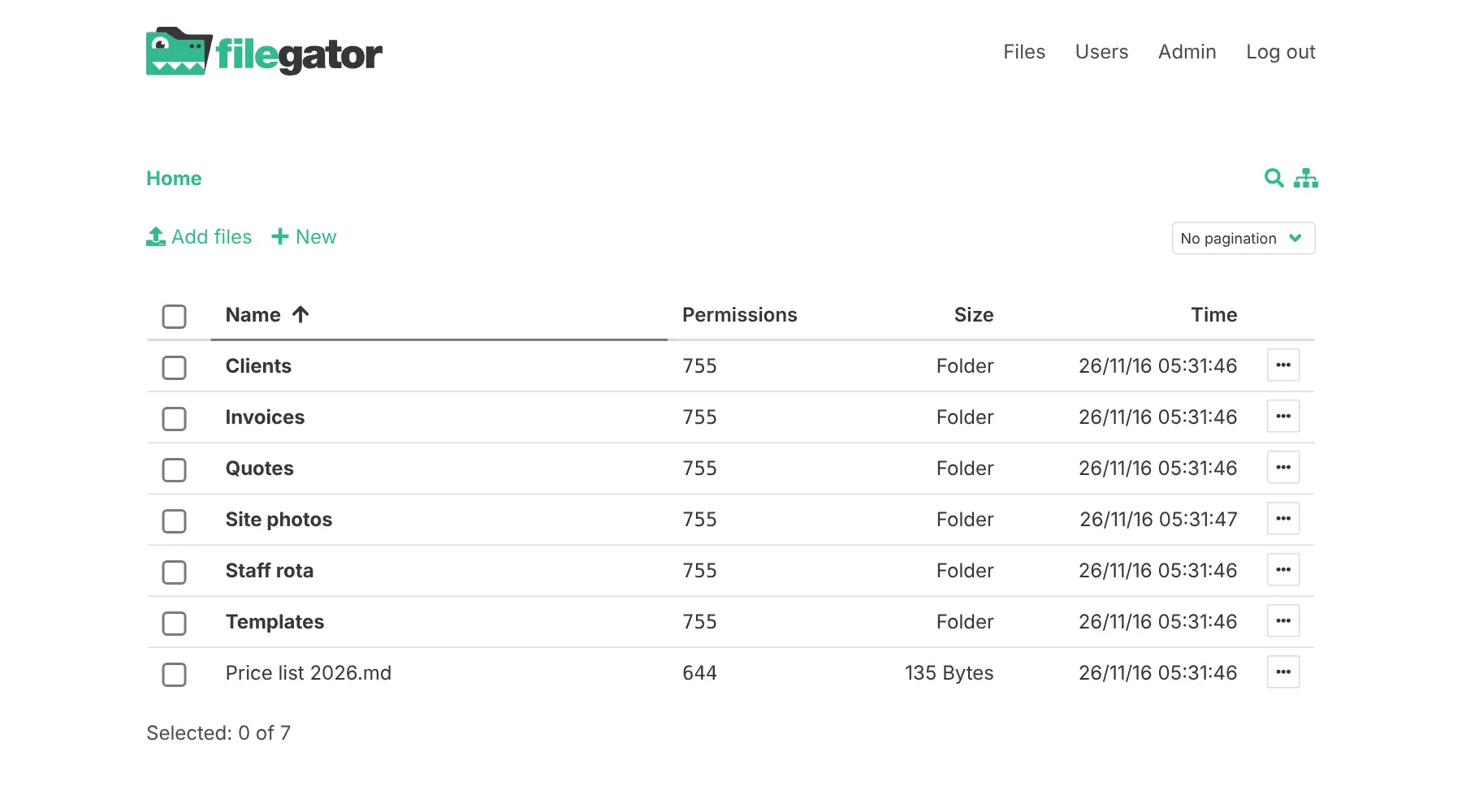
FileGator is a free, open-source, self-hosted web file manager: a shared folder your team opens in a browser, used in place of a Google Drive or Dropbox folder when you don't need sync apps. Each person signs in and sees only the folders you give them, with only the actions you allow.
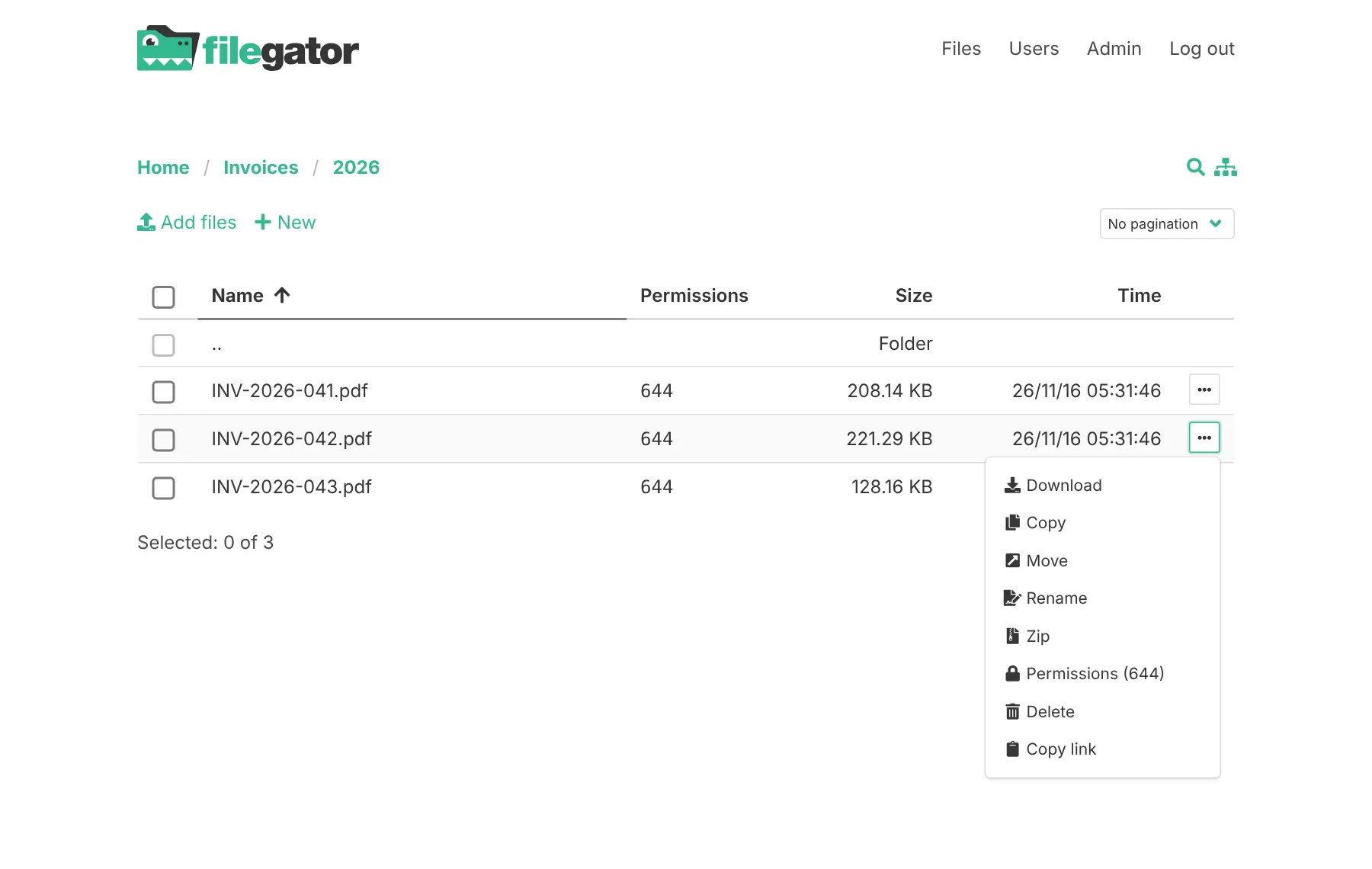
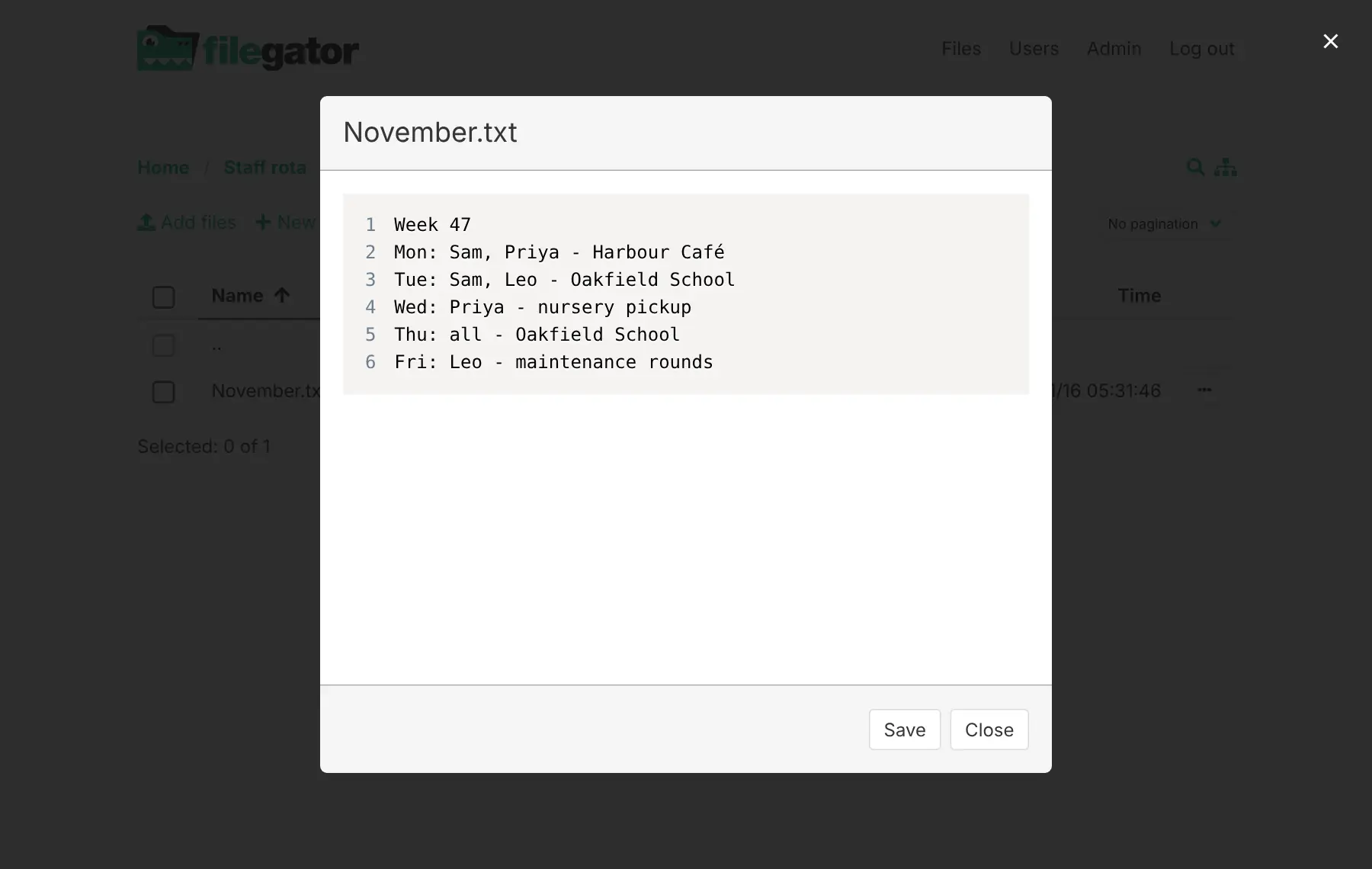
You can upload by dragging files in, with a progress bar and uploads you can pause and resume, then copy, move, rename, zip, unzip and download files, or download a whole selection at once. Text files open in a built-in editor, and search finds files by name across your folders. A landscaping firm, for example, could give its office manager full access, let each crew lead upload site photos into their client's folder only, and let seasonal staff read the weekly rota without being able to change or delete anything.
There are no share links for outsiders, no sync app and no phone app, though the page works in a phone's browser. It needs no database and keeps your files as ordinary folders on the server.
Cloudgate installs FileGator on a server Cloudgate provides or one you connect and gives it a secure web address. Sign in as admin, then add your colleagues.
What you can do with FileGator
- Work with files in your browser Upload, download, copy, move, rename and delete files and folders from any computer, with no app to install.
- Upload big batches safely Drag files in and watch the progress; uploads go in small pieces, so you can pause and resume them.
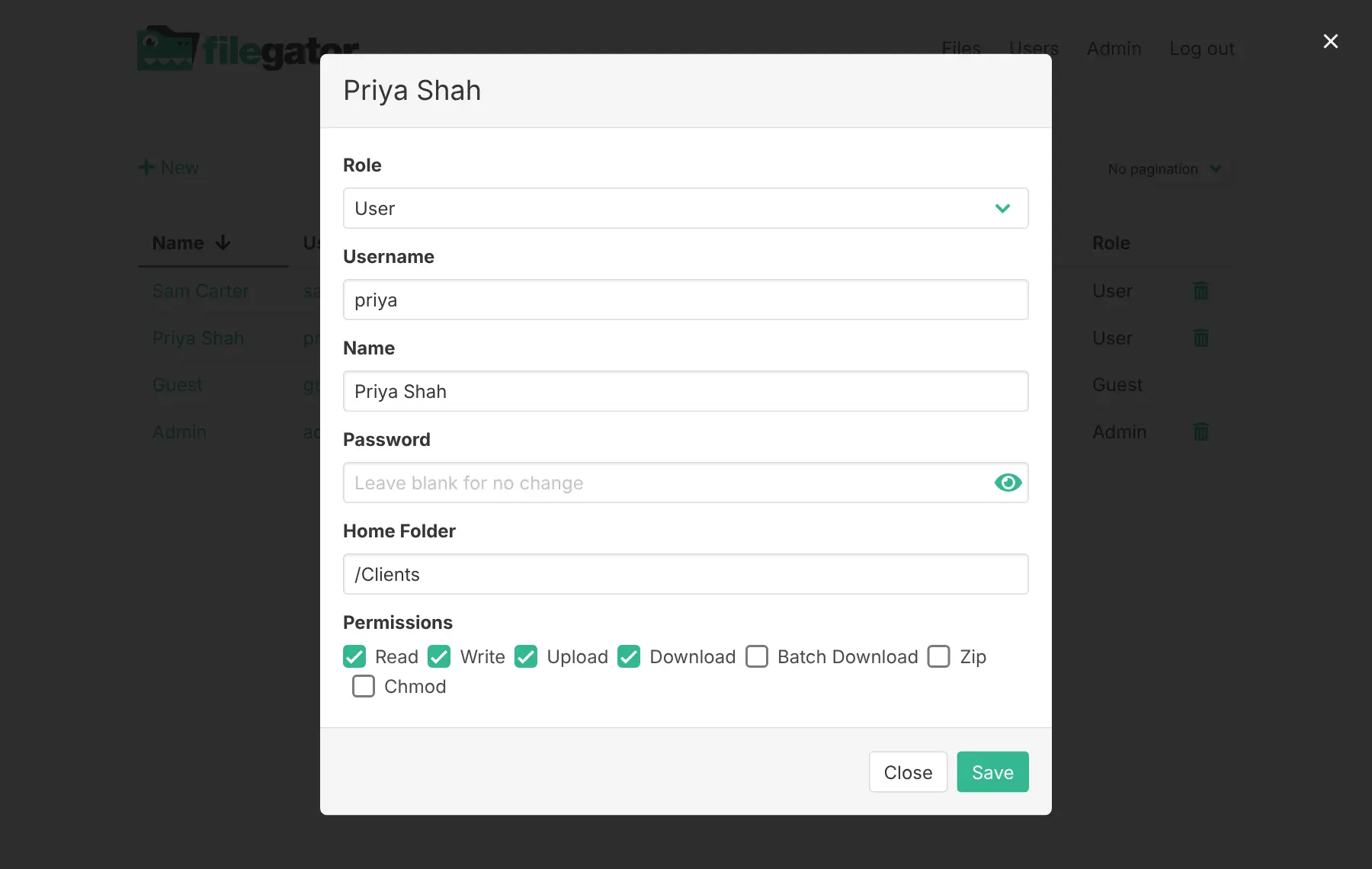
- Give each person their own folder Set a home folder for each colleague, so they see only that folder and what is inside it.
- Choose what each person may do Tick boxes for read, write, upload, download, zip and download-all, so a helper can view the rota but not delete it.
- Zip and download many files at once Pack a set of files or folders into a zip, unzip archives you upload, or download a whole selection in one go.
- Edit text files in place Open notes, price lists and web files in a built-in editor and save them without downloading.
- Find files across folders Search by name through all the folders you are allowed to see.
Replaces Google Drive and Dropbox
FileGator does the same job as Google Drive and Dropbox. Here is what changes when you switch.
- No price per user and no storage plan; your limit is your server's disk
- You decide exactly which folder each person sees and what they may do there
- Your files stay on your own server
- No sync app for computers and no phone app; everyone works in the browser
- No share links with expiry dates or passwords; people outside your team need an account
- No file history or trash bin, so a deleted file is gone unless you have a backup
- No editing office documents, alone or together
What happens when you click Deploy?
You do not need a server or any technical knowledge. Four steps, and FileGator is running at its own web address.
- Step 1 Click Deploy and create your account
Deploy takes you to Cloudgate. Create an account, or log in if you have one. FileGator itself is free.
- Step 2 Choose a server
No server? Get one from Cloudgate: pick a size and a country, and Cloudgate gets it ready. Already have one? Connect it instead.
- Step 3 Cloudgate sets up FileGator
It prepares the server, makes the passwords the app needs and starts it. There is nothing to install and nothing to write down.
- Step 4 Open your app and sign in
Your app gets a free web address to start, without https. Add your own domain, like app.yourshop.com, and Cloudgate secures it with https for you.
New to Cloudgate? See what Cloudgate is
Run Cloudgate yourself? Deploy from your own console
In your Cloudgate console, open Templates and choose FileGator.
Questions
What is FileGator?
FileGator is a free, open-source web file manager. It puts the files on your server behind a private web page where each person signs in and works with their own folders, with the permissions you give them.
Is FileGator free?
Yes, FileGator is free and open source under the MIT licence, with no paid edition and no fee per user. You pay only for the server and its disk.
Is FileGator a good alternative to Google Drive or Dropbox?
Yes, FileGator fits if you mainly need a shared folder that your team opens in a browser, with each person limited to their own folders. It has no sync app, no phone app, no file history and no document editing; for those, a fuller suite such as Nextcloud fits better.
How do I sign in to FileGator the first time?
Sign in with the username admin and the password Cloudgate created, which is shown on the app's variables page. You can then change it in FileGator's Users screen; after that, the password on the variables page no longer applies.
Can I share files with people outside my team?
Yes, but only by giving them an account, because FileGator has no share links with an expiry date or password; a copied link works only for someone signed in with download permission, or for everyone if you open up the guest account. You can give a client an account that sees only one folder, with only the permissions you choose.
How big can files uploaded to FileGator be?
FileGator accepts up to 100 MB per file as installed. Files upload in small pieces, so a slow or dropped connection does not lose the whole upload, and you can pause and resume.
Is there a FileGator phone app?
No, FileGator has no phone or desktop app, but the web page works in a phone's browser, so you can open, upload and download files from your phone.
Do I need technical skills to run FileGator?
No. Click Deploy, create your Cloudgate account and choose a server, and Cloudgate sets up FileGator and gives it a web address. You use it in your browser like any other online tool.
Do I need my own server for FileGator?
No. When you deploy FileGator, hosted Cloudgate can provide a server. If you already rent one, you can connect it instead.
Can I move my data from Google Drive to FileGator?
Most people export from Google Drive and import into FileGator. The official guides at docs.filegator.io walk through it.
Related apps

File sync and sharing, with shared drives for each team.

The classic ownCloud server for self-hosted file sharing and sync.

Fast, self-hosted file sync and sharing for your team.

File sharing and sync for your team's shared drive.