
Enonic XP
A self-hosted headless CMS with a drag-and-drop page editor.
No server needed to start: Cloudgate can provide one. What happens when you click Deploy
What is Enonic XP?
Self-hosted Enonic XP is a headless CMS with a drag-and-drop page editor that feeds your websites and apps from your own server.
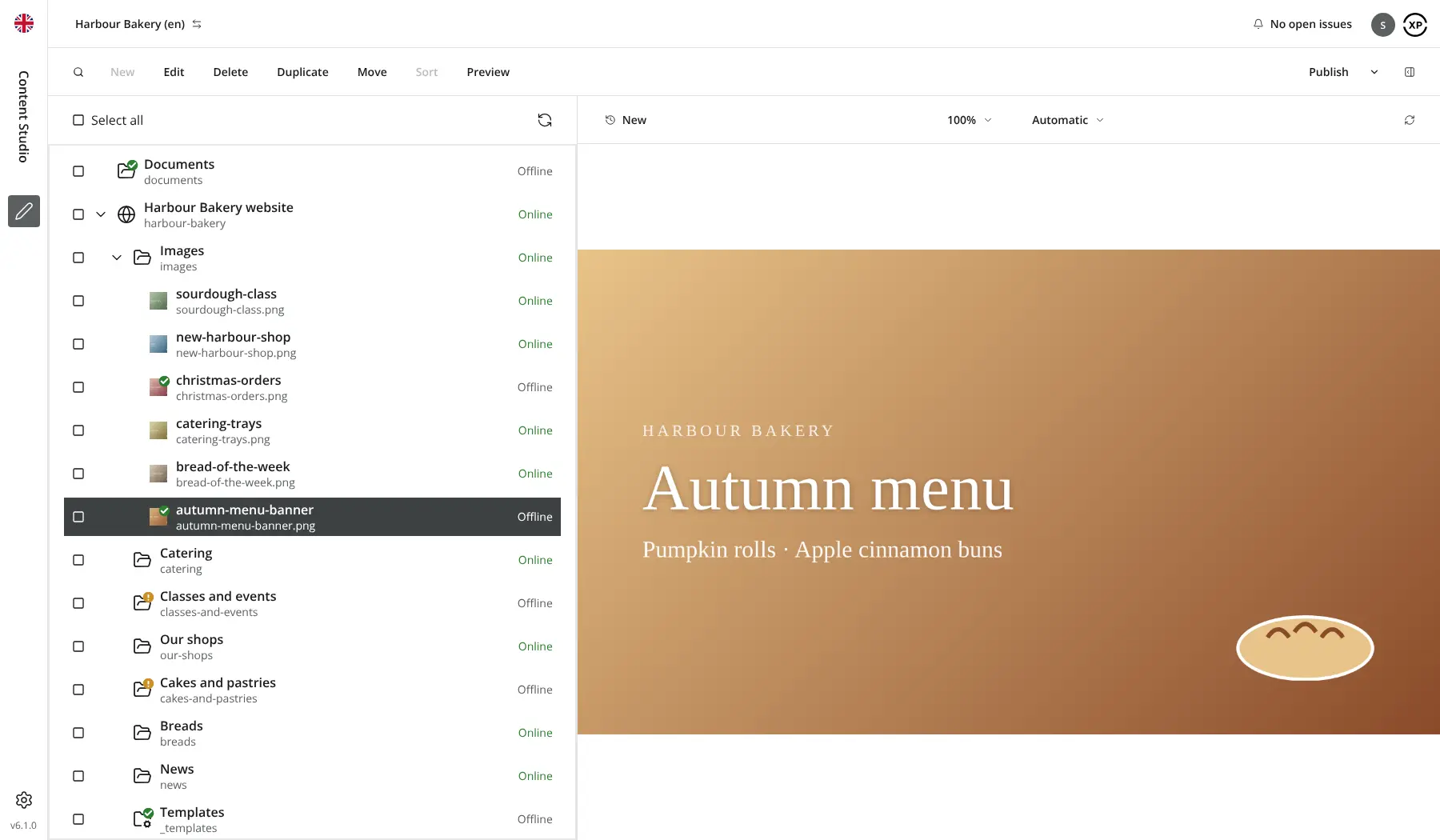
Self-hosted Enonic XP is a headless CMS that keeps the content of your websites and apps on your own server, as an alternative to Contentful, Storyblok and Sanity. Editors work in Content Studio, Enonic's editor, where content sits in a tree like your website and pages are built by dragging page parts into place, with the real page shown as they edit.
Because it is headless, a developer builds your content types, page parts and the website or app that shows them, usually with Next.js or another front end that reads Enonic's GraphQL API. After that, editors work without code. A chain of garden centres, for example, could run a website for each country from one installation, with a Norwegian layer that copies the English pages until each one is translated, and managers approving changes before they go live.
Enonic XP is partly open source: the XP platform's code is under the GPL-3.0 licence, while Content Studio is free to use but source-available under Enonic's own licence, and AI tools, content variants and a few other extras need a paid Enonic subscription.
Cloudgate installs Enonic XP and Content Studio on a server Cloudgate provides or one you connect, and gives it a secure web address. Sign in at /admin as su with the password Cloudgate shows, then add your team in the Users tool.
What you can do with Enonic XP
- Organise content in a tree Keep pages, articles, images and documents in folders that mirror your website, and find anything with search and filters.
- Build pages by drag and drop Editors place and arrange the page parts your developer has built and see the real page while they edit.
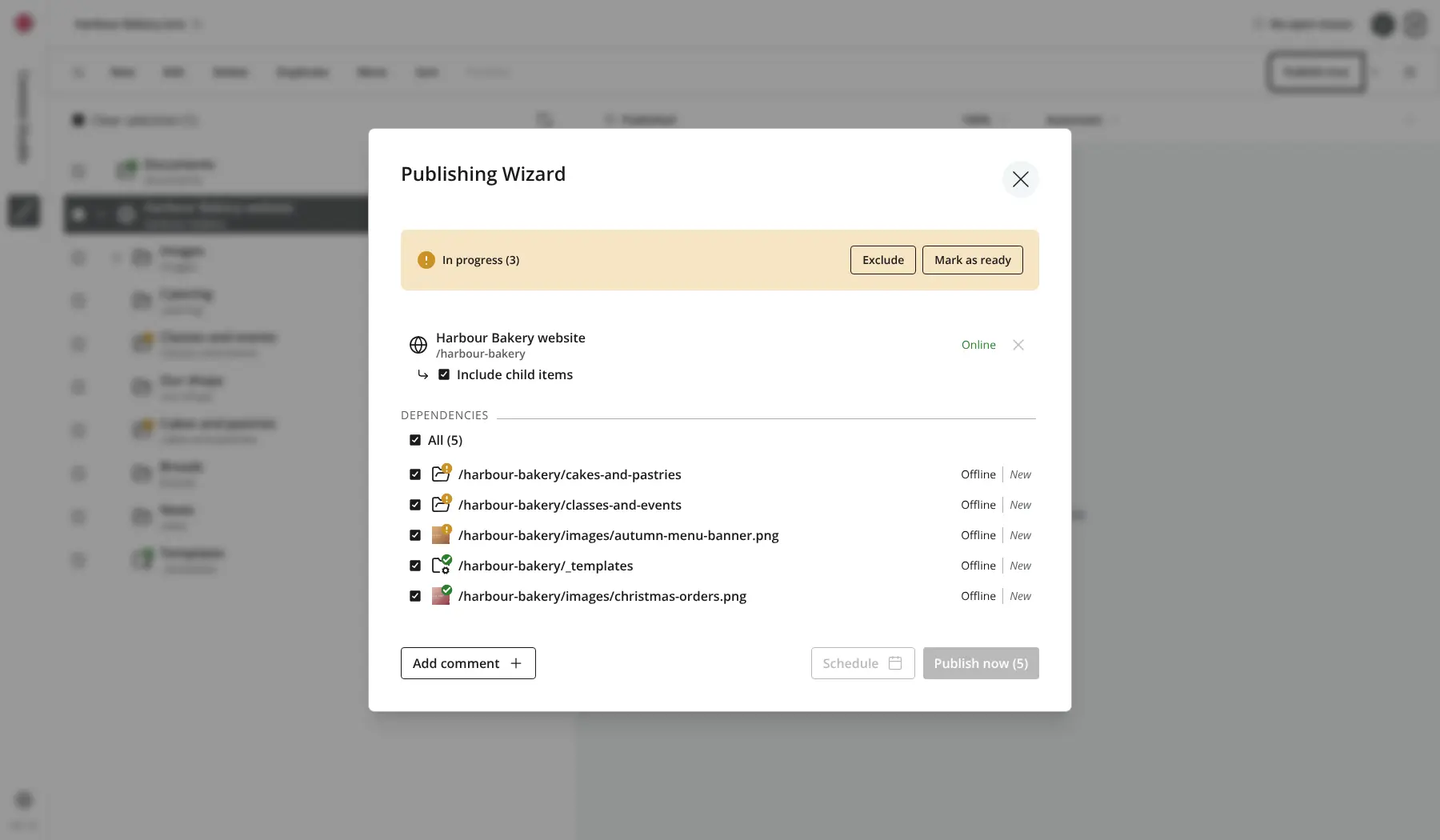
- Review before it goes live Mark work as in progress or ready, send publish requests to colleagues, and publish now or at a set time.
- Go back to any version Every save and publish is kept, so you can compare two versions and restore an earlier one.
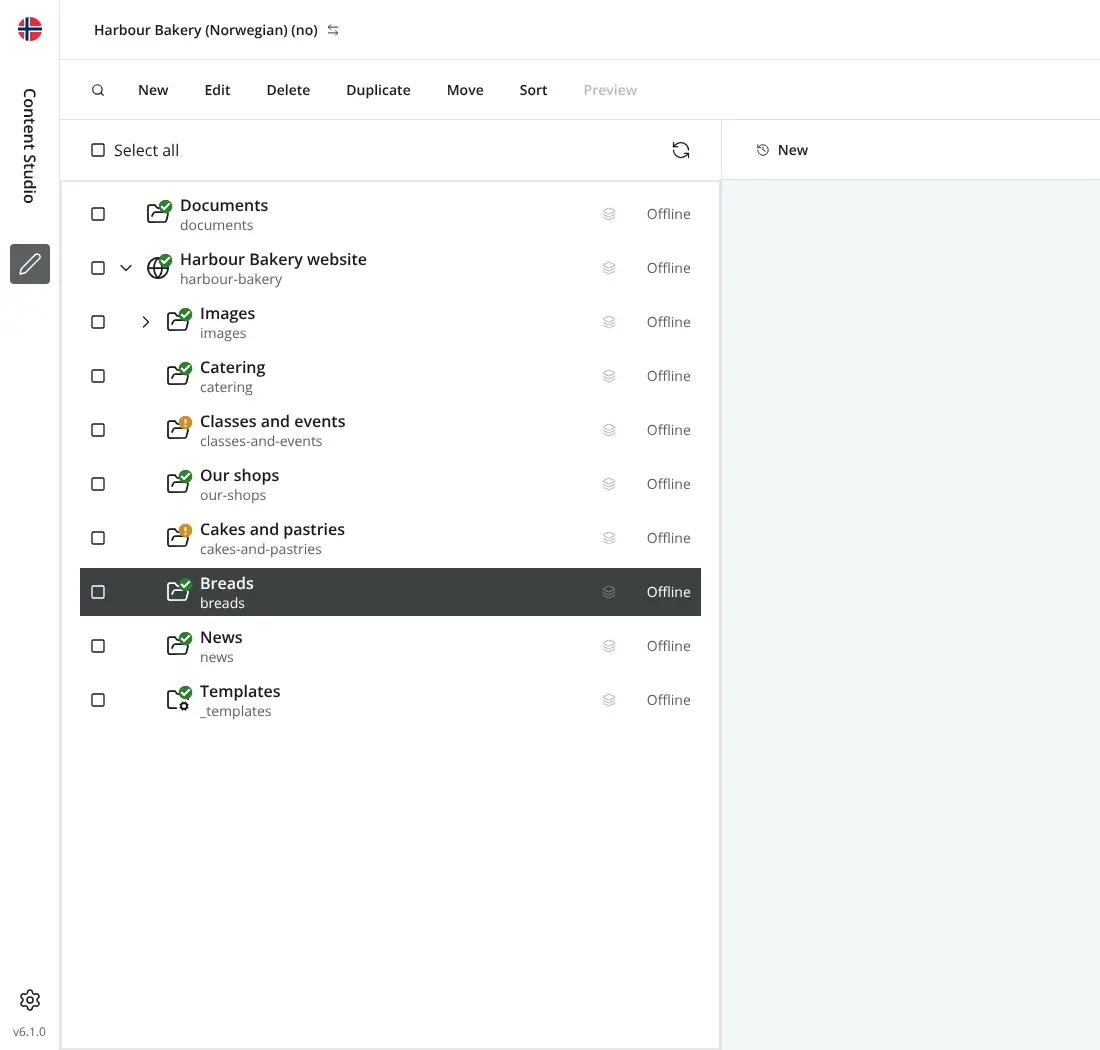
- Run several sites and languages Give each website or brand its own project, and add language layers that copy content from the main site until you translate it.
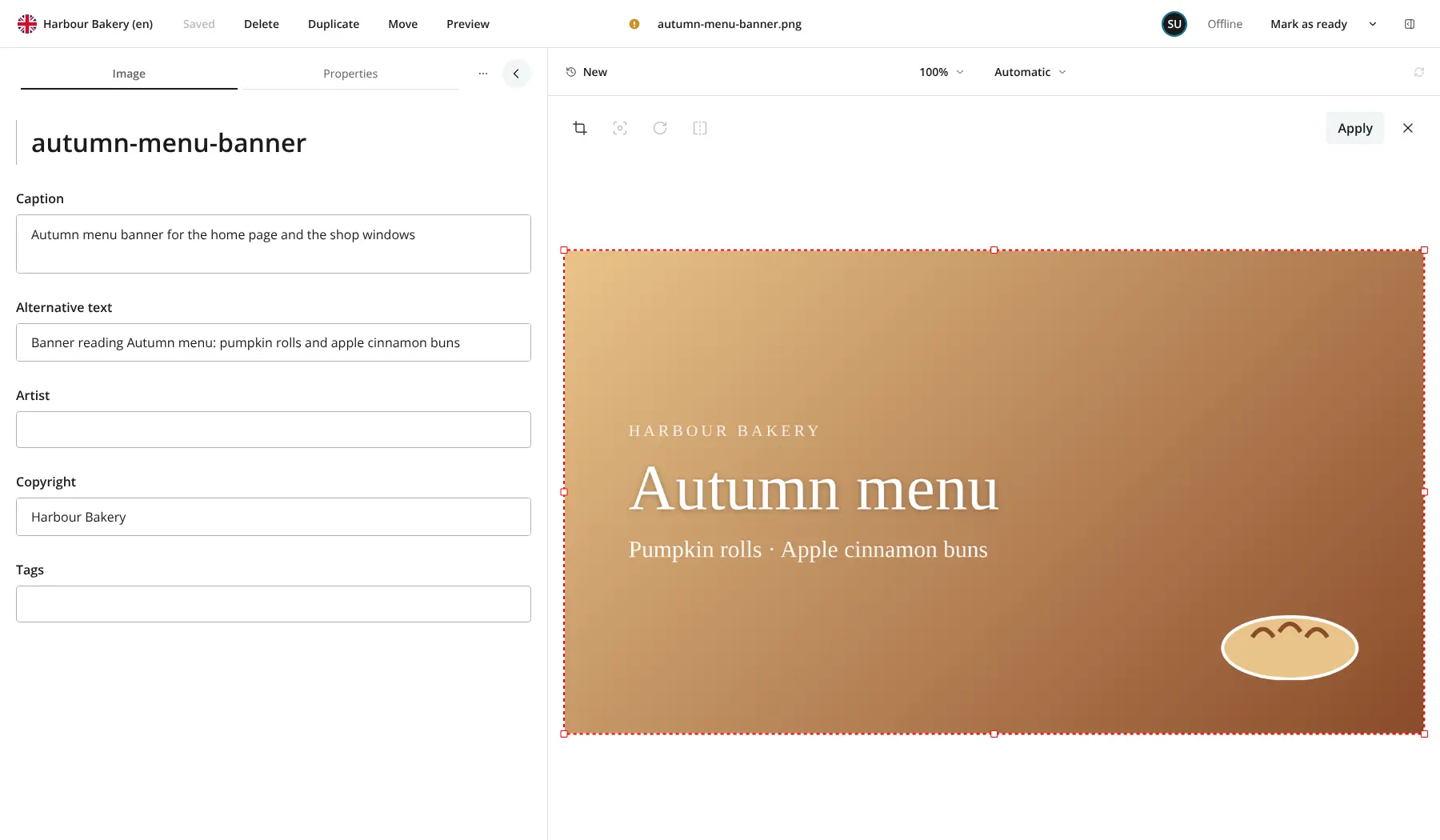
- Prepare images once Upload images in bulk, set the focal point, crop and make basic edits, and use them across your sites.
- Feed any website or app Websites and apps fetch your content through a GraphQL API, with ready-made support for Next.js and live preview in the editor.
- Control who can do what Create users, groups and roles, and set permissions on any part of the content tree.
Replaces Contentful, Storyblok, Sanity and Sitecore
Enonic XP does the same job as Contentful, Storyblok, Sanity and Sitecore. Here is what changes when you switch.
- No fee per editor, record or API call; you pay only for your server
- Your content and images stay on your own server
- A drag-and-drop page editor, which Contentful and Sanity don't have
- Several websites and language versions in one installation
- Content types and page parts are built in code by a developer, not in the editor
- The editor, Content Studio, is free but source-available, and AI, content variants and a few other extras need a paid Enonic licence
- No importer from Contentful, Storyblok or Sanity, so moving content takes a developer
- It needs more server memory than most headless CMSs
What happens when you click Deploy?
You do not need a server or any technical knowledge. Four steps, and Enonic XP is running at its own web address.
- Step 1 Click Deploy and create your account
Deploy takes you to Cloudgate. Create an account, or log in if you have one. Enonic XP itself is free.
- Step 2 Choose a server
No server? Get one from Cloudgate: pick a size and a country, and Cloudgate gets it ready. Already have one? Connect it instead.
- Step 3 Cloudgate sets up Enonic XP
It prepares the server, makes the passwords the app needs and starts it. There is nothing to install and nothing to write down.
- Step 4 Open your app and sign in
Your app gets a free web address to start, without https. Add your own domain, like app.yourshop.com, and Cloudgate secures it with https for you.
New to Cloudgate? See what Cloudgate is
Run Cloudgate yourself? Deploy from your own console
In your Cloudgate console, open Templates and choose Enonic XP.
Questions
Is Enonic XP free?
Yes, Enonic XP and its Content Studio editor are free to self-host for your own organisation, and you pay only for your server. The XP platform's code is published under the GPL-3.0 licence, while Content Studio is source-available under the Enonic License 2.0, and its AI features, content variants and a few other extras need a paid Enonic subscription.
Is Enonic XP a good alternative to Contentful or Storyblok?
Yes, Enonic XP suits you if you have a developer and want your content on your own server. Like Contentful it delivers content to websites and apps through an API, and like Storyblok it has a visual page editor; its marketplace of ready-made add-ons is smaller than either.
What does headless CMS mean, and do I need a developer?
A headless CMS stores and manages your content while your website or app, built separately, fetches it through an API. You need a developer for Enonic XP, because content types, page parts and the website itself are built in code; after that, editors work without code.
How do I sign in to Enonic XP the first time?
Open your Enonic XP web address with /admin at the end and sign in with the user name su and the password Cloudgate shows for this app. su is the built-in administrator; create named accounts for your team in the Users tool.
Can I move my content from Contentful, Storyblok or Sanity?
Not directly. Enonic XP has no importer for those services, so a developer recreates your content types in code and brings your entries and images across through Enonic's APIs.
Can Enonic XP run several websites and languages?
Yes. In Enonic XP, each website or brand can be its own project, and a language layer copies content from a parent project until an editor translates each item. Automatic AI translation is a paid extra.
What server size do I need for Enonic XP?
Enonic recommends at least 4 GB of memory and 2 CPU cores for a server running Enonic XP, because it includes its own search index. Cloudgate sets everything up in one app, and you can move to a bigger server as your content grows.
Do I need my own server for Enonic XP?
No. When you deploy Enonic XP, hosted Cloudgate can provide a server. If you already rent one, you can connect it instead.
Related apps

A lightweight headless CMS with no separate database to run.

A self-hosted headless CMS that feeds your websites and apps.

A headless CMS with visual, on-page editing, and content kept in Git.

Self-hosted .NET CMS for websites, blogs and headless content