
Dossier
A private job search assistant that tailors every application.
No server needed to start: Cloudgate can provide one. What happens when you click Deploy




What is Dossier?
Dossier is a self-hosted job search assistant: one career profile, a tailored resume and cover letter for each job, and every application tracked.
Dossier is a free, open-source job search assistant you can self-host, used in place of Teal or Huntr to write a tailored resume and cover letter for every job and track each application from draft to offer. Your career history stays on your own server.
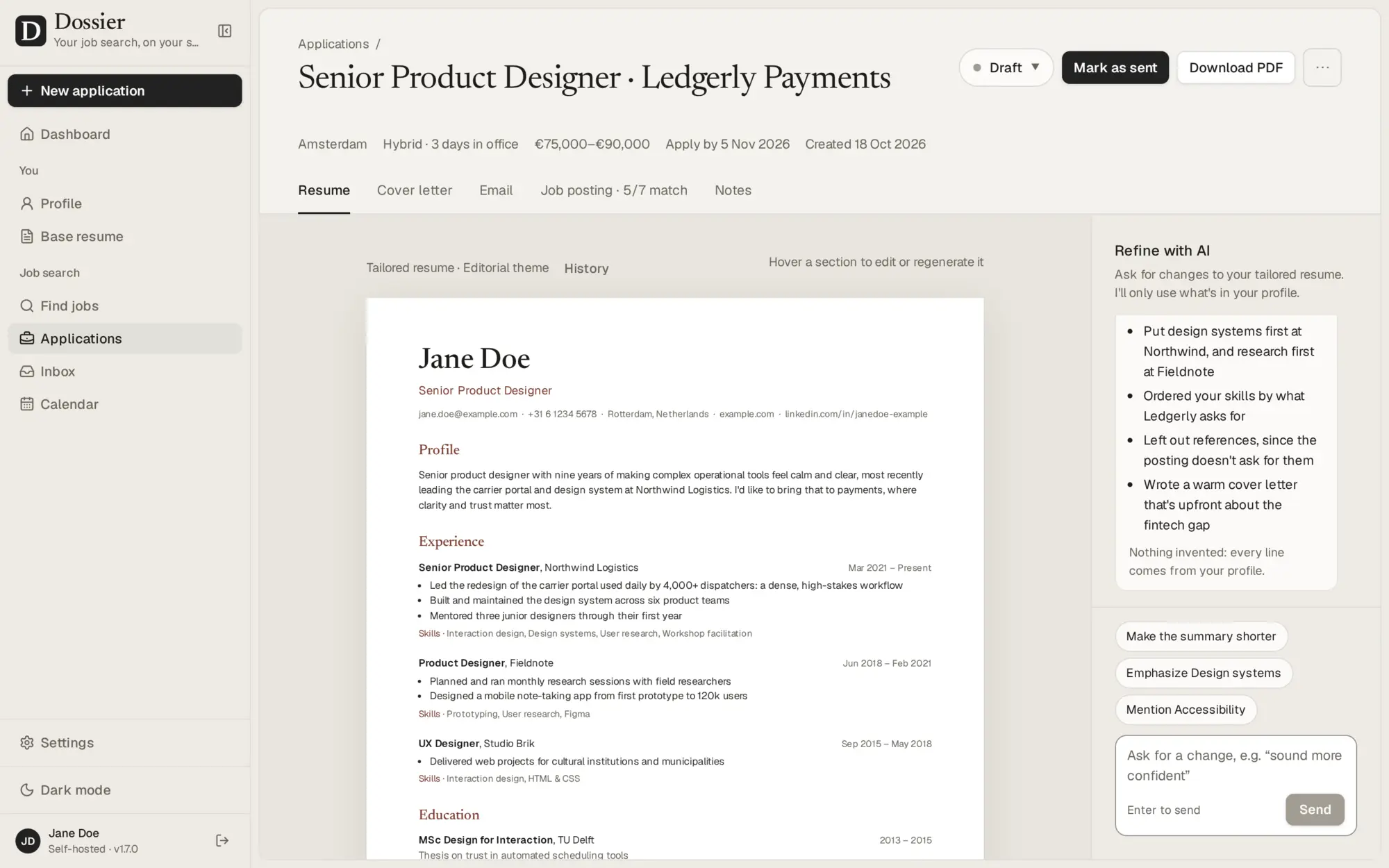
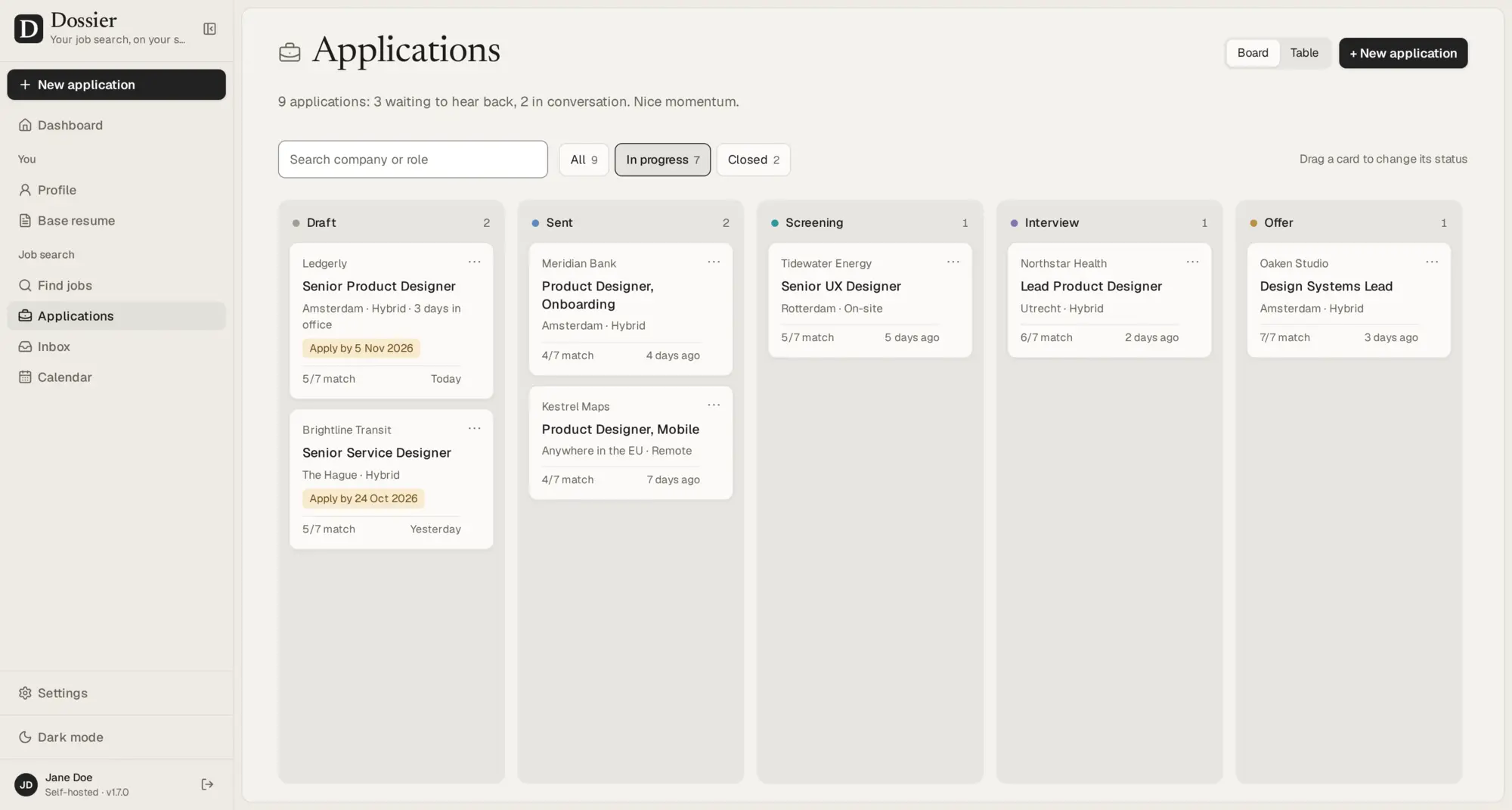
You keep one profile of your experience, skills and education. For each job, you paste the posting; Dossier shows how you match, then drafts a resume and cover letter that use only facts from your profile. A product designer applying to five companies, for example, could tailor each resume in minutes, refine the wording in a chat, download the PDFs and move each application across a board as interviews come in.
The writing uses an AI model you choose: a local model on your own hardware, so nothing leaves it, or a hosted provider with your own API key. Finding jobs, Gmail and Google Calendar are optional extras you connect in settings. Dossier is made for one person on a laptop or desktop browser.
Cloudgate installs Dossier on a server Cloudgate provides or one you connect, together with its database, and gives it a secure web address. Sign in with the password Cloudgate shows you and pick your AI model.
What you can do with Dossier
- Keep one career profile Record your experience, skills, projects, education and certifications once, or start from an existing resume in PDF, Word or Markdown.
- Tailor every application Paste a job posting to see how you match its requirements and get a resume and cover letter written for that job.
- Nothing made up Drafts use only facts from your profile, and anything the posting asks for that you don't have is shown as a gap.
- Refine in a chat Ask for changes, edit or rewrite any part, undo AI changes or go back to any earlier version.
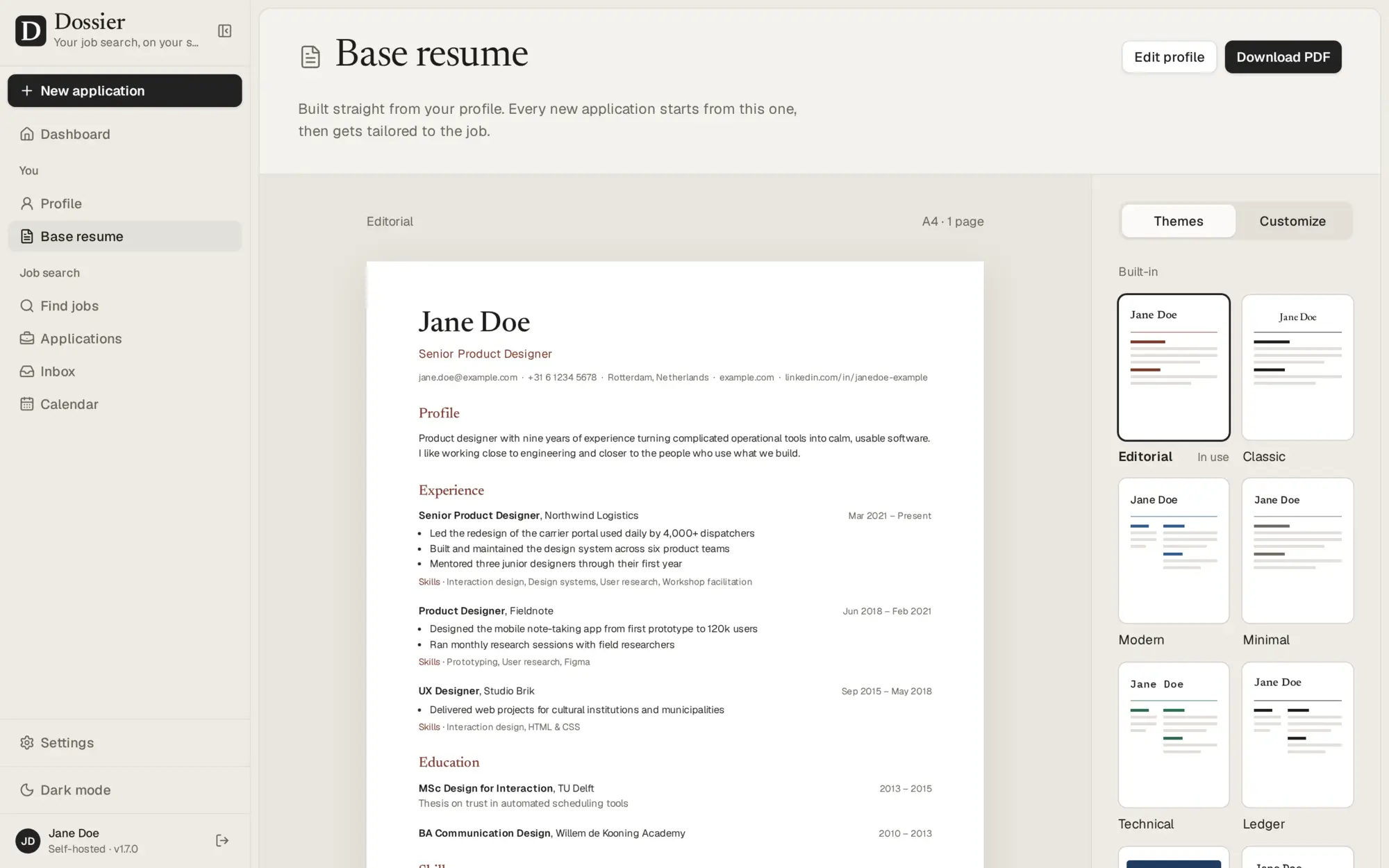
- Choose from twelve resume themes Preview your resume live in twelve themes or build your own, and download it as a PDF.
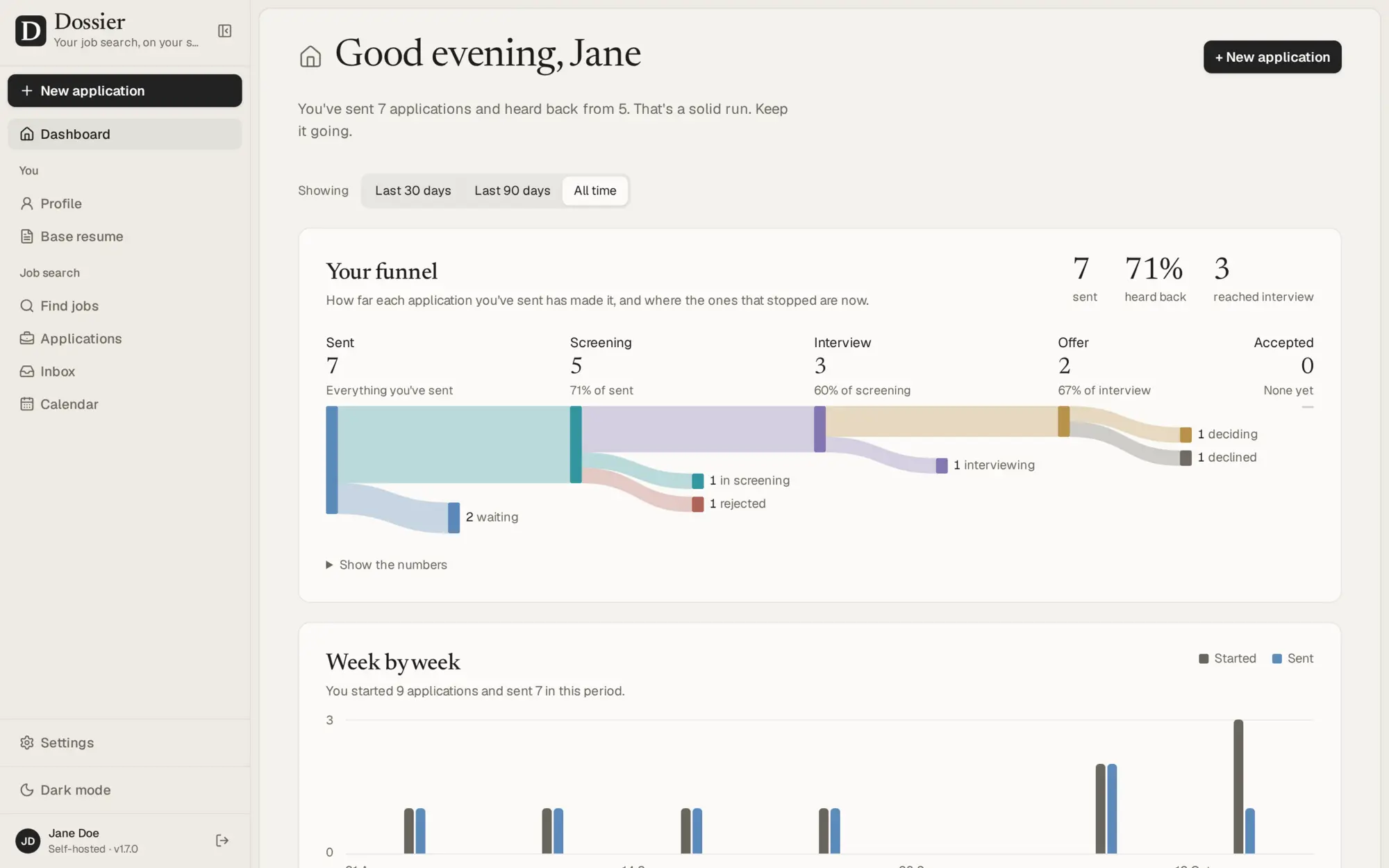
- Track every application Move applications across a board from draft to offer, and see your progress on a dashboard and calendar.
- Find jobs, if you want Search postings from job boards and company career pages, score them against your profile and start an application in one click.
- Connect Gmail and Calendar, if you want Send applications from your own address, see employers' replies and keep interviews in step with Google Calendar.
Replaces Teal, Huntr and Resume.io
Dossier does the same job as Teal, Huntr and Resume.io. Here is what changes when you switch.
- No subscription for the app itself
- Your career history and applications stay on your own server
- Drafts never claim experience your profile doesn't have
- You pick the AI model, including one on your own computer
- The AI writing needs a model you set up, and a hosted one bills you for use
- One person per install, with no team or coach accounts
- Made for laptop and desktop browsers, not phones, with an English interface
- No browser extension for saving postings or filling in application forms
What happens when you click Deploy?
You do not need a server or any technical knowledge. Four steps, and Dossier is running at its own web address.
- Step 1 Click Deploy and create your account
Deploy takes you to Cloudgate. Create an account, or log in if you have one. Dossier itself is free.
- Step 2 Choose a server
No server? Get one from Cloudgate: pick a size and a country, and Cloudgate gets it ready. Already have one? Connect it instead.
- Step 3 Cloudgate sets up Dossier
It prepares the server, makes the passwords the app needs and starts it. There is nothing to install and nothing to write down.
- Step 4 Open your app and sign in
Your app gets a free web address to start, without https. Add your own domain, like app.yourshop.com, and Cloudgate secures it with https for you.
New to Cloudgate? See what Cloudgate is
Run Cloudgate yourself? Deploy from your own console
In your Cloudgate console, open Templates and choose Dossier.
Questions
Is Dossier free?
Yes, Dossier is free and open source under the AGPL-3.0 licence, with no paid edition. You pay for your server, and for a hosted AI provider if you choose one; a local model on your own hardware costs nothing extra.
Is Dossier a good alternative to Teal or Huntr?
Yes, for one person who wants their job search on their own server. Like Teal and Huntr, Dossier tracks applications, matches your resume against a posting and drafts tailored resumes and cover letters. Unlike them, it has no browser extension and runs for a single user.
Do I need an AI provider to use Dossier?
For the writing, yes. Dossier works with a local model through Ollama or LM Studio, or a hosted one such as OpenAI, Anthropic or Mistral with your own API key. A ChatGPT Plus or Claude Pro subscription doesn't include API use, so a hosted provider is paid separately.
Will Dossier invent experience on my resume?
No. Dossier's drafts use only facts from your profile, and requirements in a posting that your profile doesn't cover are shown as gaps instead of being made up. This setting is on by default.
How do I sign in to Dossier the first time?
Sign in with the password Cloudgate created, which you find on the app's variables page. Dossier has one password and no sign-up, because it is made for one person. A setup guide then helps you choose an AI model.
Can I import my existing resume?
Yes. Dossier can start your profile from a resume in PDF, Word or Markdown. Importing sends the resume's text to your AI model, so use a local model if it must stay on your server.
Is my data private with Dossier?
Yes, with a local AI model your profile, postings and documents never leave your server. A hosted AI provider receives what each task needs, with your contact details left out. Dossier asks before sending its anonymous usage ping and sends nothing until you agree.
Do I need technical skills to run Dossier?
No. Click Deploy, create your Cloudgate account and choose a server, and Cloudgate sets up Dossier and gives it a web address. You use it in your browser like any other online tool.
Do I need my own server for Dossier?
No. When you deploy Dossier, hosted Cloudgate can provide a server. If you already rent one, you can connect it instead.
Related apps

A free, self-hosted resume builder with no paywall on downloads.

PDF tools that run in your browser, so files never upload.

Online office for Word, Excel and PowerPoint files.
Convert images, video, documents and e-books on your own server.