
Campfire
Simple self-hosted team chat from the makers of Basecamp.
No server needed to start: Cloudgate can provide one. What happens when you click Deploy
What is Campfire?
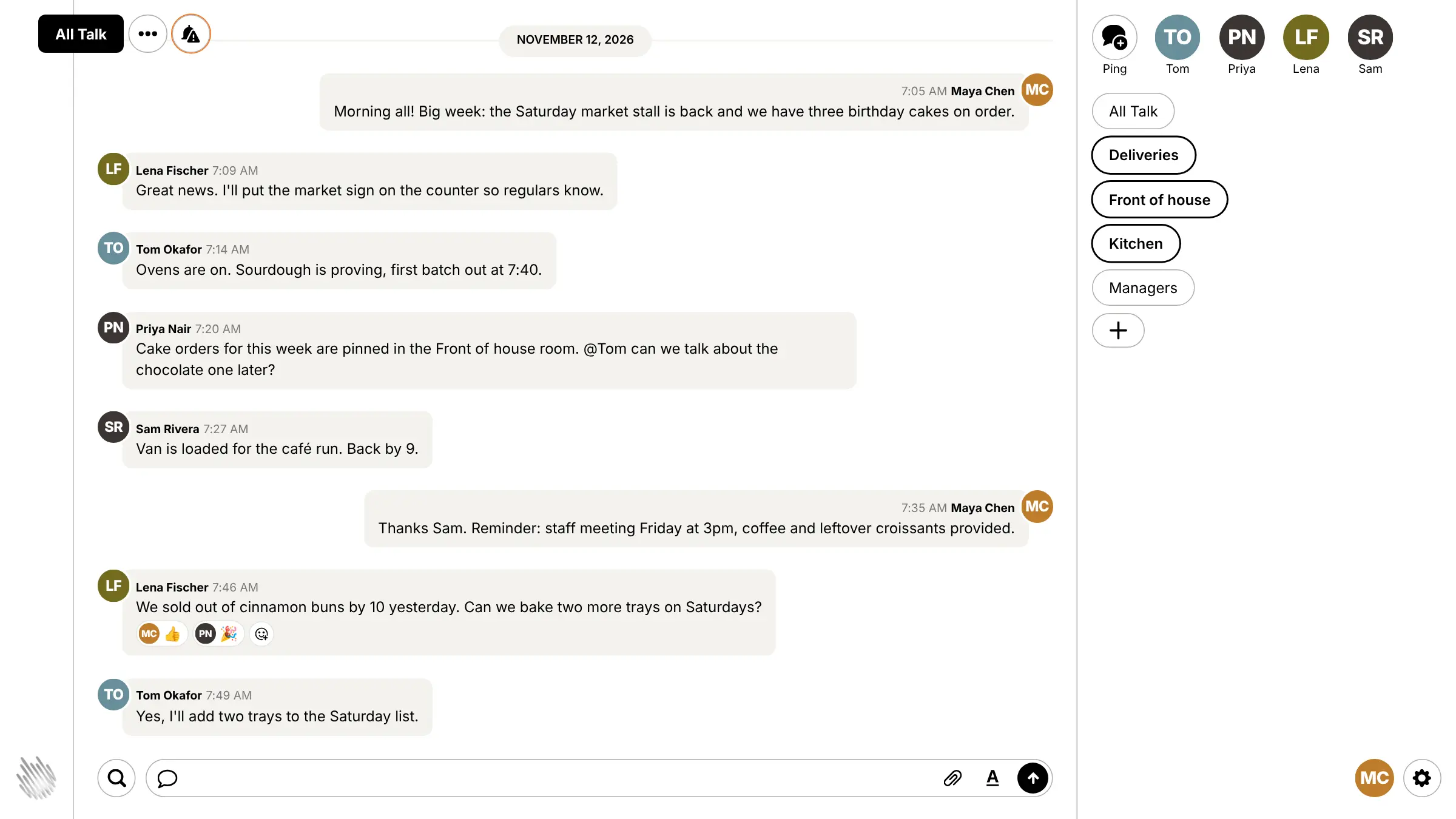
Campfire is simple self-hosted team chat from 37signals, the makers of Basecamp: rooms, direct messages, file sharing, search and @mentions.
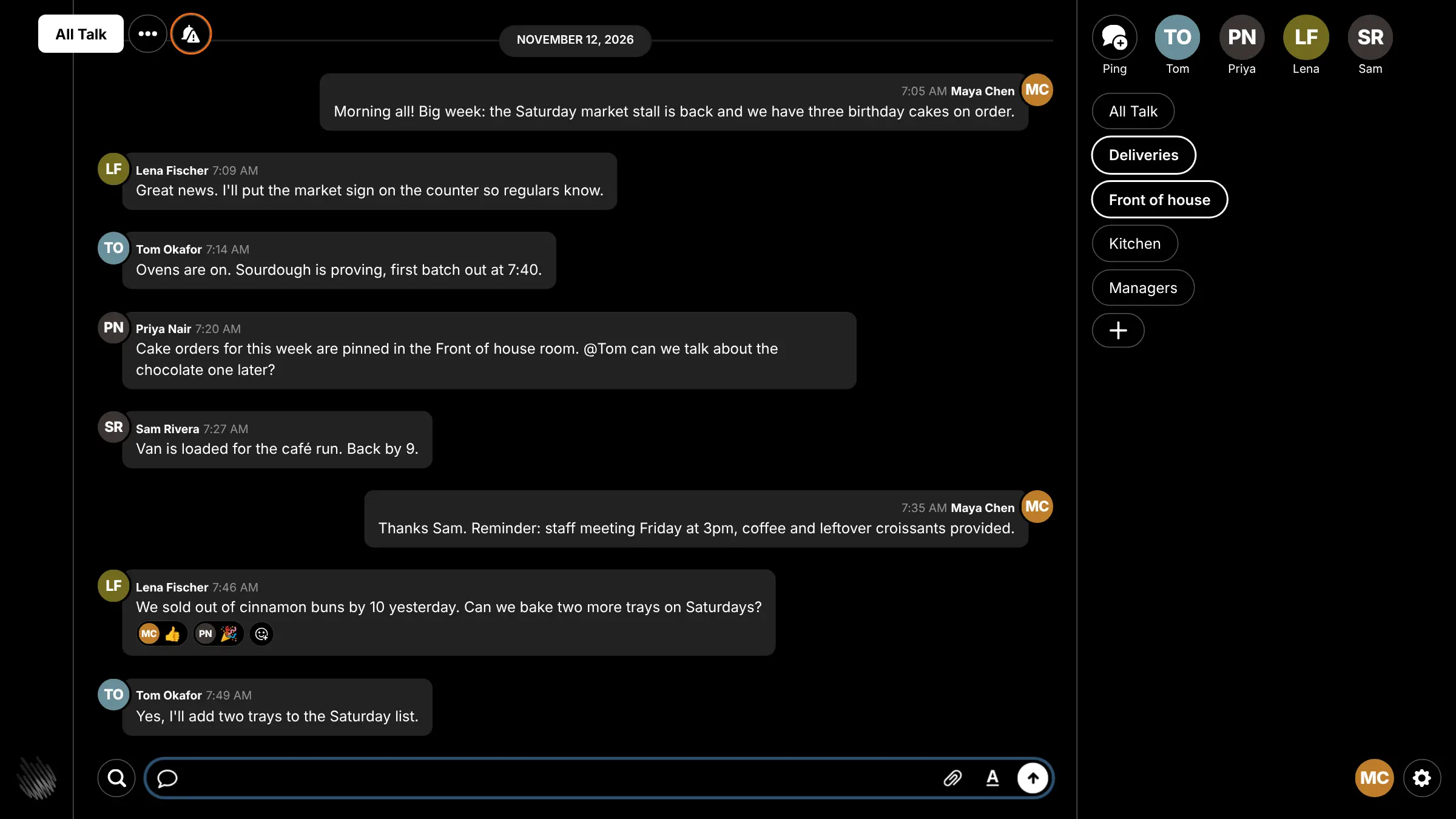
Campfire is a simple, self-hosted team chat app from 37signals, the makers of Basecamp, and a free alternative to Slack or Microsoft Teams for small companies. It covers the basics done well: chat rooms, direct messages, file sharing, search and @mentions, in a screen anyone who has used Slack will recognise. It is open source under the MIT licence, with no paid edition and no price per user.
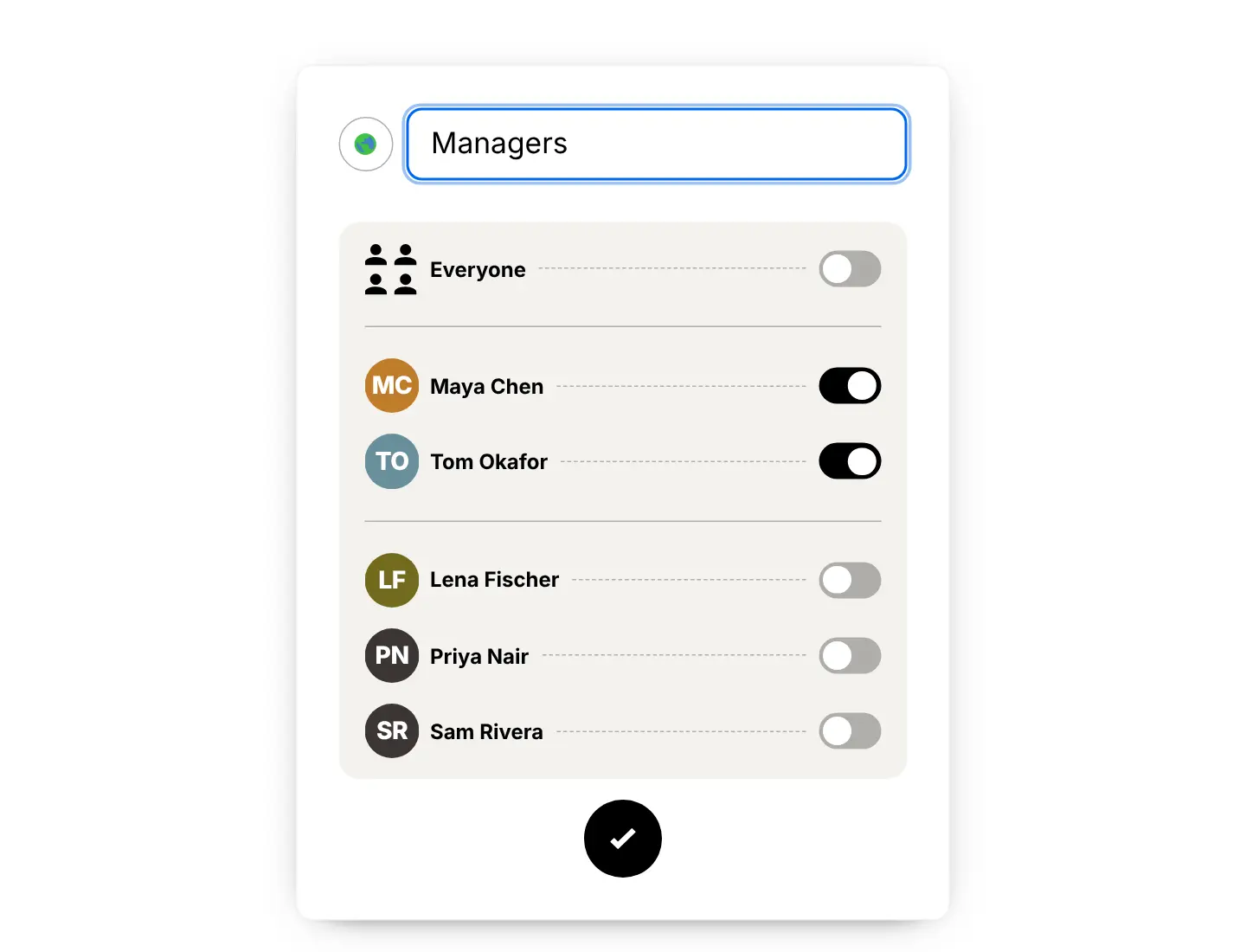
A bakery, for example, could have an All Talk room for the whole team, rooms for the kitchen, the shop counter and deliveries, and a private room for the managers. The baker posts when the first loaves are out, the counter staff ask for extra trays, and the owner shares the weekly rota, all without anyone's personal phone number in a group chat.
Campfire runs in any web browser. On a phone you add it to the home screen, where it works like an app with push notifications. Bots can post messages through its web API. There are no threads or calls, and Slack history cannot be brought across.
Cloudgate installs Campfire on a server Cloudgate provides or one you connect, and gives it a secure web address. The first person to open it creates the admin account, then invites everyone else with a join link.
What you can do with Campfire
- Chat in rooms Make a room for each team or topic, open to everyone in the company or private to the people you pick.
- Send direct messages Message one person or a small group privately, away from the busy rooms.
- Share files Drop in photos, PDFs and other files, with previews right in the conversation.
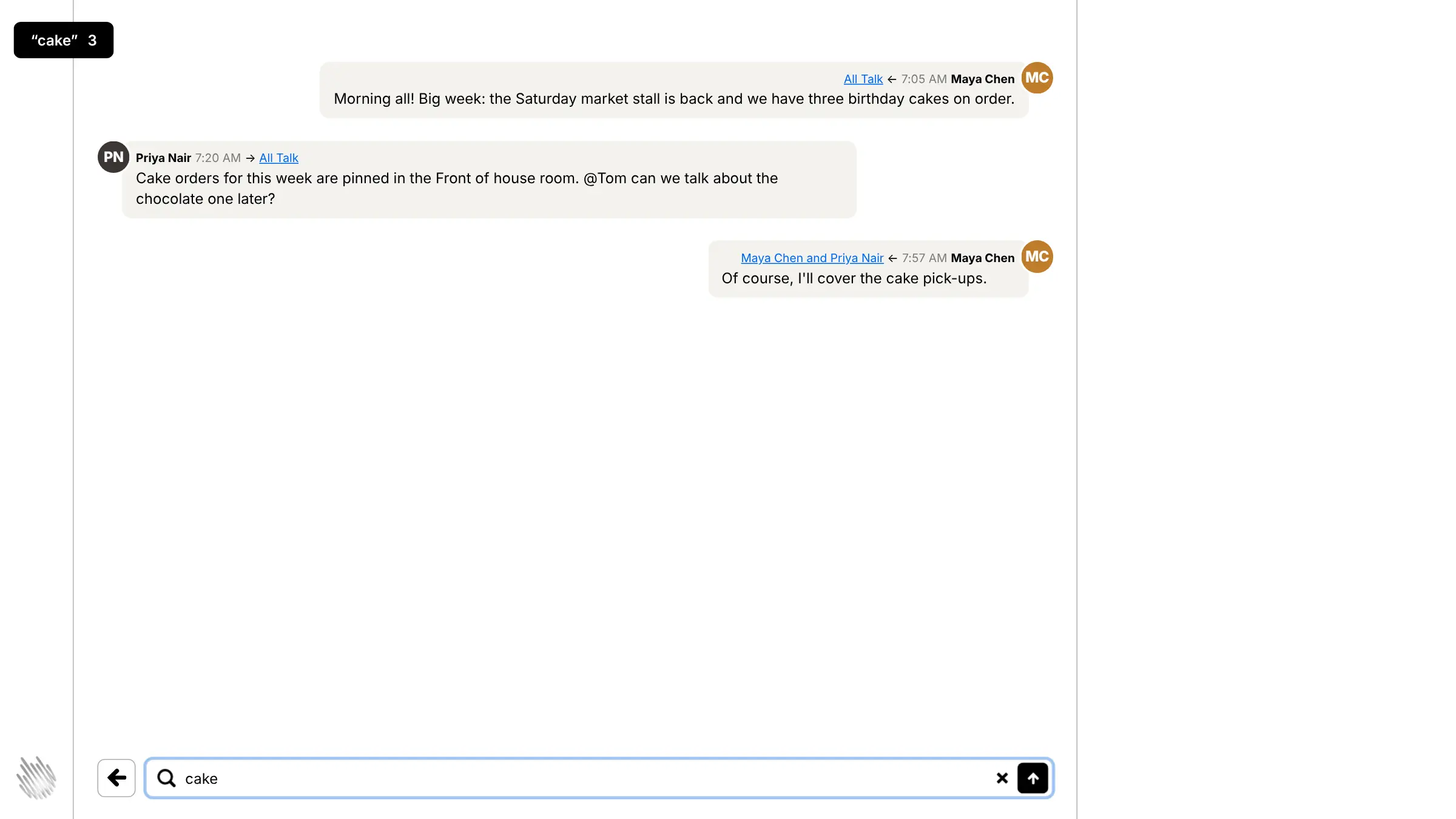
- Find old messages Search every room you are in, and keep frequent searches in the sidebar.
- Get people's attention @mention a colleague, react with an emoji, and see at a glance which rooms have unread messages.
- Get notifications on your phone Add Campfire to your phone's home screen like an app and get push notifications and badges.
- Invite with a link Share a join link or QR code, so new people sign up in a minute with no email needed.
- Connect bots Bots can post and read messages and files through a simple web API.
Replaces Slack and Microsoft Teams
Campfire does the same job as Slack and Microsoft Teams. Here is what changes when you switch.
- No price per user, however many people join
- Your messages and files stay on your own server
- A short list of features that anyone can use on day one
- Free and open source under the MIT licence
- No threads, voice or video calls
- No app directory or ready-made integrations, only a bot API
- No native phone or desktop apps; it runs in the browser and as a home-screen web app
- Your Slack or Teams history cannot be imported
What happens when you click Deploy?
You do not need a server or any technical knowledge. Four steps, and Campfire is running at its own web address.
- Step 1 Click Deploy and create your account
Deploy takes you to Cloudgate. Create an account, or log in if you have one. Campfire itself is free.
- Step 2 Choose a server
No server? Get one from Cloudgate: pick a size and a country, and Cloudgate gets it ready. Already have one? Connect it instead.
- Step 3 Cloudgate sets up Campfire
It prepares the server, makes the passwords the app needs and starts it. There is nothing to install and nothing to write down.
- Step 4 Open your app and sign in
Your app gets a free web address to start, without https. Add your own domain, like app.yourshop.com, and Cloudgate secures it with https for you.
New to Cloudgate? See what Cloudgate is
Run Cloudgate yourself? Deploy from your own console
In your Cloudgate console, open Templates and choose Campfire.
Questions
Is Campfire free?
Yes, Campfire is free and open source under the MIT licence, with no paid edition or per-user fee. 37signals, the company behind Basecamp, used to sell it as a one-off purchase and has since released it for free. You pay only for your server.
Is Campfire a good alternative to Slack?
Yes, if your team mostly needs rooms, direct messages, file sharing and search. Campfire is much simpler than Slack, with no threads, calls or integration directory, so it suits small companies that want plain group chat rather than a hub for every tool.
How do I sign in to Campfire the first time?
The first person to open your Campfire address creates the admin account with a name, email address and password; there is no default login. That admin email is shown on the sign-in page so people know whom to ask for help, and you can change it later.
How do I invite my team to Campfire?
Share the join link, or its QR code, from Campfire's settings. People open it, enter their name, email and password, and land in your open rooms. Campfire sends no email, so there is no email server to set up.
Does Campfire have phone apps?
No, Campfire has no native iPhone or Android app. It is built to work in a phone's browser, and you can add it to your home screen, where it opens like an app with push notifications and unread badges.
Can I import my Slack or Microsoft Teams history into Campfire?
No, Campfire cannot import Slack or Teams data. Your team starts with a clean slate, so keep your old workspace until you no longer need its history.
What server size does Campfire need?
A small server runs Campfire for most small businesses. 37signals says 2 GB of memory and one processor handle about 250 people chatting at the same time, with everything in one app.
Do I need technical skills to run Campfire?
No. Click Deploy, create your Cloudgate account and choose a server, and Cloudgate sets up Campfire and gives it a web address. You use it in your browser like any other online tool.
Do I need my own server for Campfire?
No. When you deploy Campfire, hosted Cloudgate can provide a server. If you already rent one, you can connect it instead.
Related apps

Light, private self-hosted chat for teams and communities.

Team chat where every conversation has its own topic.

A self-hosted Matrix server for private, encrypted team chat.

Team chat like Slack, with your full history kept.