P

Open-source alternatives to Power BI

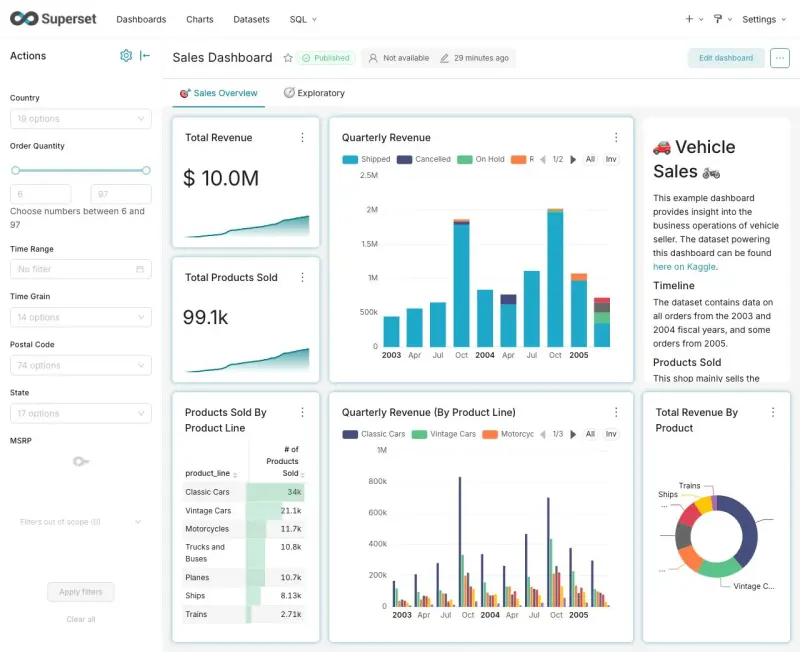
Apache Superset is a free, open-source Power BI alternative for sharing interactive dashboards built on your own databases (PostgreSQL as installed; others once their driver is added), with over 40 chart types and a SQL editor. Power BI Desktop is free, but sharing reports needs a paid licence for each person; self-hosted Superset shares dashboards with any number of people at no licence cost, though it has no Excel-style data modelling and suits teams with someone who knows SQL.

4 alternatives Free apps Our pick: Apache Superset

At a glance

App Good for Code Ease of use
Apache Superset Teams with someone who knows SQL who want shared dashboards on their own databases Code Open source Some setup
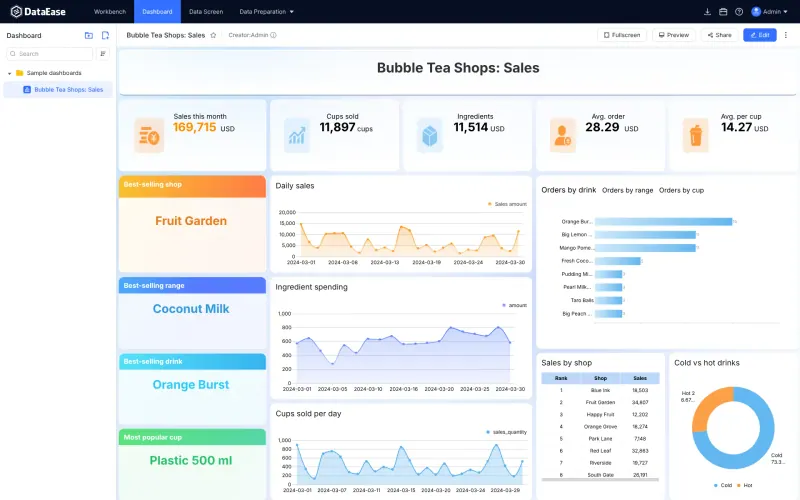
DataEase Small businesses where one person builds polished dashboards and wall screens from databases or Excel files and shares them by link Code Open source Some setup
DataLens Teams with data in PostgreSQL, ClickHouse or another SQL database who want shared dashboards anyone can open Code Open source Some setup
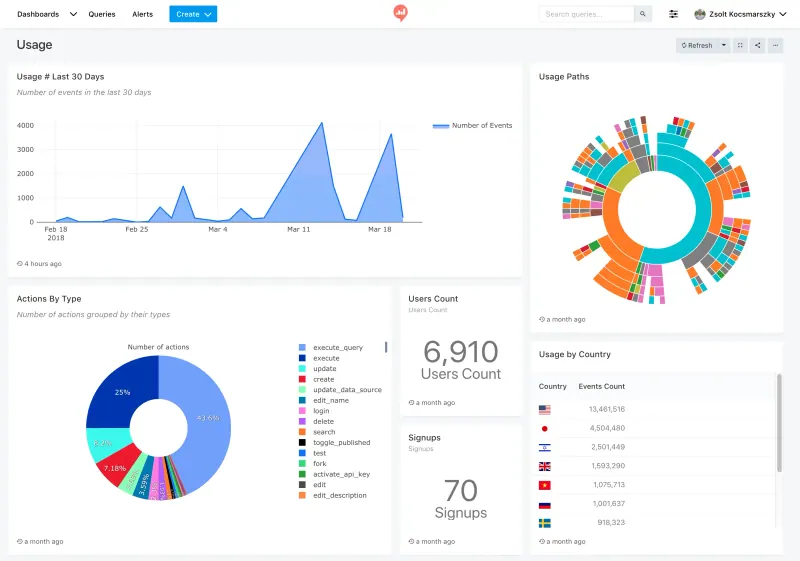
Redash Teams with someone who writes SQL who want shared dashboards and alerts on their own databases Code Open source Some setup

Why look for an alternative to Power BI?

Microsoft Power BI is Microsoft’s business intelligence tool: analysts model data in Power BI Desktop with Power Query and DAX, and publish reports and dashboards to the Power BI service for the rest of the company, with close ties to Excel and Microsoft 365.

Teams look for an alternative because sharing is priced per person. When we checked Microsoft’s pricing page in November 2026, Power BI Desktop was free, but sharing reports needed a Pro licence at $14 per user a month or Premium Per User at $24. A self-hosted Apache Superset shares dashboards with any number of people at no licence cost and keeps your data on your own server, as long as the data lives in a SQL database and someone on the team knows SQL.

The alternatives, compared

Apache Superset

Our pick

Dashboards and a SQL editor on your own databases.

Builds interactive dashboards with over 40 chart types, filters and drill-downs on your own SQL databases, with a SQL editor, row-level security and no price per viewer. It reads data from databases, not Excel files, has no Excel-style modelling like Power Query and DAX and no desktop app, and anything beyond simple charts needs someone who knows SQL.

Some setup Open source

Dashboards and wall screens, built by drag and drop.

Builds dashboards and full-screen data screens by drag and drop from databases, Excel or CSV files or an API, with no SQL needed, and shares them by public link with an optional password and expiry. The free edition has one admin account, with no per-person logins, row-level permissions or scheduled reports, which are in its paid edition, and it has nothing like Power Query and DAX. Much of its documentation is in Chinese.

Some setup Open source

Dashboards on your PostgreSQL or ClickHouse data.

Builds charts and interactive dashboards by drag and drop from datasets you define once with calculated fields, on PostgreSQL, ClickHouse, MySQL, SQL Server, Oracle and other SQL databases, and shares them with any number of viewers at no licence cost. It reads no Excel files, has nothing as deep as Power Query and DAX, no alerts or scheduled reports and no desktop app.

Some setup Open source

SQL queries, charts, dashboards and alerts.

Shares dashboards built from SQL queries on your databases, with scheduled refreshes, alerts to email, Slack or Microsoft Teams, and public links for dashboards, at no licence cost. Unlike Superset it can query Google Sheets, Excel and CSV files as data sources. It has no Power Query or DAX modelling and no desktop app, and every chart starts from a query someone writes.

Some setup Open source

Moving from Power BI

Power BI reports cannot be imported, so plan to rebuild the ones people use most. First put the data your reports use into a SQL database Superset can read, such as PostgreSQL, which Cloudgate's setup reads as installed (other databases and warehouses need their driver added first), and move the transformations you did in Power Query into database views or Superset datasets. Then add the datasets, define shared metrics, rebuild the key charts and arrange them into dashboards with filters. Set up roles, and row-level security where people should see only their own figures, before sharing.

With Redash, connect your database, or a Google Sheet as a data source, write the queries behind your key reports, and build dashboards from their charts. Use groups so each team can query only the data sources it should, and set alerts on the numbers people check every day.

For DataEase, sign in as admin, switch the language to English in the account menu, and add your databases, or upload the Excel files your Power BI reports used. Turn the tables into datasets, adding joins and calculated fields where Power Query did the work, then rebuild each report by dragging charts onto a dashboard and share it by public link.

For DataLens, put the data your reports use into a database it reads, such as PostgreSQL, ClickHouse or SQL Server, then sign in as admin and connect it. Build a dataset for each source, with calculated fields where DAX measures did the work, rebuild the charts in its wizard and arrange them into dashboards with selectors. New colleagues start as viewers, so make the people who build reports editors.

Questions

What is the best open-source alternative to Power BI?

Start with Apache Superset. All 4 are free and open source.

Should I choose Apache Superset or Redash?

Choose Superset for more chart types, cross-filters and row-level security. Choose Redash for quick SQL-to-dashboard work with alerts, or if some of your data sits in Google Sheets, Excel or CSV files, which Redash can query directly.

Should I choose Apache Superset or DataEase?

Choose Apache Superset if each person needs their own login and permissions, and someone on your team knows SQL. Choose DataEase if one person builds dashboards from databases or Excel files by drag and drop and shares them by link.

Should I choose Apache Superset or DataLens?

Choose Apache Superset for more chart types, a full SQL editor and row-level security. Choose DataLens if people should build charts by drag and drop from shared datasets with calculated fields, or your data is in ClickHouse, Greenplum or YDB.

Can Apache Superset open Power BI files?

No. Superset cannot import .pbix files. You rebuild the dashboards on data in a SQL database.

Can Superset read Excel files?

Only by uploading them into a connected database, which has to be switched on for that database. Superset is built to query data that already sits in a SQL database. DataEase reads Excel and CSV files directly.

Can Superset email reports on a schedule?

Yes, with extra setup. Alerts and scheduled reports by email or Slack are off by default and need a worker service, a headless browser and your email settings.

Are these Power BI alternatives really free?

Yes, Apache Superset, DataEase, DataLens and Redash are free. To run them you need Cloudgate and a server. Use hosted Cloudgate, which can also provide the server, or install Cloudgate on a server of your own for free. Cloudgate's plans and prices are at cloudgate.octabyte.io/pricing. One server can run several apps.

Do I need a developer to replace Power BI?

No. Cloudgate installs the app you choose on your server and gives it a secure web address, and you use it in your browser instead of Power BI.