Readeck
A self-hosted read-it-later app that keeps every article you save.
No server needed to start: Cloudgate can provide one. What happens when you click Deploy
What is Readeck?
Readeck is a self-hosted read-it-later app: save articles, highlight and add notes, export to e-books, and import your Pocket or Instapaper list.
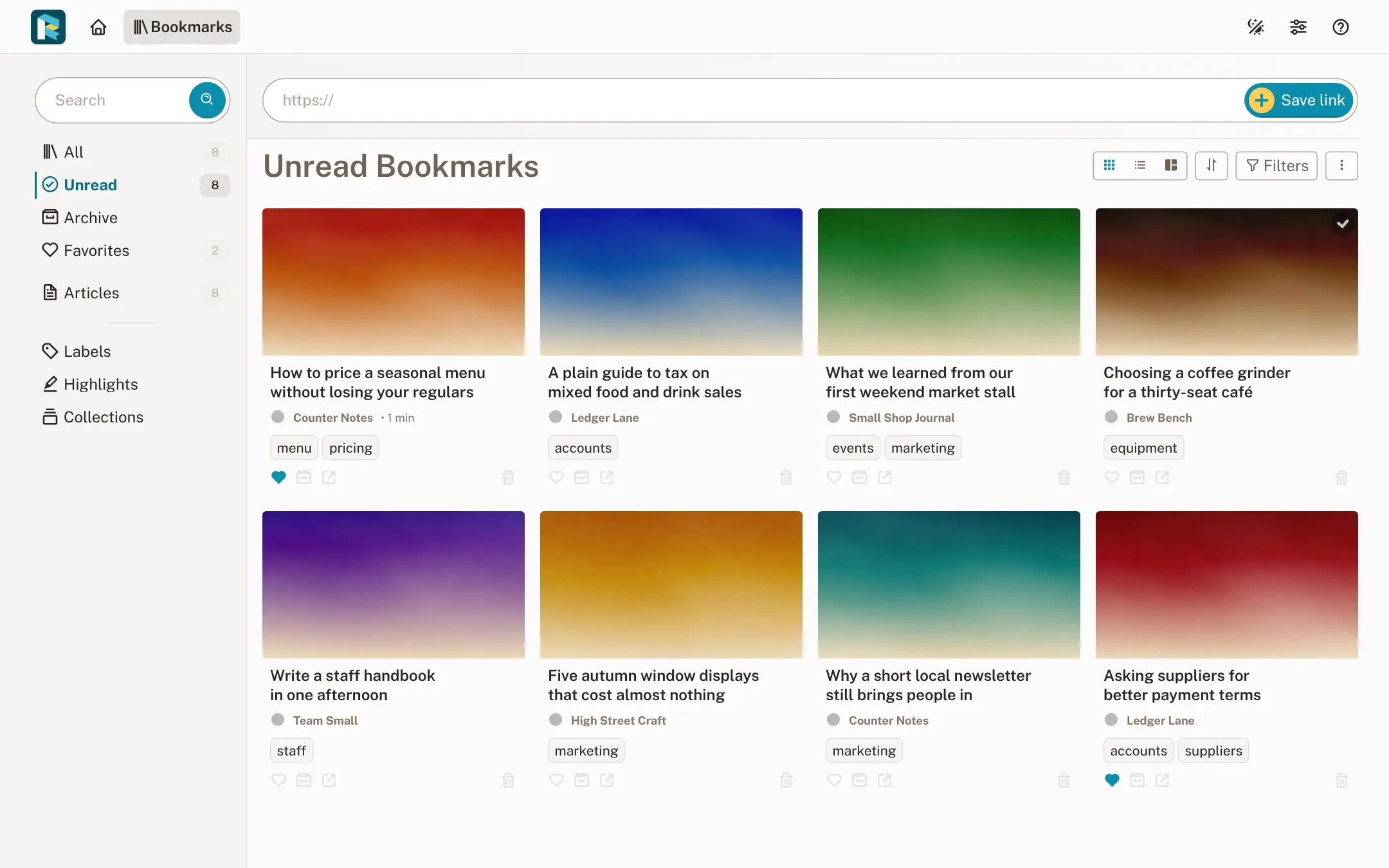
Readeck is a free, self-hosted read-it-later app: you save articles, pictures and videos from the web, and it keeps a clean, readable copy of each one on your own server. It replaces Pocket, which Mozilla shut down in July 2025, and Instapaper, and it imports your saved list from either.
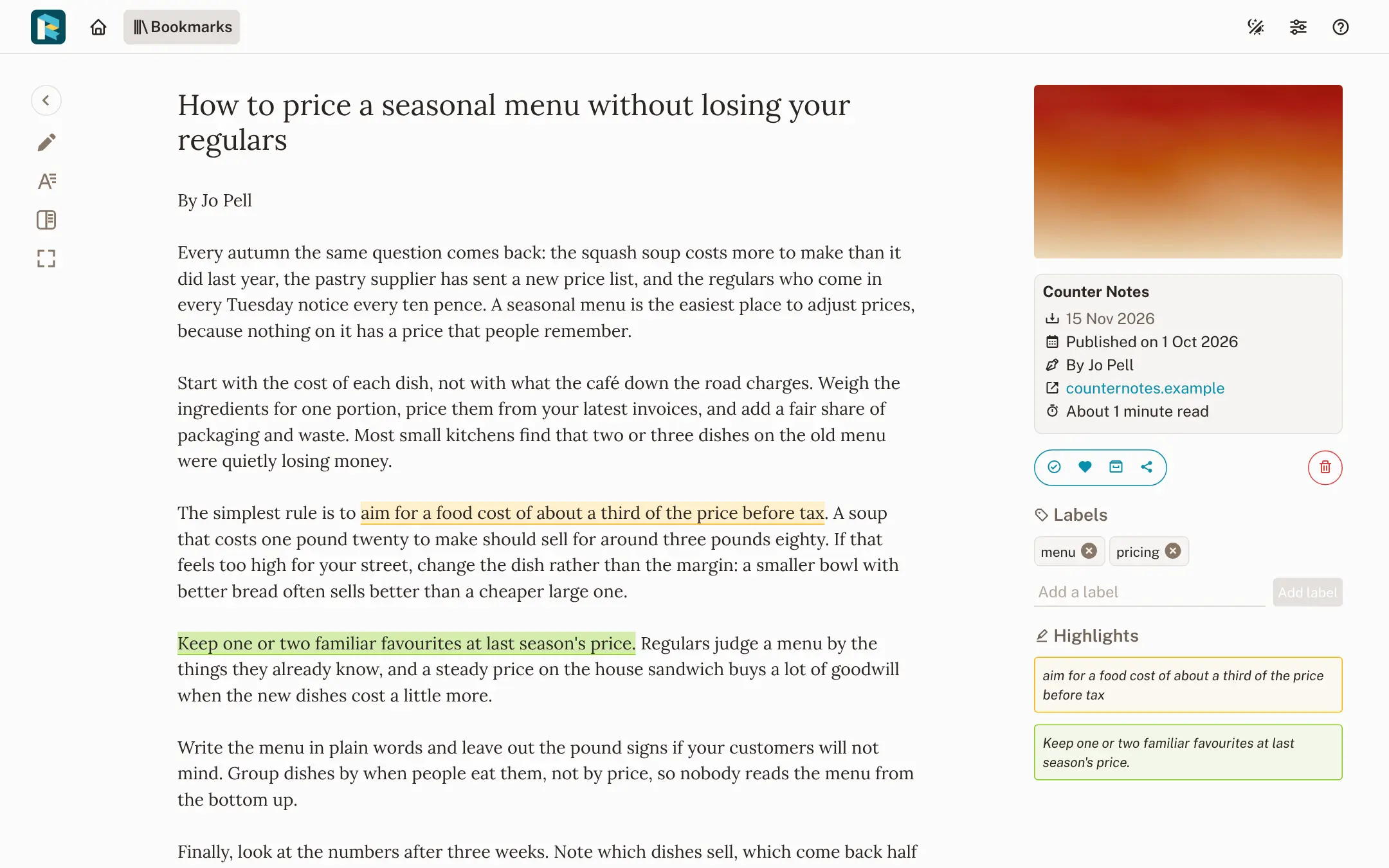
Readeck stores the text and images of a page the moment you save it, so the article stays readable even if the website changes or disappears. You read in a calm reader view, highlight the lines worth keeping, add notes, and sort everything with labels, favourites and saved searches called collections. A café owner, for example, could save articles about pricing and suppliers during the week, highlight the useful tips, and send the "pricing" collection to an e-reader as one e-book for a quiet Sunday.
Readeck has official apps for Android and iPhone, a browser extension for Firefox and Chrome, and a plugin for KOReader e-readers. It is one small program, so it runs well on a modest server, and each person in a family or team gets their own account.
Cloudgate installs Readeck on your server and gives it a secure web address. Open it, create your account on the welcome screen, then save your first link or import your old reading list.
What you can do with Readeck
- Save a page for good Paste a link and Readeck stores the article's text and images on your server, so it stays readable even if the original disappears.
- Read without clutter A clean reader view with your choice of font, text size and line spacing, remembered for every article.
- Highlight and add notes Mark the lines that matter in several colours, add a note, and find all your highlights on one page.
- Organise and search everything Labels, favourites, an archive and full-text search, plus collections that save a search, such as "everything labelled pricing".
- Read on your e-reader Export an article or a whole collection as an e-book (EPUB), or browse your list from an e-reader that supports OPDS.
- Save from your browser and phone The browser extension saves pages exactly as you see them, and the Android and iPhone apps save and read offline.
- Keep video transcripts Save a YouTube link and Readeck keeps its transcript when there is one, to read and search like an article.
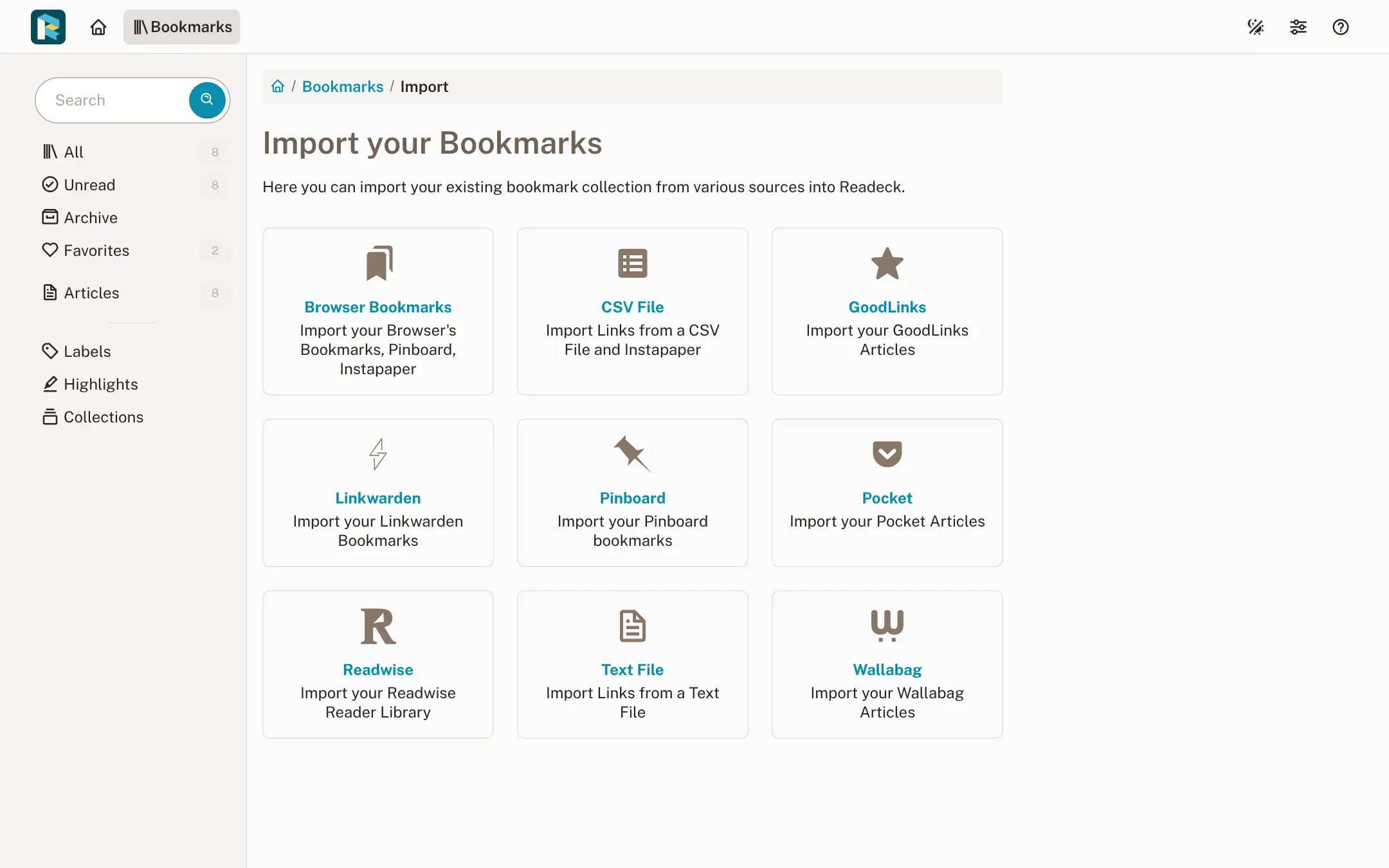
- Bring your old list Import from Pocket, Instapaper, wallabag, Readwise Reader, Pinboard, Linkwarden, GoodLinks or browser bookmarks.
Replaces Pocket and Instapaper
Readeck does the same job as Pocket and Instapaper. Here is what changes when you switch.
- Your reading list lives on your server, where no company can shut it down as Mozilla did with Pocket
- Highlights, notes and full-text search with no premium plan
- Whole collections become e-books for your e-reader
- Several people can share one Readeck, each with their own account
- Some pages behind a paywall or that need scripts to load won't save from the link alone; use the browser extension for those
- No AI summaries or automatic tagging
- Public share links expire after 24 hours
- Videos still play from YouTube or Vimeo rather than being downloaded
What happens when you click Deploy?
You do not need a server or any technical knowledge. Four steps, and Readeck is running at its own web address.
- Step 1 Click Deploy and create your account
Deploy takes you to Cloudgate. Create an account, or log in if you have one. Readeck itself is free.
- Step 2 Choose a server
No server? Get one from Cloudgate: pick a size and a country, and Cloudgate gets it ready. Already have one? Connect it instead.
- Step 3 Cloudgate sets up Readeck
It prepares the server, makes the passwords the app needs and starts it. There is nothing to install and nothing to write down.
- Step 4 Open your app and sign in
Your app gets a free web address to start, without https. Add your own domain, like app.yourshop.com, and Cloudgate secures it with https for you.
New to Cloudgate? See what Cloudgate is
Run Cloudgate yourself? Deploy from your own console
In your Cloudgate console, open Templates and choose Readeck.
Questions
Is Readeck free?
Yes, Readeck is free and open source under the AGPL licence, with no paid edition or premium features. You pay only for the server it runs on.
Is Readeck a good Pocket alternative?
Yes. Readeck does what Pocket did, saving articles to read later on any device, and adds highlights with notes and e-book export. It imports the export file Pocket let you download, so your saved list carries over.
Can I move my Instapaper or wallabag articles to Readeck?
Yes, Readeck has importers for Instapaper (its CSV or HTML export), wallabag, Readwise Reader, Pinboard, Linkwarden, GoodLinks, browser bookmarks and plain lists of links. The import runs in the background while you keep reading.
What is the difference between Readeck and wallabag?
Both are free, self-hosted read-it-later apps that save the text of web pages. Readeck is newer and lighter, with coloured highlights and notes, e-book export of whole collections and video transcripts; wallabag is the older project, developed since 2013, with its own long-standing phone apps.
Does Readeck have phone apps and a browser extension?
Yes. Readeck lists official apps for Android and for iPhone, iPad and Mac, which save links, sync your list and let you read offline. The official extension for Firefox and Chrome saves any page in one click, including pages you can see but the server can't reach.
Can I read my Readeck articles on a Kobo or other e-reader?
Yes, if the e-reader opens EPUB files or supports OPDS catalogues. Readeck exports any article or collection as an EPUB e-book, and a KOReader plugin syncs your articles straight to e-readers that run KOReader.
How do I sign in to Readeck the first time?
Readeck shows a welcome screen the first time you open it, where you choose a username, password and email address. That first account is the admin; there is no public sign-up, so you add family or colleagues yourself under Users.
Do I need technical skills to run Readeck?
No. Click Deploy, create your Cloudgate account and choose a server, and Cloudgate sets up Readeck and gives it a web address. You use it in your browser like any other online tool.
Do I need my own server for Readeck?
No. When you deploy Readeck, hosted Cloudgate can provide a server. If you already rent one, you can connect it instead.
Related apps
A self-hosted read-it-later app for clutter-free articles.

A self-hosted bookmark manager to save and find everything you read.

A fast, self-hosted bookmark manager with tags, notes and read later.
A self-hosted bookmark manager that keeps a copy of every page.