
Psono
A self-hosted password manager to share your team's logins.
No server needed to start: Cloudgate can provide one. What happens when you click Deploy
What is Psono?
Psono is a self-hosted, open-source team password manager in place of 1Password or LastPass: share logins by folder, with apps and browser autofill.
Psono is a self-hosted, open-source password manager for teams: it keeps your company's logins on your own server and lets staff share them safely, instead of paying per person for 1Password, LastPass or Keeper. Passwords are encrypted on each person's device before they are sent, so the server only stores scrambled data.
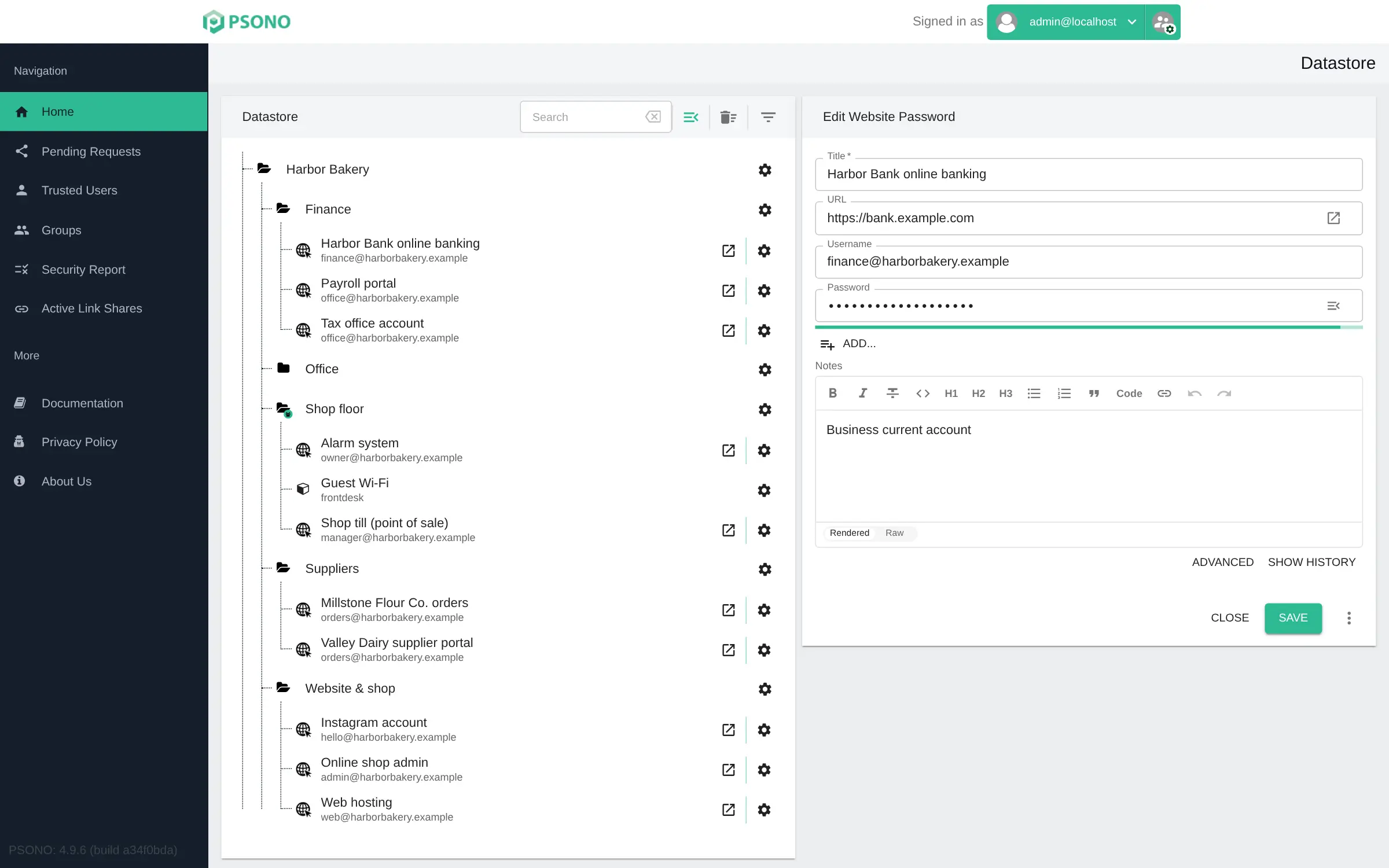
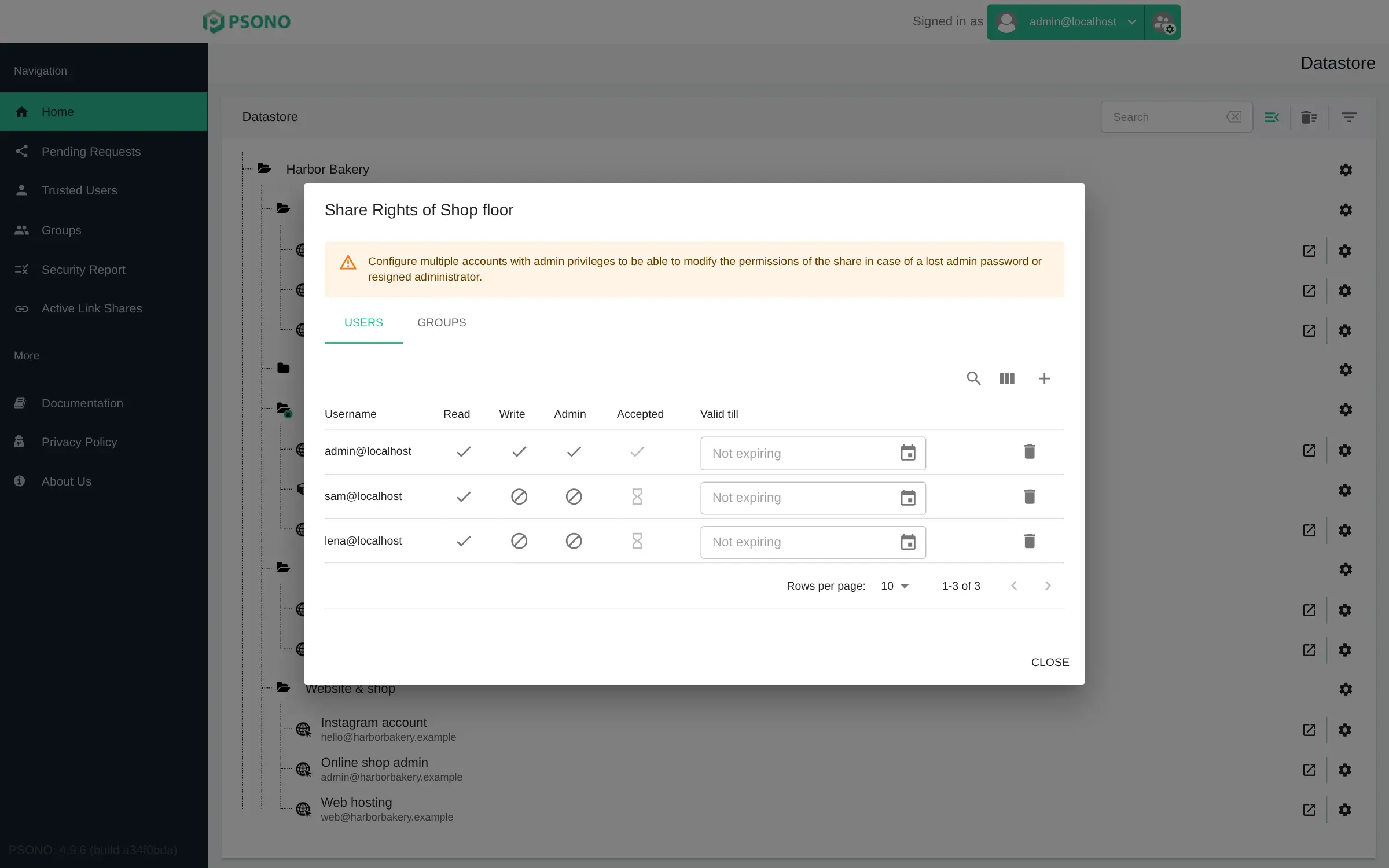
You organise logins in folders and share a single password or a whole folder with a colleague or a group, choosing whether they can read it, change it or manage it, and when their access ends. A bakery, for example, could share the till, alarm and supplier logins with the shop team, give a seasonal helper access until the end of December, and keep the bank and payroll logins in a folder only the owner can open.
Everyone signs in on the web or with the Psono apps for iPhone, Android, Windows, Mac and Linux, and the browser extensions fill in logins for them. Psono imports your passwords from LastPass, 1Password, Bitwarden, KeePass and most browsers. This template installs the free Community Edition; single sign-on and the audit log belong to the paid Enterprise Edition.
Cloudgate installs Psono on a server Cloudgate provides or one you connect, gives it a secure web address and creates your admin account, so you can add your team right away.
What you can do with Psono
- Share a password or a whole folder Give a colleague or a group access to one login or a full folder, and choose whether they can only read it, change it or manage who else sees it.
- Set an end date Give a temporary worker or a contractor access that ends by itself on the date you pick.
- Encrypted on your own device Passwords are locked on your computer or phone before they are sent, so the server only ever stores scrambled data.
- Fill in logins for you Browser extensions for Chrome, Firefox, Edge and Safari fill in usernames and passwords, save new logins and generate strong passwords.
- More than passwords Keep secure notes, credit cards, files, passkeys and authenticator (TOTP) codes next to your logins.
- Check your passwords A security report shows weak, reused and leaked passwords, and admins see a summary of the reports people send in.
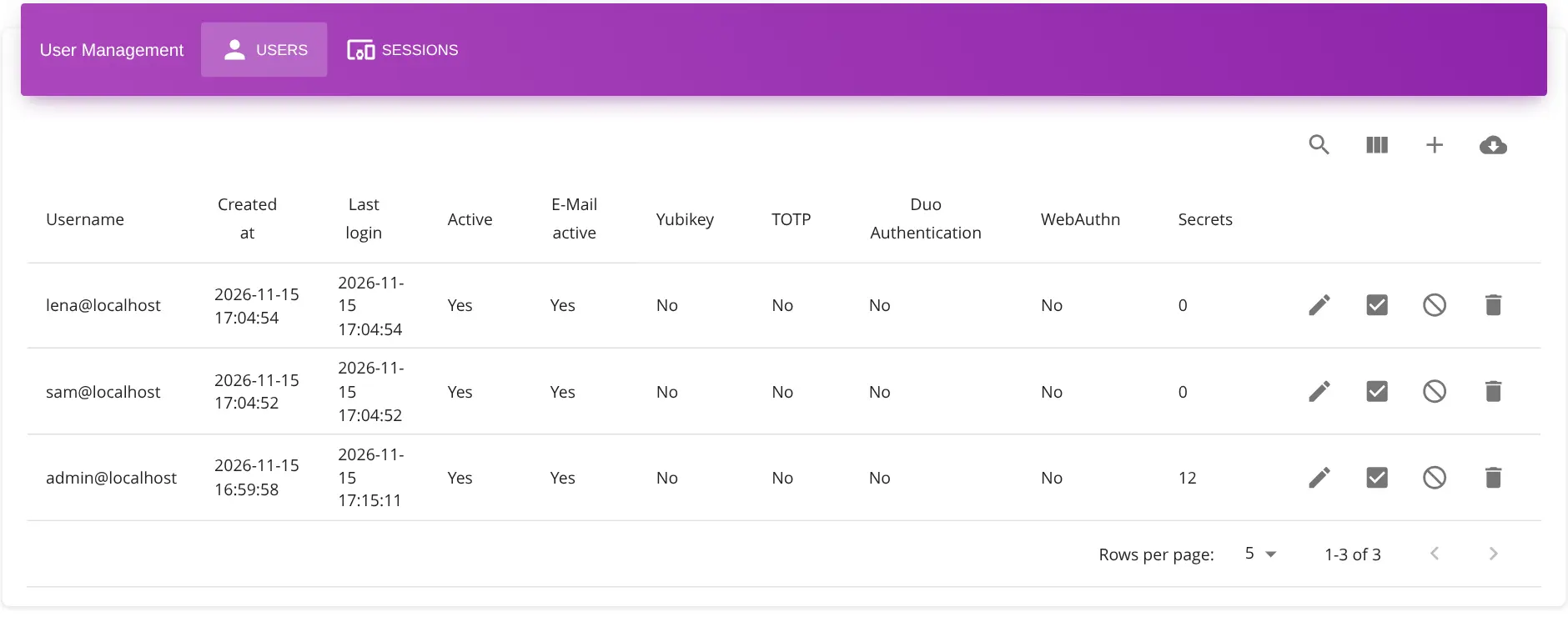
- Manage your team in one place The admin portal lists every user, group and signed-in device, and lets you add, disable or remove people.
- Two-step sign-in Protect each account with an authenticator app, a YubiKey, a security key or Duo.
Replaces 1Password, LastPass and Keeper
Psono does the same job as 1Password, LastPass and Keeper. Here is what changes when you switch.
- No price per person in the free Community Edition, however many people you add
- Your encrypted vault stays on your own server
- Sharing rights per folder and per password, with an optional end date
- Open source under the Apache 2.0 licence, so the code can be checked by anyone
- Single sign-on, LDAP, an audit log and enforced security policies are in the paid Enterprise Edition (free for up to 10 users), not in this free edition
- People who sign up themselves need an email server to activate their account
- Its apps are less polished than 1Password's, and fewer people use it, so there is less help online
- You are responsible for the server's backups, including its secret keys
What happens when you click Deploy?
You do not need a server or any technical knowledge. Four steps, and Psono is running at its own web address.
- Step 1 Click Deploy and create your account
Deploy takes you to Cloudgate. Create an account, or log in if you have one. Psono itself is free.
- Step 2 Choose a server
No server? Get one from Cloudgate: pick a size and a country, and Cloudgate gets it ready. Already have one? Connect it instead.
- Step 3 Cloudgate sets up Psono
It prepares the server, makes the passwords the app needs and starts it. There is nothing to install and nothing to write down.
- Step 4 Open your app and sign in
Your app gets a free web address to start, without https. Add your own domain, like app.yourshop.com, and Cloudgate secures it with https for you.
New to Cloudgate? See what Cloudgate is
Run Cloudgate yourself? Deploy from your own console
In your Cloudgate console, open Templates and choose Psono.
Questions
Is Psono free?
Yes, Psono Community Edition is free and open source under the Apache 2.0 licence, with no limit on users, and it is the edition this template installs. The paid Enterprise Edition adds single sign-on (LDAP, SAML, OIDC), an audit log and enforced security policies; it is free for up to 10 users.
Is Psono a good alternative to 1Password, LastPass or Keeper?
Yes, for teams that want to share work passwords on their own server with no fee per person. You get shared folders with read, write and admin rights, browser autofill and phone apps. Single sign-on and an audit log, which 1Password and Keeper's business plans offer, need Psono's Enterprise Edition.
What is the difference between Psono and Vaultwarden?
Psono is built for companies, with sharing rights per folder and password, end dates on access, an admin portal and team security reports, and it uses its own apps. Vaultwarden is a lighter, community-made server for the free Bitwarden apps and is simpler to run. Both are free and open source, and Cloudgate installs either.
How do I sign in to Psono the first time?
You sign in to Psono with the username admin and the admin password Cloudgate generated, then approve the server's fingerprint and choose your own password. If Psono still asks for a new password after you save it, sign out and back in. The same account opens the admin portal at /portal, where you add your team.
Can I import my passwords from LastPass or 1Password?
Yes, Psono imports exports from LastPass, 1Password, Bitwarden, Dashlane, Proton Pass, KeePass, Enpass and the Chrome, Firefox and Safari browsers. Imported logins land in a new folder that you can rename and share.
Does Psono have phone apps and browser extensions?
Yes, Psono has apps for iPhone and Android, desktop apps for Windows, Mac and Linux, and browser extensions for Chrome, Firefox, Edge and Safari. Each one connects to your own server's address.
Does Psono need an email server?
No, not for the admin account, which Cloudgate creates for you. You need one if people sign up themselves, because Psono emails them an activation link, and for "lost password" emails; Cloudgate asks for these details during setup, and you can leave them empty.
Do I need technical skills to run Psono?
No. Click Deploy, create your Cloudgate account and choose a server, and Cloudgate sets up Psono and gives it a web address. You use it in your browser like any other online tool.
Do I need my own server for Psono?
No. When you deploy Psono, hosted Cloudgate can provide a server. If you already rent one, you can connect it instead.
Related apps

A self-hosted team password manager, shared by group and folder.

A shared password manager for your team, on your own server.

A self-hosted team password vault, organised by folder and role.

One login, with two-step sign-in, for all your team's apps.