Open-source alternative to 1Password

Vaultwarden is a free, open-source 1Password alternative: a shared team password manager that works with the Bitwarden apps. 1Password charges per person each month; self-hosted Vaultwarden has no per-person price.

1 alternative Free app Our pick: Vaultwarden

At a glance

App Good for Code Import from 1Password Ease of use
Vaultwarden Small teams that want shared passwords without a per-person fee Code Open source Import from 1Password Yes Easy

Why look for an alternative to 1Password?

1Password is a popular password manager for families and businesses, with polished apps for every platform and features such as Watchtower alerts and shared vaults.

People look for an alternative because 1Password has no free plan: every person pays a monthly or yearly subscription, which adds up for a team. Some also prefer to keep their passwords on a server they control. Vaultwarden, used with the free Bitwarden apps, gives you the same everyday features of autofill, sharing and two-step sign-in, on your own server with no price per person.

How Vaultwarden compares

A shared password manager for your team, on your own server.

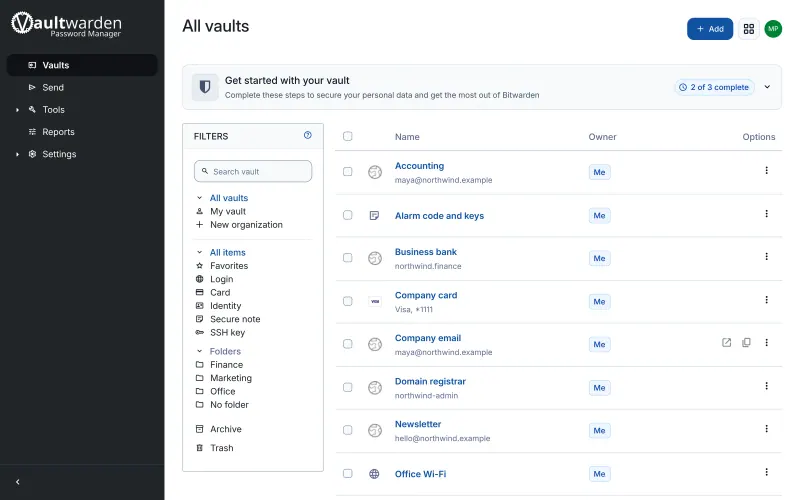
Runs your own password vault that works with the free Bitwarden apps for phones, computers and browsers. It stores logins, passkeys, cards, notes and authenticator codes, shares them with your team through organisations, and supports two-step sign-in.

What you gain
  • No price per person, however big the team gets
  • Your vault is stored on your own server
  • Features Bitwarden charges for, such as file attachments and stored authenticator codes, are included
What is different
  • It is a community project, not made or supported by Bitwarden
  • You are responsible for keeping the server and its backups safe
  • Some business features, such as directory sync, are not available
Easy Open source · AGPL-3.0-only

Moving from 1Password

Export your vault from 1Password as a .1pux or CSV file, then load it on the import page of the Vaultwarden web vault. Logins, notes and cards come across; check items with attachments, which may need to be added again. Install the Bitwarden app or browser extension, point it at your Vaultwarden address, and delete the export file once the import is checked.

Questions

What is the best open-source alternative to 1Password?

Vaultwarden is the free, open-source alternative to 1Password for password management in the catalogue today. Runs your own password vault that works with the free Bitwarden apps for phones, computers and browsers. It stores logins, passkeys, cards, notes and authenticator codes, shares them with your team through organisations, and supports two-step sign-in.

Can I use the Bitwarden apps with Vaultwarden?

Yes. Vaultwarden works with the official Bitwarden apps and browser extensions. You enter your Vaultwarden address on the sign-in screen.

Is Vaultwarden as secure as 1Password?

Your vault is encrypted on your device before it reaches the server, as with Bitwarden. The difference is that you look after the server and its backups, so keep both up to date.

Is it really free?

Yes, the app is free. To run them you need Cloudgate and a server. Use hosted Cloudgate, which can also provide the server, or install Cloudgate on a server of your own for free. Cloudgate's plans and prices are at cloudgate.octabyte.io/pricing. One server can run several apps.

Do I need a developer?

No. Cloudgate installs the app on your server and gives it a secure web address. You use it in your browser.