Nodedr OrderRestro
A self-hosted restaurant POS with kitchen display, tables and stock.
No server needed to start: Cloudgate can provide one. What happens when you click Deploy
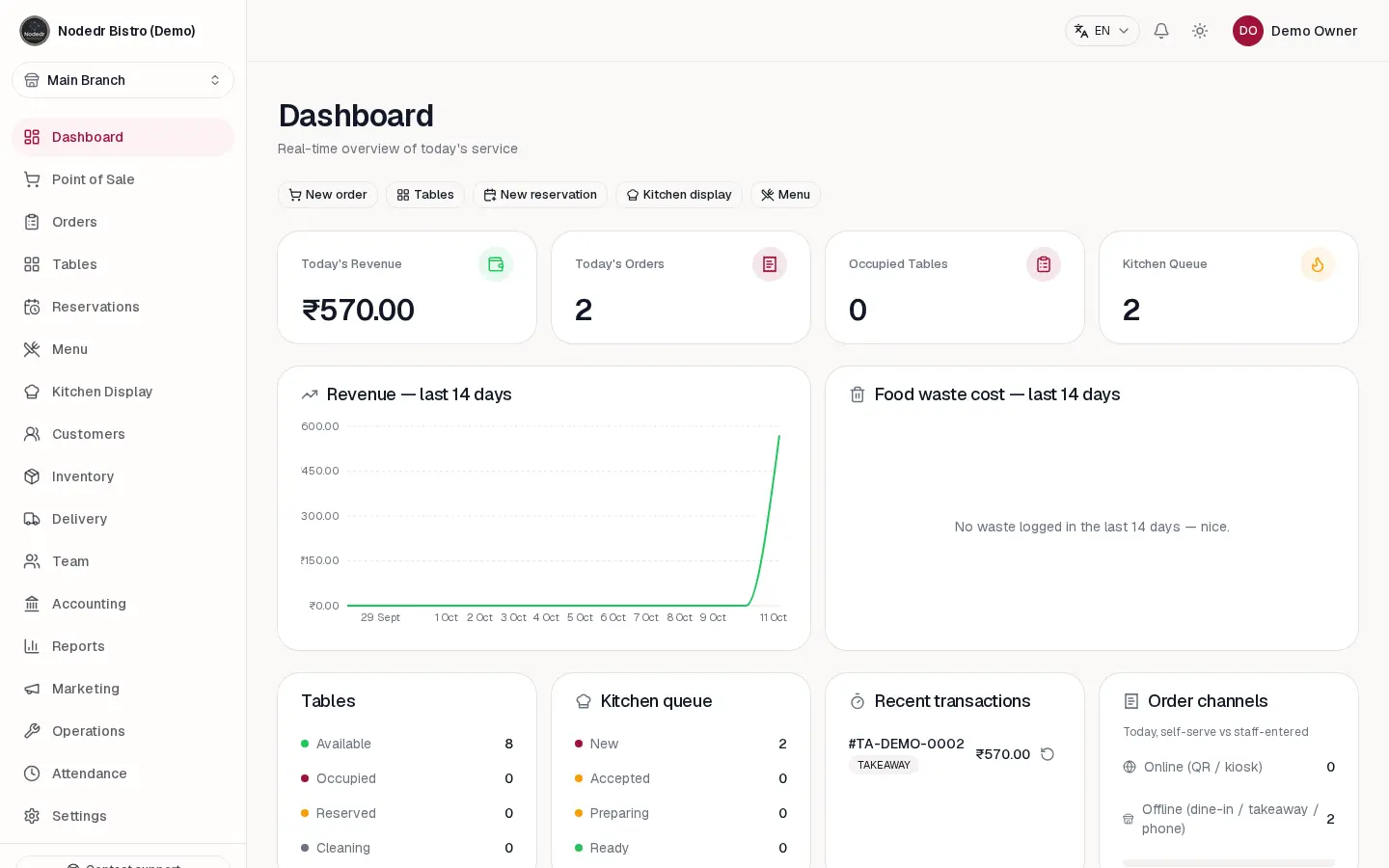
What is Nodedr OrderRestro?
Nodedr OrderRestro is a self-hosted restaurant POS: billing, a kitchen display, tables, reservations, stock and staff payroll in one app, with no fee per till.
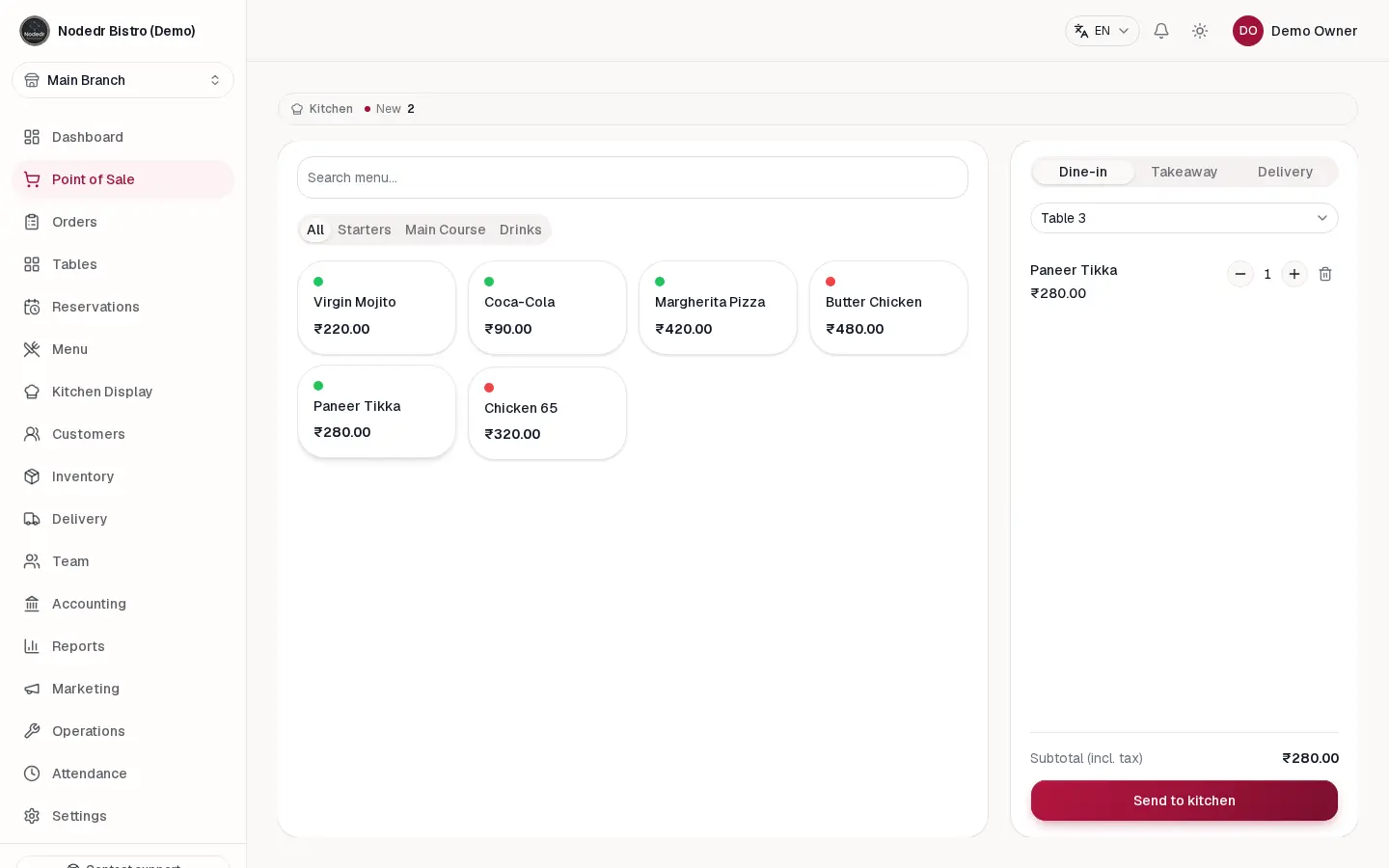
Nodedr OrderRestro is a free, self-hosted restaurant POS (point of sale) and management system, an open-source alternative to Toast and Square for Restaurants. Staff take dine-in, takeaway and delivery orders on a till or tablet, the kitchen sees them live on a kitchen display, and the owner runs tables, reservations, stock, suppliers, staff payroll and the nightly cash close from the same app.
It is made for restaurants, cafés, bakeries, bars and small chains, with recipe costing, loyalty points, QR table ordering and reports you can export or get by email. A family-run curry house, for example, could seat a walk-in at Table 3, send the order to the tandoor and the bar at once, and see at closing time which dishes earned the most after ingredient costs.
It works in any browser on a computer, tablet or phone, with India GST and UPI built in as well as US sales tax and European VAT. It has no card terminal of its own, and printing to a receipt printer on your restaurant's network needs the server to be able to reach it; from a cloud server, tickets print through the till's browser.
Cloudgate installs OrderRestro and its database on a server Cloudgate provides or one you connect, and gives it a secure web address. Open the address first to create your restaurant and owner account.
What you can do with Nodedr OrderRestro
- Take orders and bill tables Ring up dine-in, takeaway and delivery orders with options, discounts, coupons, gift cards and tips, paid by cash, card or UPI.
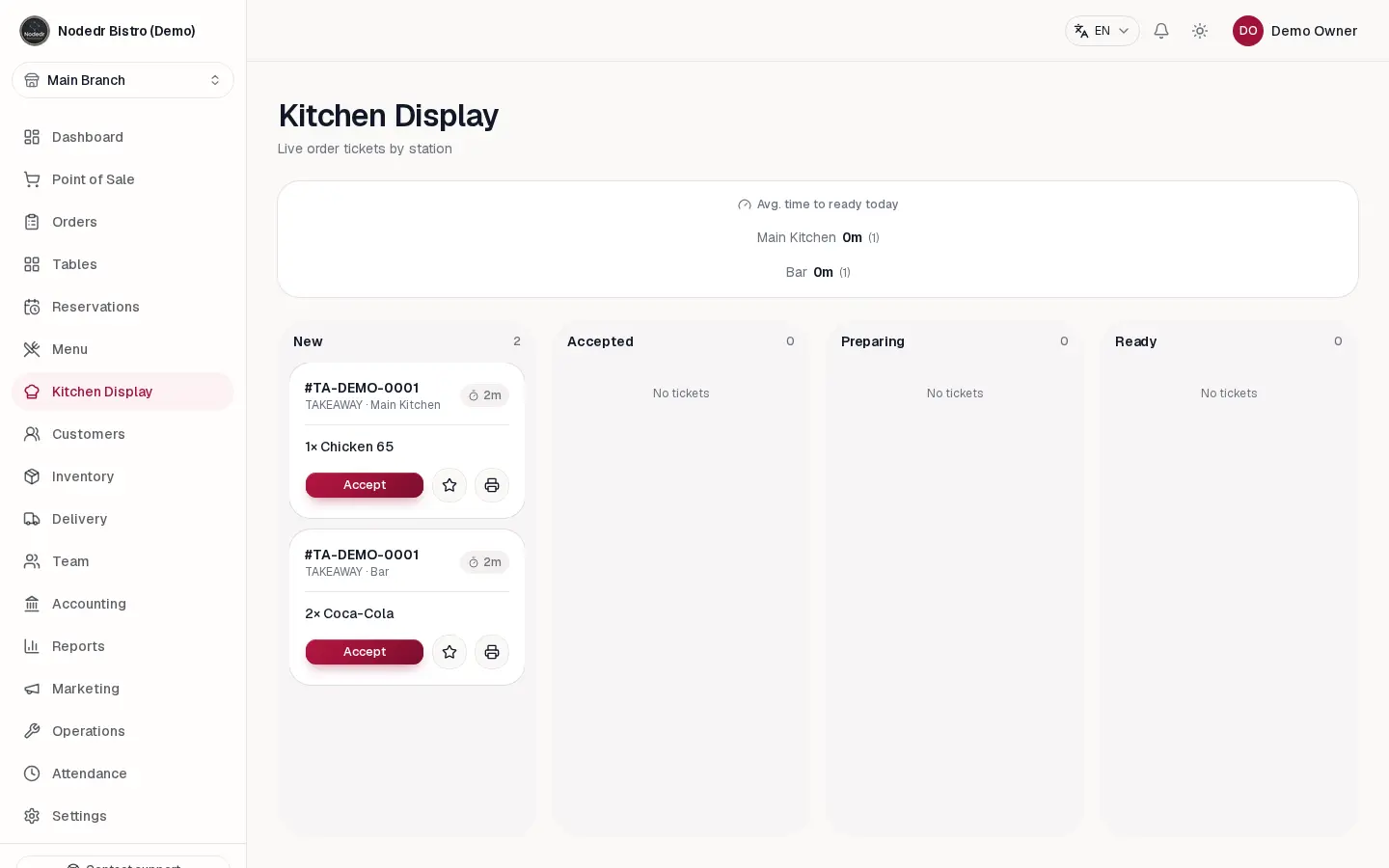
- Run the kitchen from a screen Orders appear live on a kitchen display, split by station, with timers and New, Accepted, Preparing and Ready columns.
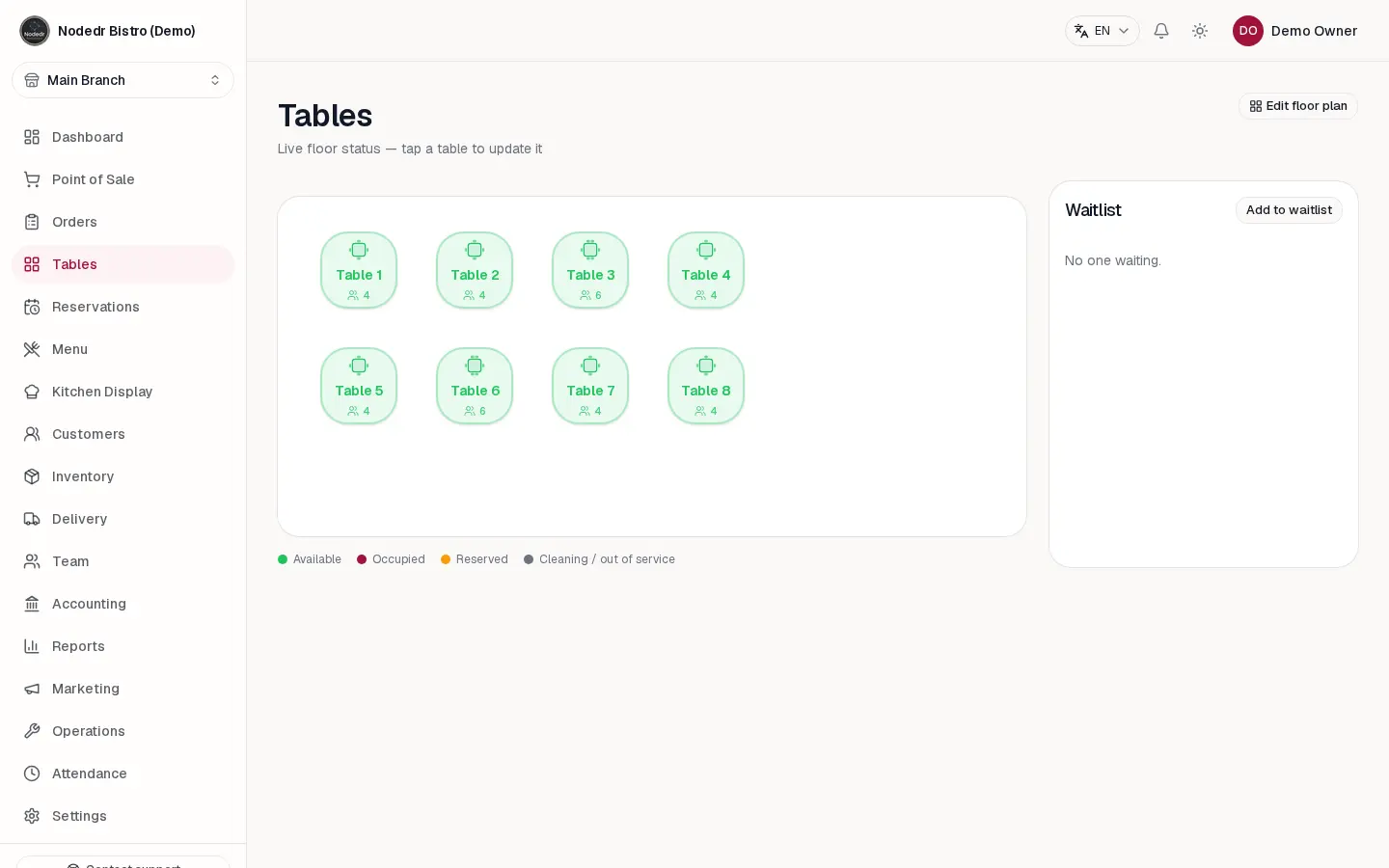
- Manage tables and bookings See every table's status on a floor plan, keep a waitlist, take reservations and let guests order from a QR code at the table.
- Know your food cost Recipes take ingredients off stock with every sale, alongside suppliers, purchase orders, waste logging and stock takes.
- Pay your staff Staff clock in and out, and payroll is worked out from their hours, with shifts, leave and a tip pool split by hours worked.
- Close the day and see the numbers Count the cash at night, log expenses and see profit and loss, with 18 reports you can export to Excel, PDF or CSV or get by email.
- Set up your taxes Choose India GST, US sales tax, EU VAT or Spanish IVA for each branch, with menu prices including or excluding tax.
- Give each person the right access Roles with individual permissions, a quick PIN switch between staff and optional two-step sign-in.
Replaces Toast and Square
Nodedr OrderRestro does the same job as Toast and Square. Here is what changes when you switch.
- No subscription and no fee per till, order or location
- Kitchen display, reservations, stock, payroll and accounting are all included
- Your sales, menu and customer records stay on your own server
- Every feature is in the free version; there is no paid edition
- No card terminals of its own; you record card payments from your terminal, or turn on online payment through Stripe, Razorpay or Cashfree
- Sending tickets straight to a receipt printer on your restaurant network needs the server to be able to reach it; from a cloud server you print from the till's browser
- No phone app in the app stores yet; it works in a phone or tablet browser
- No import from Toast or Square; menu items and ingredients come in from a spreadsheet (CSV) file
What happens when you click Deploy?
You do not need a server or any technical knowledge. Four steps, and Nodedr OrderRestro is running at its own web address.
- Step 1 Click Deploy and create your account
Deploy takes you to Cloudgate. Create an account, or log in if you have one. Nodedr OrderRestro itself is free.
- Step 2 Choose a server
No server? Get one from Cloudgate: pick a size and a country, and Cloudgate gets it ready. Already have one? Connect it instead.
- Step 3 Cloudgate sets up Nodedr OrderRestro
It prepares the server, makes the passwords the app needs and starts it. There is nothing to install and nothing to write down.
- Step 4 Open your app and sign in
Your app gets a free web address to start, without https. Add your own domain, like app.yourshop.com, and Cloudgate secures it with https for you.
New to Cloudgate? See what Cloudgate is
Run Cloudgate yourself? Deploy from your own console
In your Cloudgate console, open Templates and choose Nodedr OrderRestro.
Questions
Is OrderRestro free?
Yes. Nodedr OrderRestro is free and open source under the AGPL-3.0 licence, with no paid edition, no subscription and no fee per order or per till. You pay only for your server.
Is OrderRestro a good alternative to Toast?
Yes, for a restaurant that wants billing, a kitchen display, tables, reservations, stock and payroll without a monthly fee. Unlike Toast, it has no card terminals or hardware of its own and no phone app in the app stores yet, and it is a young project, so try it with your own printers and payment setup before a busy service.
Can OrderRestro print to my receipt and kitchen printers?
Yes, from the till's browser. Bills and kitchen tickets open the normal print dialog, so any printer the till or tablet can already use works, or you can save a PDF. Sending tickets straight to a thermal printer on your restaurant's network only works when the server can reach that printer, which a server in the cloud cannot; for that, connect a computer in the restaurant to Cloudgate as your server. Printers plugged into the server by USB are not supported in this template.
Does OrderRestro take card payments?
No, it has no card terminal of its own. Staff take the card on your existing terminal and record the sale as a card payment. You can also switch on online payment through Stripe, Razorpay or Cashfree, where the customer pays on the provider's own page; it starts in test mode so you can try it first.
How do I sign in to OrderRestro the first time?
The first person to open OrderRestro's web address creates the restaurant and the owner account on the sign-up page. After that, sign-up closes and the owner adds staff accounts in Settings, so open the address yourself as soon as Cloudgate has set it up.
Can I import my menu from Toast or Square?
No, there is no importer for Toast or Square. You can load your menu items and ingredients from a spreadsheet (CSV) file, and OrderRestro shows a preview of what will be added or changed before it saves anything.
Does OrderRestro work if the internet goes down?
Not when it runs on a cloud server, because tills, tablets and the kitchen screen reach it over the internet. The project was designed to run on a computer inside the restaurant, where order taking, billing and the kitchen display keep working without an internet connection.
Do I need technical skills to run Nodedr OrderRestro?
No. Click Deploy, create your Cloudgate account and choose a server, and Cloudgate sets up Nodedr OrderRestro and gives it a web address. You use it in your browser like any other online tool.
Do I need my own server for Nodedr OrderRestro?
No. When you deploy Nodedr OrderRestro, hosted Cloudgate can provide a server. If you already rent one, you can connect it instead.


