
Lightdash
Self-hosted BI on the metrics your dbt project defines once.
No server needed to start: Cloudgate can provide one. What happens when you click Deploy
What is Lightdash?
Self-hosted Lightdash is business intelligence for dbt teams and a Looker alternative: define metrics once in YAML, then anyone builds charts and dashboards.
Self-hosted Lightdash is a business intelligence (BI) app with an open-source core, built for data teams that model their warehouse in dbt, and an open-source alternative to Looker. Your data team defines metrics, dimensions and joins once in dbt's YAML files, and everyone else builds charts and dashboards from those trusted fields without writing SQL.
That shared layer is what sets it apart from Metabase or Apache Superset: the definitions live in git, next to your dbt models, so changes are reviewed before they go live. A coffee roaster with its orders in BigQuery, for example, could define "revenue" and "repeat customers" once, then let the sales and finance teams explore them and get a dashboard by email every Monday.
Lightdash is not a "point it at your database" tool: it needs a data warehouse, such as BigQuery, Snowflake, Redshift, Databricks or PostgreSQL, and a dbt project or Lightdash YAML. It reads dbt projects from GitHub, GitLab, Bitbucket, Azure DevOps or dbt Cloud. AI agents, embedding and single sign-on beyond Google need a paid Enterprise licence key.
Cloudgate installs Lightdash on a server Cloudgate provides or one you connect, with its database and file storage, and gives it a secure web address. There is no default login, so create the admin account right after setup.
What you can do with Lightdash
- Define each metric once Write metrics, dimensions and joins in your dbt project's YAML, or in Lightdash YAML without dbt, and keep them in git.
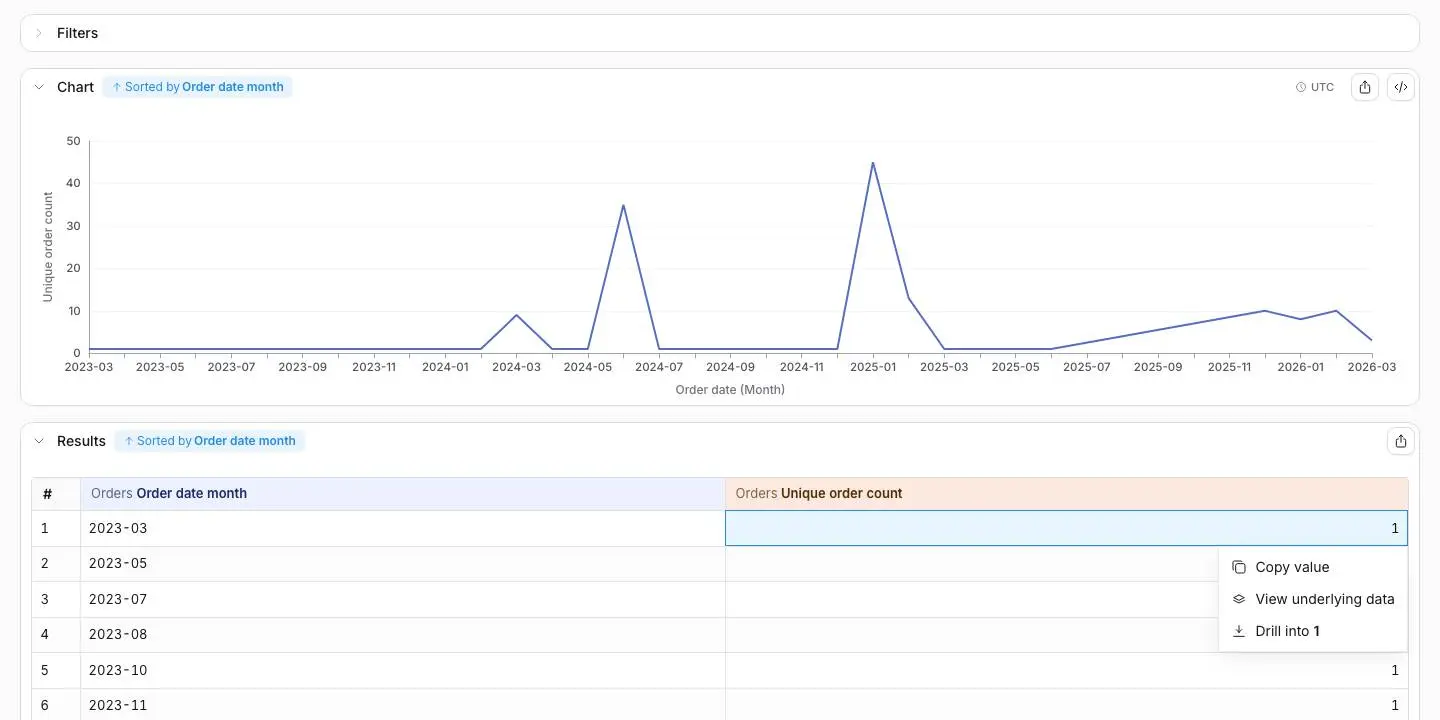
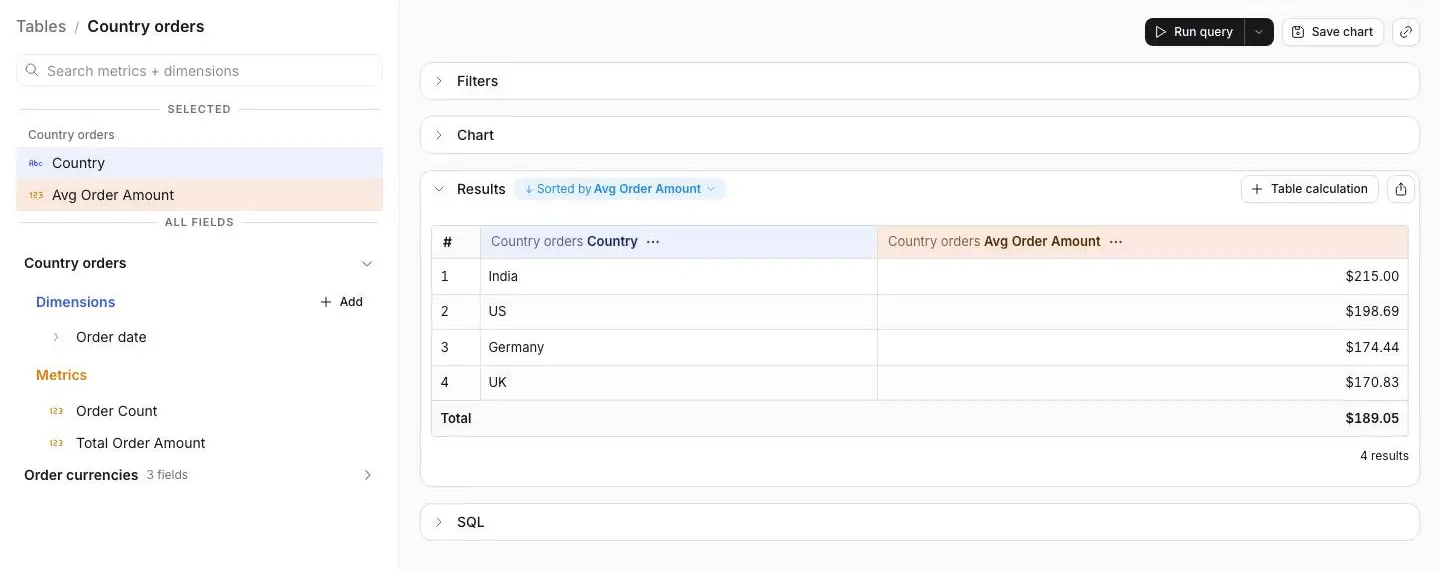
- Explore without writing SQL Pick a table, then its dimensions and metrics, and Lightdash writes the query and draws the chart.
- Build dashboards Put charts on one page with filters, tabs and date zoom, organised in spaces with their own permissions.
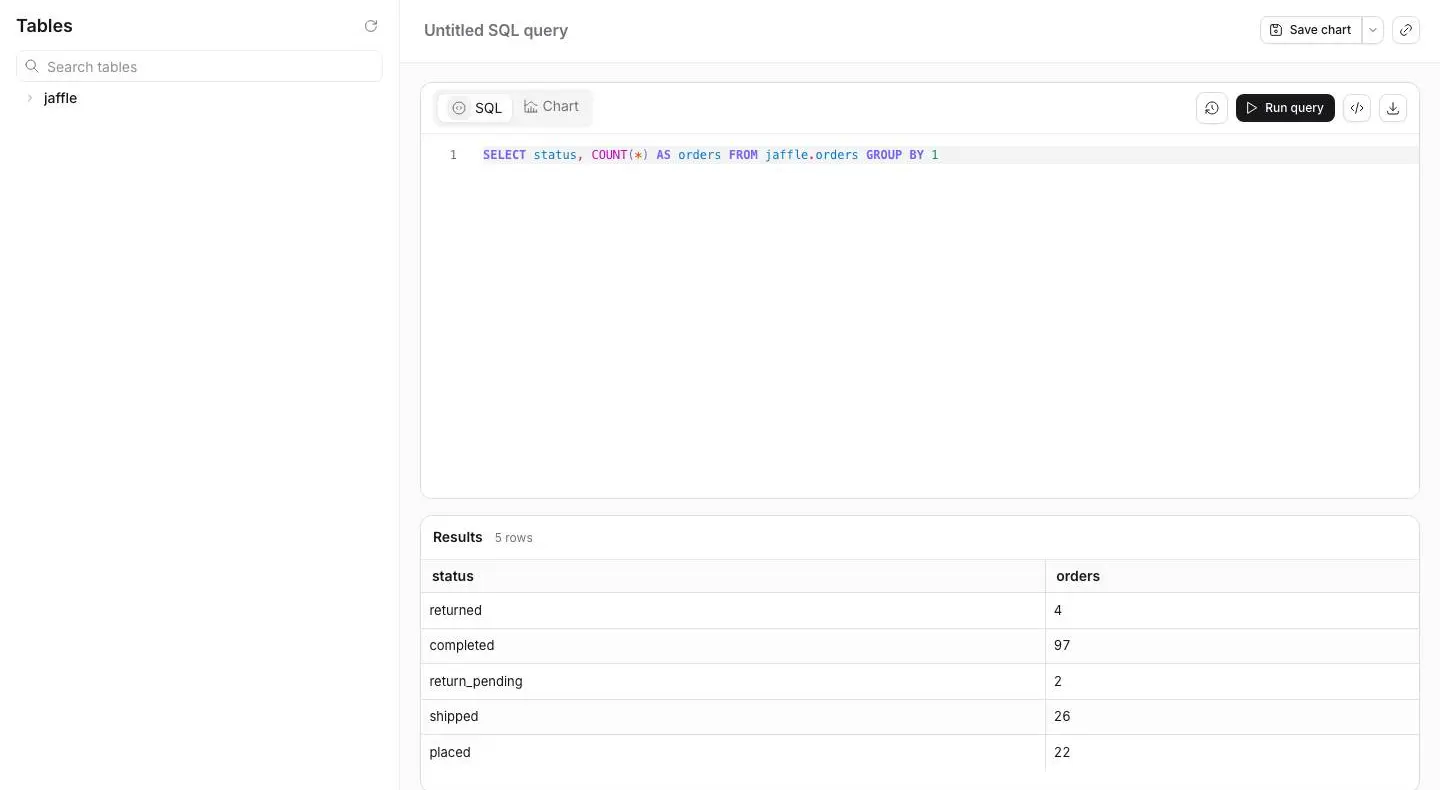
- Write SQL when you need to The SQL runner queries your warehouse directly and turns any result into a chart.
- Send reports and alerts Deliver a dashboard or chart by email or Slack on a schedule, and get an alert when a number crosses a limit.
- Browse a metrics catalog Browse every metric and KPI in a project in one place, then chart the one you need.
- Sync results to Google Sheets Keep a Google Sheet up to date with a chart's results on a schedule.
- Treat charts as code Charts and dashboards can live as files, and a preview from a branch lets you check changes before they go live.
Replaces Looker
Lightdash does the same job as Looker. Here is what changes when you switch.
- Metrics live in your dbt project and git, in place of a separate LookML model
- No price per viewer on the self-hosted edition, so the whole company can explore
- Charts, dashboards and warehouse credentials stay on your own server
- Changes can be previewed from a branch and checked before they go live
- You need a data warehouse and a dbt project or Lightdash YAML before anyone can chart
- LookML is more mature, with features such as derived tables and access grants
- There is no LookML importer, so models are rewritten and dashboards rebuilt by hand
- AI agents, embedding, data apps, custom roles and SSO beyond Google need a paid Enterprise licence key
What happens when you click Deploy?
You do not need a server or any technical knowledge. Four steps, and Lightdash is running at its own web address.
- Step 1 Click Deploy and create your account
Deploy takes you to Cloudgate. Create an account, or log in if you have one. Lightdash itself is free.
- Step 2 Choose a server
No server? Get one from Cloudgate: pick a size and a country, and Cloudgate gets it ready. Already have one? Connect it instead.
- Step 3 Cloudgate sets up Lightdash
It prepares the server, makes the passwords the app needs and starts it. There is nothing to install and nothing to write down.
- Step 4 Open your app and sign in
Your app gets a free web address to start, without https. Add your own domain, like app.yourshop.com, and Cloudgate secures it with https for you.
New to Cloudgate? See what Cloudgate is
Run Cloudgate yourself? Deploy from your own console
In your Cloudgate console, open Templates and choose Lightdash.
Questions
Is Lightdash free?
Yes, self-hosted Lightdash has an open-source core under the MIT licence, with no price per user for dashboards, explore, the SQL runner, scheduled deliveries, alerts, Google Sheets sync, the metrics catalog and Google sign-in. Some features need a paid Enterprise licence key, including AI agents, embedding, data apps, custom roles, caching and single sign-on with Okta, Azure AD or OIDC.
Is Lightdash a good alternative to Looker?
Yes, for teams that already use dbt it is the closest open-source match to Looker, because metrics are defined once in code and everyone else explores them without SQL. The dbt YAML layer does the job of LookML, though LookML is more mature, and Lightdash needs your data in a warehouse and modelled in dbt or Lightdash YAML.
Does Lightdash work without dbt?
Yes, you can describe your tables, metrics and joins in standalone Lightdash YAML files instead of a dbt project. Either way, someone has to write that layer before the business can build charts.
Should I choose Lightdash or Metabase?
Choose Lightdash if your team models its warehouse in dbt and wants shared metrics kept in git. Choose Metabase if you want to point a tool at your database and build charts from menus without writing any models first.
Can I move my Looker models and dashboards to Lightdash?
No, there is no automatic LookML import. Lightdash's guide is to rewrite your LookML views as dbt models or Lightdash YAML, with help from an AI coding agent if you like, then rebuild your dashboards by hand.
How do I sign in to Lightdash the first time?
There is no default login; the first person to open Lightdash's web address creates the admin account and the organisation, so do this right after setup. You then connect your data warehouse and your dbt project, and invite your colleagues.
What server size do I need for Lightdash?
Cloudgate sets Lightdash up on a large server with 4 GB of memory, because it runs with its own database, file storage and a browser for image and PDF exports. The app is a large download, so the first start takes several minutes.
Do I need technical skills to run Lightdash?
No. Click Deploy, create your Cloudgate account and choose a server, and Cloudgate sets up Lightdash and gives it a web address. You use it in your browser like any other online tool.
Do I need my own server for Lightdash?
No. When you deploy Lightdash, hosted Cloudgate can provide a server. If you already rent one, you can connect it instead.
Related apps

Dashboards and a SQL editor on your own databases.

Dashboards on your PostgreSQL or ClickHouse data.

Turn your business data into charts your whole team can use.

SQL queries, charts, dashboards and alerts.