
Loomio
Discuss, vote and record group decisions in one shared place.
No server needed to start: Cloudgate can provide one. What happens when you click Deploy




What is Loomio?
Self-hosted Loomio is open-source group decision-making: discuss proposals, vote with reasons and record the outcome, for boards, co-ops and nonprofits.
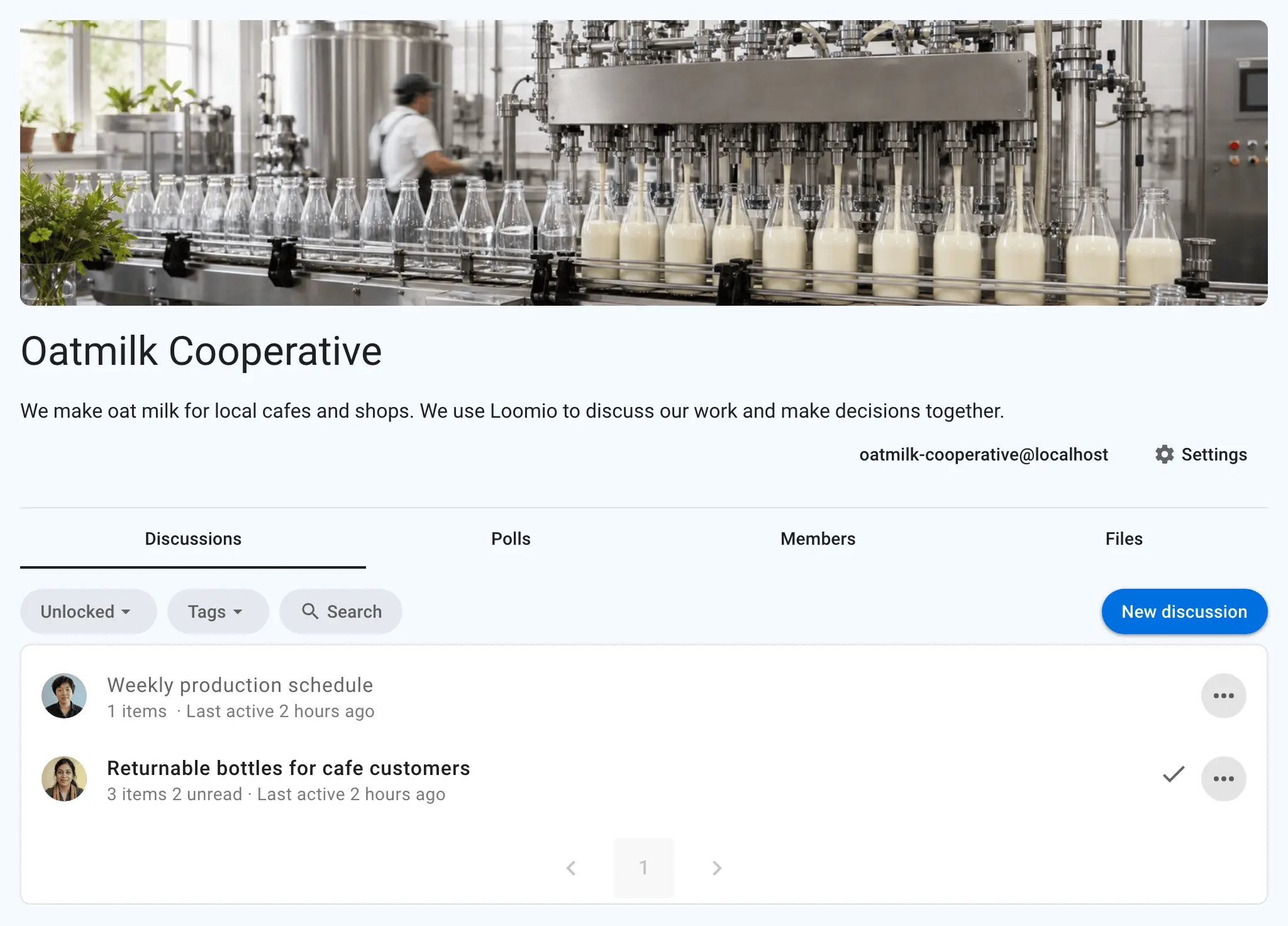
Self-hosted Loomio is open-source group decision-making software: a place where a board, co-op or community group discusses a question, votes with reasons and records what it decided, instead of losing decisions in long email chains and chat threads. Every discussion keeps its background, comments, votes and outcome together, so the reasons behind a decision are easy to find later.
Members take part when it suits them, between meetings rather than only at them. A food co-op, for example, could share next year's budget with its members, run a consent proposal for a week, and close it with a written outcome that anyone can look up when the next budget comes round.
Loomio offers proposals for consent and consensus, polls, dot voting, ranked choice, time polls and STV elections, in 15 languages. It sends email updates with a link to vote, posts to Slack, Microsoft Teams, Discord, Matrix and Mattermost, and works in a phone's browser.
Cloudgate installs Loomio on a server Cloudgate provides or one you connect, with the database it needs and a secure web address. You connect an email sending service during setup, then sign up and start your first group.
What you can do with Loomio
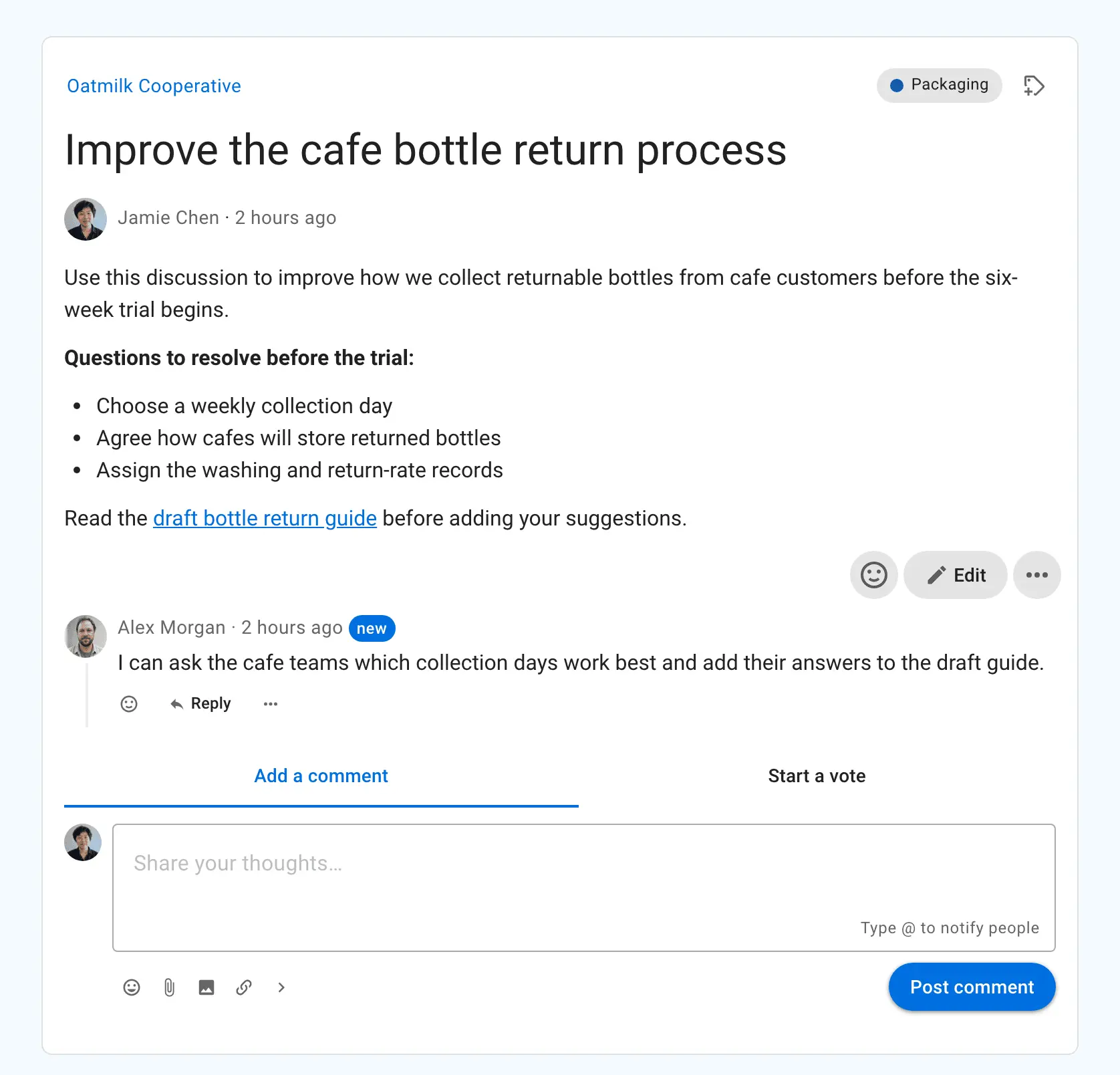
- Discuss with the full context Each discussion keeps the background, documents, comments, votes and the outcome together.
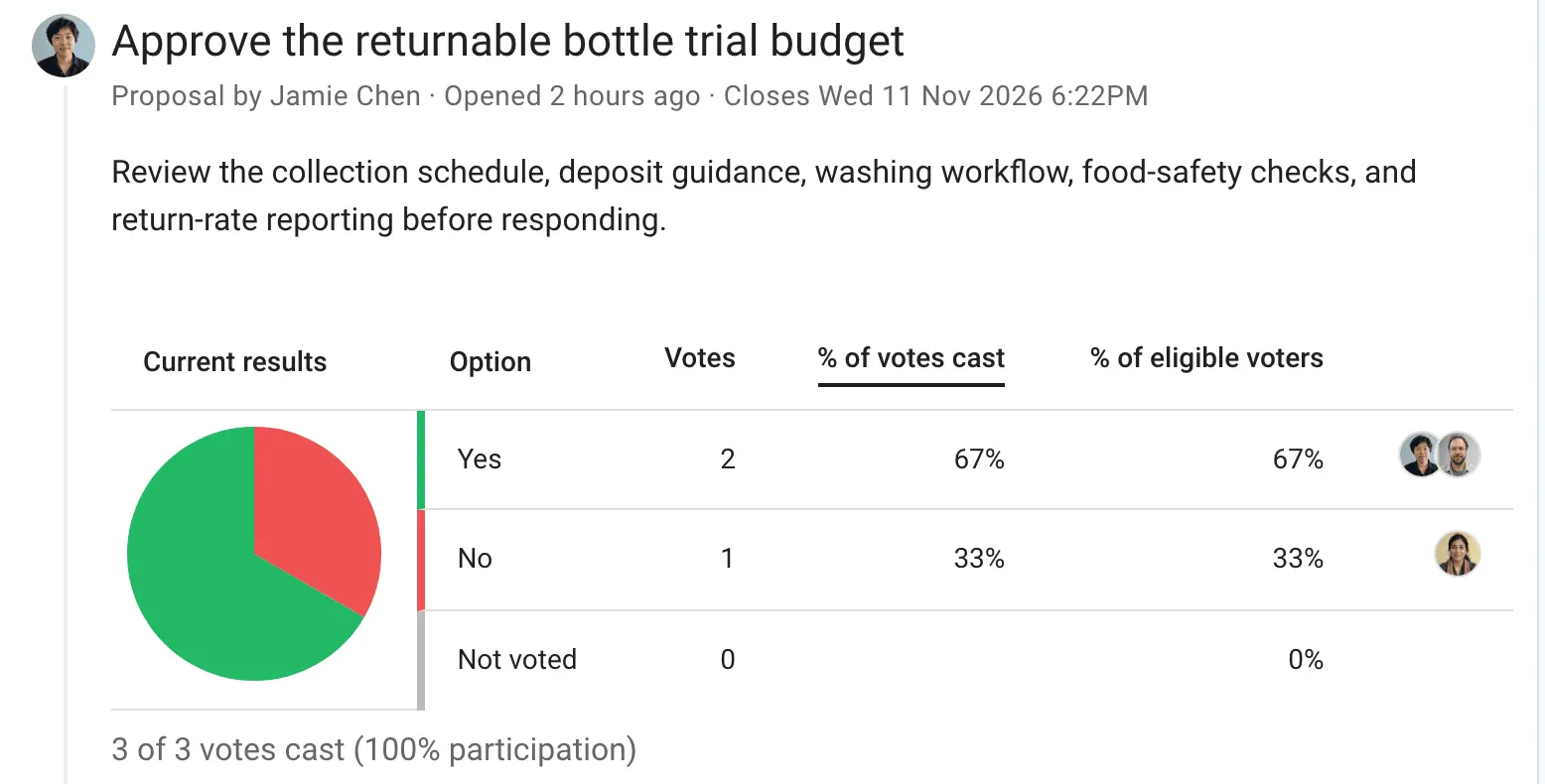
- Make proposals Run a yes or no proposal, with ready-made processes for consent, consensus, advice or a quick sense check.
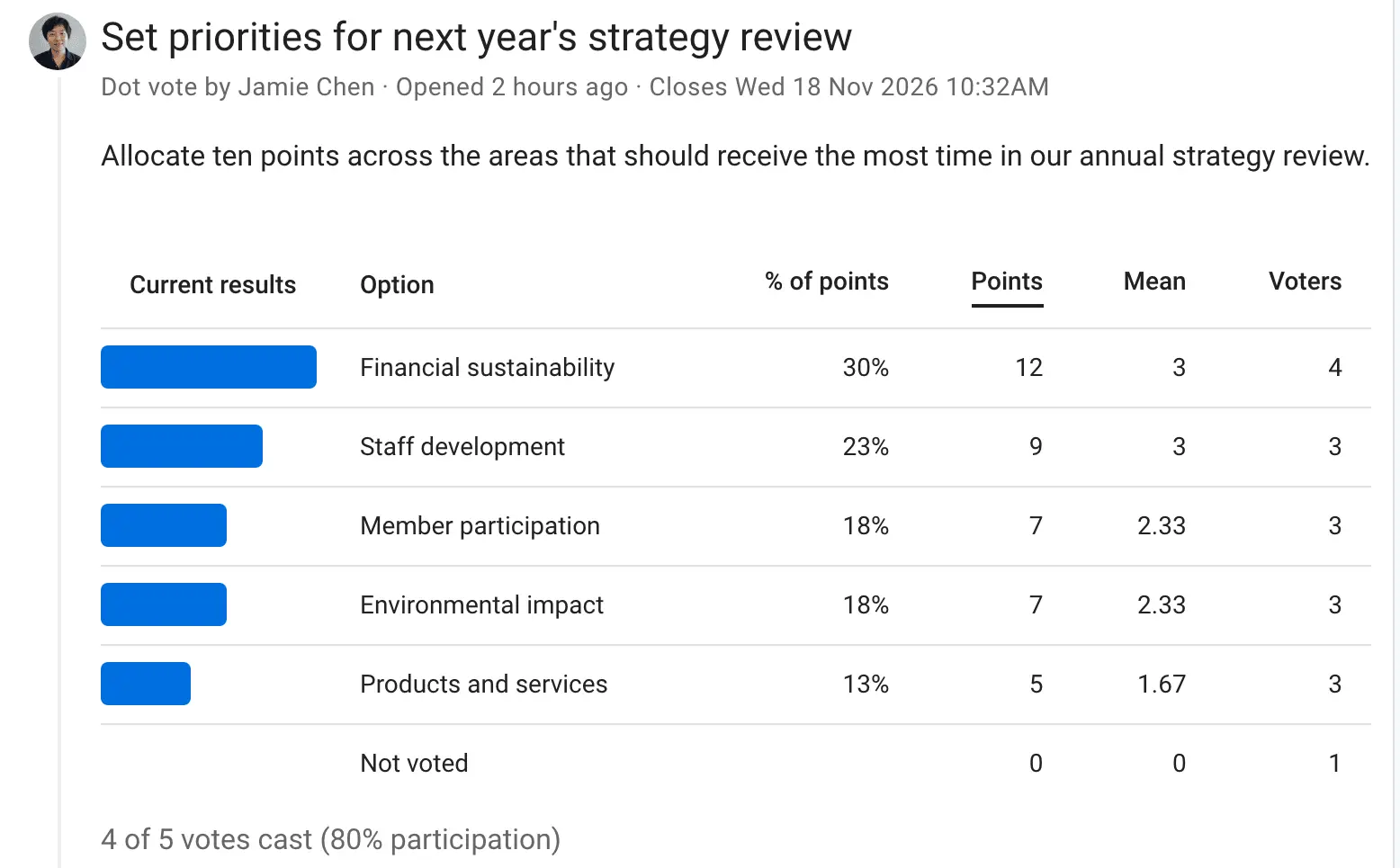
- Vote your way Choose from multiple choice, score, dot voting, ranked choice, time polls and STV elections.
- Set the rules of a vote Add a quorum or approval threshold, weight votes, keep votes anonymous until the end, and send reminders before the deadline.
- Record the outcome Close each decision with a written outcome and next steps, so anyone can search for what was decided and why.
- Organize groups and subgroups Give each committee or working group its own members, privacy and permissions, and invite guests to a single discussion.
- Take part by email or chat Members get email updates and can vote from a link in the email, and Loomio can post to Slack, Microsoft Teams, Discord, Matrix or Mattermost.
- Export your records Export poll results to a spreadsheet, archive a group as web pages, or print a discussion to PDF.
Replaces Doodle
Loomio does the same job as Doodle. Here is what changes when you switch.
- Members discuss and vote between meetings, not only at them
- Every reason, vote and outcome stays in one searchable record
- No fee per member or per group, and the records stay on your server
- The same software as Loomio's paid hosting, with SSO and your own branding
- No board books, document annotations or e-signatures like a board portal
- No text-message, phone or paper ballots like an election service
- Built for decisions over days, not live polls in a meeting
- No native phone apps; it runs in the phone's browser and can be installed as a web app
What happens when you click Deploy?
You do not need a server or any technical knowledge. Four steps, and Loomio is running at its own web address.
- Step 1 Click Deploy and create your account
Deploy takes you to Cloudgate. Create an account, or log in if you have one. Loomio itself is free.
- Step 2 Choose a server
No server? Get one from Cloudgate: pick a size and a country, and Cloudgate gets it ready. Already have one? Connect it instead.
- Step 3 Cloudgate sets up Loomio
It prepares the server, makes the passwords the app needs and starts it. There is nothing to install and nothing to write down.
- Step 4 Open your app and sign in
Your app gets a free web address to start, without https. Add your own domain, like app.yourshop.com, and Cloudgate secures it with https for you.
New to Cloudgate? See what Cloudgate is
Run Cloudgate yourself? Deploy from your own console
In your Cloudgate console, open Templates and choose Loomio.
Questions
Is Loomio free?
Yes, self-hosted Loomio is free and open-source software under the AGPL-3.0 licence, with every feature included. You pay only for your server and an email sending service; the paid plans on loomio.com are for hosting, not for extra features.
Should I use Loomio or Rallly to find a meeting time?
Rallly, if finding a time is all you need. Loomio has a time poll, but as one part of a tool for group decisions, next to discussions, proposals and votes. It suits a group that already decides things in Loomio and wants its time polls in the same place.
Can Loomio run anonymous votes and elections?
Yes. Any poll can be anonymous, with results hidden until voting closes, and Loomio has ranked choice and STV elections, quorum, approval thresholds and weighted votes. It does not send text-message or paper ballots, so formal elections that need those still need an election service.
How do I sign in to Loomio the first time?
There is no default login: open your Loomio address, sign up with your email and confirm it from the email Loomio sends you, then start your first group. This is why an email sending service must be connected during setup.
Can I move our group from loomio.com to our own server?
Yes. Loomio's data export has a JSON format made for moving a group to a self-hosted Loomio, and the file is loaded into your server with a one-off import command. Exports to a spreadsheet and to web pages are there for keeping your own records.
Is there a Loomio phone app?
No, Loomio has no native iPhone or Android app. It works in a phone's browser and can be installed from the browser as a web app, with notifications on supported browsers.
What server size do I need for Loomio?
A medium server with 2 GB of memory. Loomio's own guide asks for at least 1 GB, and Cloudgate allows extra room for the background worker and database that run alongside it.
Do I need technical skills to run Loomio?
No. Click Deploy, create your Cloudgate account and choose a server, and Cloudgate sets up Loomio and gives it a web address. You use it in your browser like any other online tool.
Related apps

Free membership management for clubs: members, roles, events, email.

Free church management software for members, attendance and giving.

Run consultations, proposals and participatory budgets online.

Free membership software for associations, with dues and reminders.